



The master schedule may look solid at the start, but things change quickly on site. Delays, missing crews, and late materials can throw off the plan within weeks.
This is common in construction. Many projects take longer than expected and go over budget. The reason is simple. The master schedule is created early and cannot fully account for real site conditions.
That’s where a lookahead schedule comes in. It focuses on the short term and helps teams plan work that is actually ready to be done. It connects the master plan to what is really happening on site.
In this guide, you will learn what a lookahead schedule is, why it matters, and exactly how to build one using the leading construction scheduling software, Planera, without slowing your project down.
What Is a Lookahead Schedule in Construction?
A lookahead schedule is a short-term planning view. Think of it as a zoomed-in slice of the construction master schedule that breaks upcoming work into detailed, near-future tasks. Instead of showing the full project timeline with high-level milestones and contract dates, the lookahead turns that schedule into specific tasks that field crews can understand, prepare for, and act on.

The typical window is 2, 3, or 6 weeks, depending on project complexity and how many trades are involved. A fast-moving commercial interior fit-out might use a 2-week lookahead. A large healthcare project with long procurement lead times might stretch to 6 weeks.
The master schedule is not wrong. It just cannot account for the framing crew that is two days behind on another job, the inspection that got bumped, or a last-minute design change.
What Is Included in a Lookahead Schedule?
A lookahead schedule should show more than a list of upcoming tasks. It needs to clearly outline what work is happening, when each task starts and finishes, who is responsible, what resources are needed, and what constraints could delay progress. In practice, many teams use the 3W test: what will be done, when it will happen, and who owns it.
If the schedule cannot answer those three points for each activity, it is not detailed enough to support field execution.
A good lookahead contains:
- Activity descriptions broken into daily or weekly tasks
- Start and finish dates for each task
- Responsible parties such as trade contractors and crew leaders
- Prerequisites and handoffs from upstream work
- Resource and material requirements per day
- Labor breakdowns by trade
- Equipment and delivery schedules
- Constraint flags for anything that could block progress
- A progress tracking column
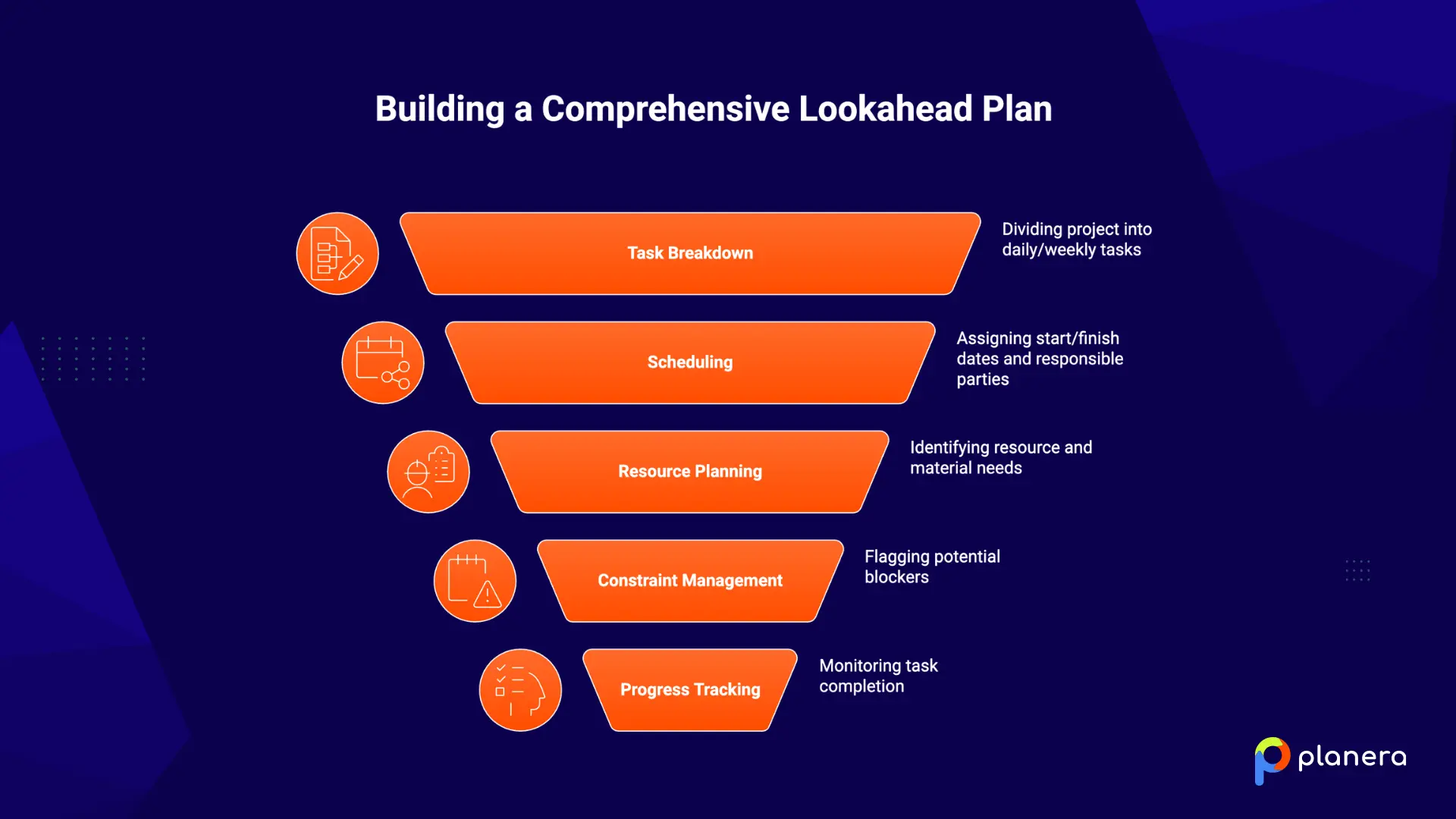
Field practitioners often use the "3W" test: What work will be done, When will it happen, and Who is responsible. If a lookahead cannot answer all three for every activity, it does not have enough detail.
What Is the Purpose of a Lookahead Schedule?
The purpose of a lookahead schedule is to make short-term work clear and ready before crews arrive on site. It helps teams spot issues early, such as missing permits, delayed materials, or conflicts between trades, while there is still time to fix them. Finding a problem a few weeks in advance is manageable. Finding it on the day work starts can delay the whole project.
A lookahead schedule also improves accountability. When subcontractors commit to tasks in front of other teams, those commitments become more serious. It becomes clear who is reliable and who is not. The lookahead turns assumptions into clear, shared commitments.
What Are the Benefits of Using a Lookahead Schedule?
Using a lookahead schedule helps teams catch issues before they turn into delays, improve coordination between trades, and keep crews working on tasks that are actually ready to start.
Also, it makes short-term planning more reliable by reducing guesswork, idle time, and rework, which leads to steadier progress on site.
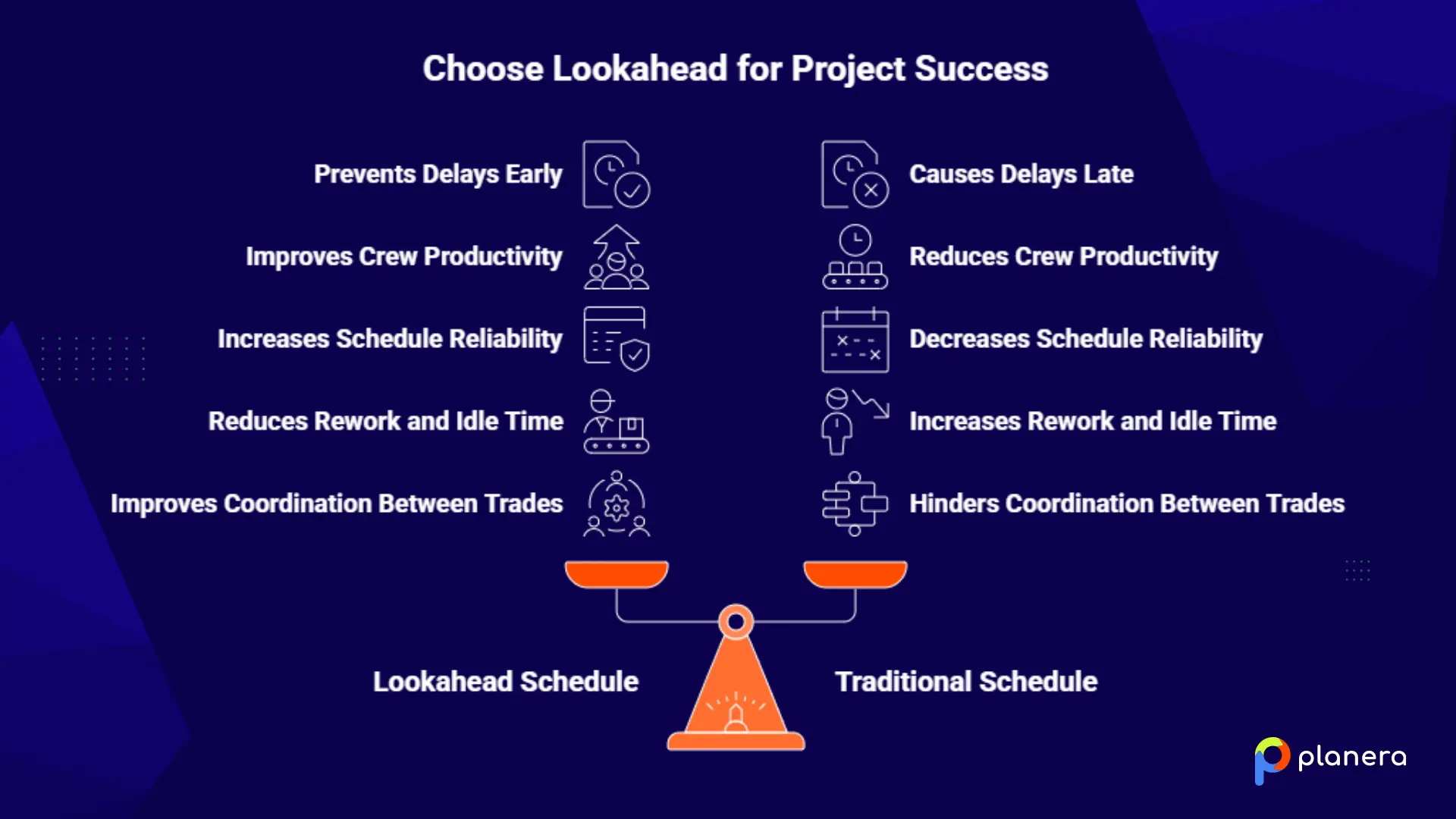
Prevent Delays Before They Happen
A lookahead schedule helps teams spot issues early, such as permit delays, missing information, or late materials. When problems are found a few weeks in advance, there is time to fix them. This is especially important on construction fast tracking projects, where overlapping work leaves less room for late decisions.
Improve Crew Productivity
Field teams no longer rely on outdated plans or guesswork. They can see exactly what needs to be done in the coming weeks and what is required to get started. This helps avoid downtime, prevents too many crews from working in the same area, and keeps work moving efficiently.
Increase Schedule Reliability
Lookahead planning helps teams make realistic commitments. When tasks are ready and clearly defined, they are more likely to be completed on time. This leads to more consistent progress and fewer surprises.
Reduce Rework and Idle Time
By identifying issues early, teams can avoid starting work that is not fully ready. This reduces mistakes, rework, and wasted time waiting for answers or materials.
Improve Coordination Between Trades
A lookahead schedule makes upcoming work visible to everyone. This helps teams coordinate better, avoid conflicts, and plan handoffs more smoothly, so work flows from one trade to the next without disruption.
Lookahead Scheduling vs. Master Scheduling vs. Weekly Planning
These three planning layers each serve a different purpose, and confusing them is one of the fastest ways to lose control of a project.
- The master schedule (CPM) is the contract baseline. It gets built during preconstruction, covers the full project timeline, and focuses on high-level milestones and project-wide sequencing. Owners use it for reporting. PMs use it for overall completion tracking. But it is too abstract for a foreman trying to figure out what is happening on Tuesday.
- In lean construction scheduling, the lookahead schedule is the bridge layer. It covers a 2 to 6 week rolling window, breaks activities down to the trade level, and focuses on constraint removal and readiness confirmation.
- The superintendent and trade leads update it weekly. This is where promises become visible, and constraints get surfaced while there is still time to fix them.
- The weekly work plan is the commitment layer. It captures exactly what each crew and trade partner promises to complete by the end of the week. These are specific, actionable, measurable tasks, and they drive PPC tracking.
Here is the simplest way to think about it: the master schedule shows what should happen. The lookahead shows what can happen. The weekly work plan shows what will happen.
The Last Planner System®, developed by the Lean Construction Institute, is the framework that formally connects all three. In LPS, lookahead planning covers a 6-week horizon and focuses entirely on identifying and removing constraints so the weekly work plan gets built on workable, ready tasks.
Common Challenges of Lookahead Schedules and How to Overcome Them
In construction, lookahead schedules often fail when they are too vague, disconnected from the master schedule, or created without input from the teams doing the work.
The most effective way to fix that is to make the plan detailed, involve trade partners in the process, track constraints consistently, and update the schedule every week so it stays usable in the field.
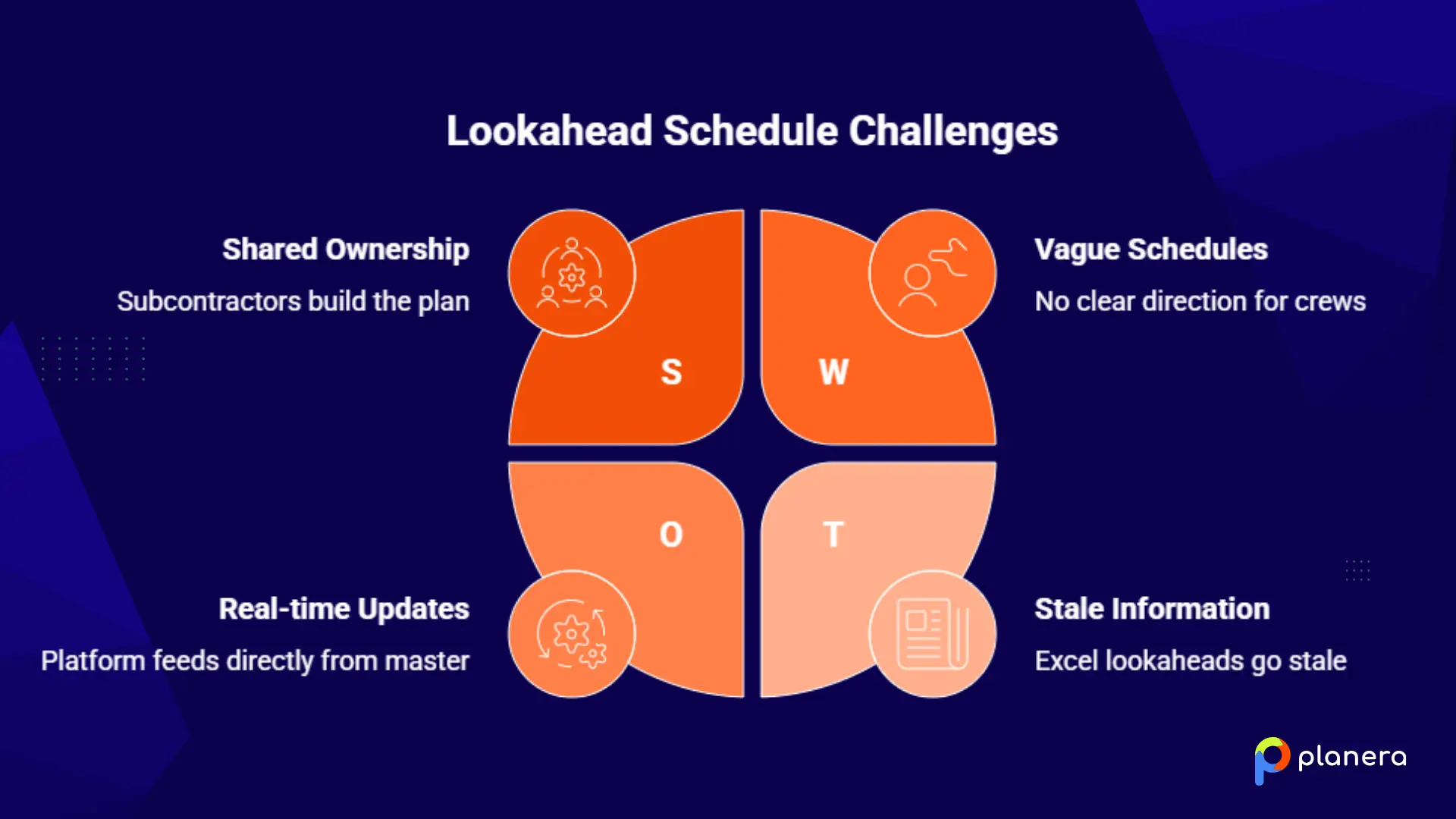
- Schedules too vague to act on. When lookaheads are built from underdeveloped master schedule activities, field crews get no clear direction. The fix: break activities into specific daily tasks with durations, responsible parties, and dependencies. If a foreman cannot plan their crew's day from the lookahead, it needs more detail.
- No trade buy-in. Lookaheads handed down from the top get ignored. Subs see it as the GC's schedule, not theirs. The fix: bring subcontractors into the weekly planning meeting and let them plan their own work in front of the group. When people build the plan themselves, they follow through. Shared ownership drives real commitments.
- Disconnected tools. Excel lookaheads that are not linked to the master CPM go stale the moment something changes. The scheduler updates the master, but the spreadsheet still shows last week's dates. The fix: use a platform where the lookahead feeds directly from the master schedule and updates in real time.
- Skipping constraint logging. This is the most common failure. Teams build the lookahead but skip the constraint evaluation, which is the whole point. The fix: for every activity entering the lookahead window, log what information, materials, access, and approvals are required before work can start, and assign an owner to each constraint. This single step is what separates lookaheads that prevent problems from lookaheads that just document them.
- Inconsistent update cadence. A lookahead that is not refreshed weekly stops reflecting reality within days. The fix: hold a fixed weekly lookahead meeting of 45 to 60 minutes with all active trades present. Review the constraint log, update progress, and roll the window forward.
How to Create a Construction Lookahead Schedule in Planera
Most teams still manage lookaheads in Excel, separate from the master schedule. That creates manual re-entry, stale data, and two sources of truth that drift apart. Planera keeps everything in one place.
There are two ways to do it, depending on how much detail you need.
Option 1: Quick Lookahead from the Master Schedule
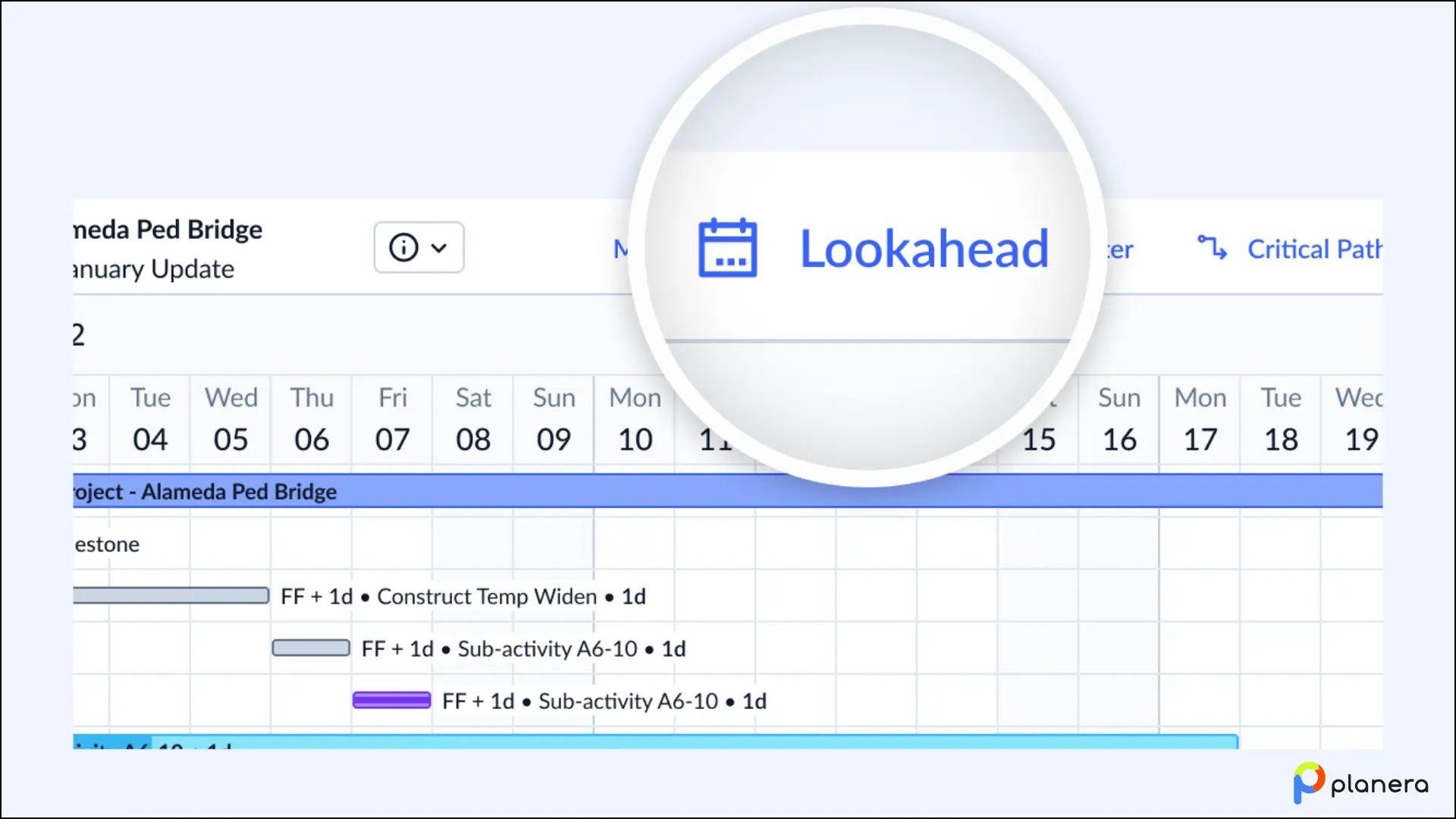
If you need a fast, read-only slice of upcoming work, use Planera's built-in Lookahead feature. Click "Lookahead" from the header in Gantt, Table, or Canvas view and choose your window:
- Rolling Window: Set a relative start like "Today" or "Next Monday" and a duration in weeks. Planera advances the window automatically each day, so a "Today + 3 weeks" view is always current without manual updates.
- Fixed Range: Set specific start and end dates for static reporting periods or historical reviews.
Click "Set" and the view filters immediately to only the activities in that window. No setup, no separate schedule to manage. This is the right starting point for most teams.
Click "Set" and the view filters immediately to only the activities in that window.
Save it as a bookmark so you don't have to set it up every time. Once your lookahead window is configured, click the Bookmark button in the header, name it something like "3-Week Lookahead," and save it. From then on, one click gets you back to that exact view. You can create multiple bookmarks for different purposes: a weekly work plan filtered by trade, a float path summary for owner reporting, a baseline comparison for monthly updates. Each one is a named, shareable link you can send to any project collaborator.
If you later move into Field Schedule territory, bookmarks carry over. When creating a Field Schedule, you can import all your master schedule bookmarks in one step, so your field team starts with the same organized views you've already built.
For a quick lookahead snapshot, this is all most PMs need.
Option 2: Field Schedule for Task-Level Planning
When a quick lookahead snapshot isn't enough, Planera's Field Schedule lets field teams plan and update at the task level, without touching the master schedule.
When to use it
The Field Schedule is the right move when your superintendent needs to break activities into daily tasks, when you want to give trade partners their own access without exposing the full contract schedule, or when you need progress updates flowing from the field back to the master on a consistent weekly cadence. If you're still handing supers a 300-row Gantt or a hand-typed Excel lookahead that's outdated before it's printed, this is what replaces that.
How to set it up
Select the time window you want to plan from your master schedule, typically 3 to 6 weeks. Start smaller rather than larger; you can expand the window later but not shrink it, and a tighter window is easier to keep in sync with the master. Planera generates the Field Schedule in 30 seconds, pulling all activities, logic, resources, and codes from that window.
During setup, you can import your master schedule bookmarks directly into the Field Schedule in one step, so your field team starts with the same organized views you've already built rather than a blank screen.
What field teams can do inside it
Trade partners and superintendents are invited as Contributors with no access to the master. Inside the Field Schedule they can break activities into granular daily tasks with durations and ownership, add new activities for inspections, deliveries, or fragnets that don't belong in the master, adjust logic for a more aggressive field sequence than what the master shows, and leave comments tagging the master schedule owner when something needs to be incorporated upstream.
One important nuance: task-level detail and new activities stay in the Field Schedule and don't automatically push back to the master. Only progress on existing activities flows back, and it goes for scheduler review before being accepted. New activities or logic changes need to be communicated via comment and manually incorporated by the scheduler.
The weekly rhythm
Field teams update progress throughout the week. On Friday, the data date moves to end of week, and those updates push to the master for review. The scheduler spends Monday making any logic changes or sequence adjustments outside the Field Schedule window, then pulls a new Field Schedule version that incorporates those updates. That cycle repeats each week, keeping field execution and the contract schedule in sync without parallel data entry or emailed XER files.
For teams on the go, Planera's iPad app lets superintendents update progress directly from the jobsite.
Real-Life Examples of Lookahead Schedules
Lookahead schedules are used in almost every type of construction project. Here are a few simple examples of how they work in practice.
- In a commercial building project, a lookahead schedule might show upcoming concrete pours, steel deliveries, and inspections for the next three weeks. The team uses it to confirm that formwork is ready, materials are on site, and inspections are booked in advance.
- In a residential project, the lookahead might focus on framing, electrical rough-in, and drywall work. It helps ensure each trade is ready to start as soon as the previous one finishes, without downtime between crews.
- In infrastructure projects like roads or bridges, the lookahead schedule often highlights activities such as grading, paving, or utility installation. It helps coordinate equipment, materials, and lane closures so work can continue without interruptions.
In all cases, the goal is the same. Teams use the lookahead to make sure upcoming work is ready, coordinated, and free of obstacles before crews arrive on site.
Why Modern Teams Use Planera for Lookahead Scheduling
Most construction scheduling tools were built for schedulers, not for the field teams who have to live inside the schedule every day. Superintendents handed a P6 Gantt learn quickly that it wasn't made for them, and they stop engaging with it. The schedule stops reflecting reality. Updates happen monthly instead of daily. The office and the field drift apart.
Planera is built for both. The master schedule gives project controls teams full CPM functionality: critical path, resource loading, scenario analysis, schedule quality scoring, and version comparison. The Field Schedule gives superintendents and trade partners a focused, collaborative view of the work in front of them, without requiring access to the full contract schedule.
The results from teams using both: Big-D Construction superintendents cut per-update time from hours to 5-10 minutes. Gilbane's coordination meetings dropped from four hours to one. At Ames Construction, a superintendent pulled a float analysis on a three-year airport project in five seconds, a task that had previously taken their scheduler hours in P6.
Teams trusted by top builders use Planera every day, including Big D Construction, Balfour Beatty, HITT, and Zachry Construction.
Ready to see how it works? Book a demo with Planera.
FAQ
Why is the 3-week lookahead schedule most common in construction?
A three-week window gives teams enough time to find and fix issues like material delays, permits, or trade conflicts. It is also close enough to current site conditions to stay accurate. Shorter windows do not give enough time to fix problems, while longer ones become less reliable for day-to-day planning.
What is the difference between a lookahead schedule and a weekly work plan?
The lookahead schedule shows what work is possible in the near future. It checks if tasks are ready and free of constraints. The weekly work plan is where teams commit to specific tasks they will complete that week. The weekly plan is built from the lookahead.
How often should a lookahead schedule be updated?
A lookahead schedule should be updated every week. If it is not updated, it quickly becomes outdated. Most teams review it in a weekly meeting with all active trades to check progress, identify issues, and adjust plans.
Who is responsible for creating the lookahead schedule?
The superintendent or project manager usually leads it. However, the best lookahead schedules include input from trade foremen and subcontractors, often through pull planning sessions. The people doing the work are best placed to plan it properly.
What is a 2-week lookahead schedule in construction?
A two-week lookahead focuses on the next 14 days of work. It breaks tasks into smaller, daily activities and checks what might block them. It is more detailed and is often used alongside the weekly work plan.
How does lookahead scheduling reduce delays?
It helps teams find problems early, such as missing materials, unresolved questions, or trade conflicts. When these issues are found ahead of time, they can be fixed before work starts. This prevents delays, idle time, and rework.
Is lookahead scheduling part of the Last Planner System?
Yes. Lookahead scheduling is a key part of the Last Planner System. It focuses on preparing tasks so they are ready before teams commit to them in the weekly plan. This helps improve reliability and keeps projects on track.
What tools are used to create lookahead schedules?
Some teams use simple tools like spreadsheets. Others use scheduling software that connects the lookahead to the main schedule. Modern tools allow teams to manage short-term plans without manual updates and keep everything in one place.

You deserve better scheduling software.
Drive revenue, reduce costs, and manage scheduling with Planera.
Request a Demo