


Most construction projects in North America face delays: 98% run over schedule, and large projects are often more than 40% late. The main cause is poor construction scheduling.
Construction scheduling is the process of planning and coordinating every task and resource to finish a project on time and within budget. For larger projects, this starts with a construction master schedule that organizes the full timeline. It connects office construction planning and scheduling with field work and helps prevent costly overruns.
In this guide, project managers will learn what a construction schedule is, the key types of construction schedules, construction scheduling methods such as pull planning, lean construction scheduling, common challenges, and best practices for keeping construction project planning on track in 2026.
What Is a Construction Schedule?
A construction schedule is a dynamic plan that shows how a project will be completed. It lists every task, the order they should happen, the resources needed, target deadlines, construction milestone schedules, and who is responsible for each job. This ordering is the foundation of a construction sequence plan.
Think of it as a roadmap that turns blueprints into a finished building, making sure every trade, material delivery, and crew comes at the right time.
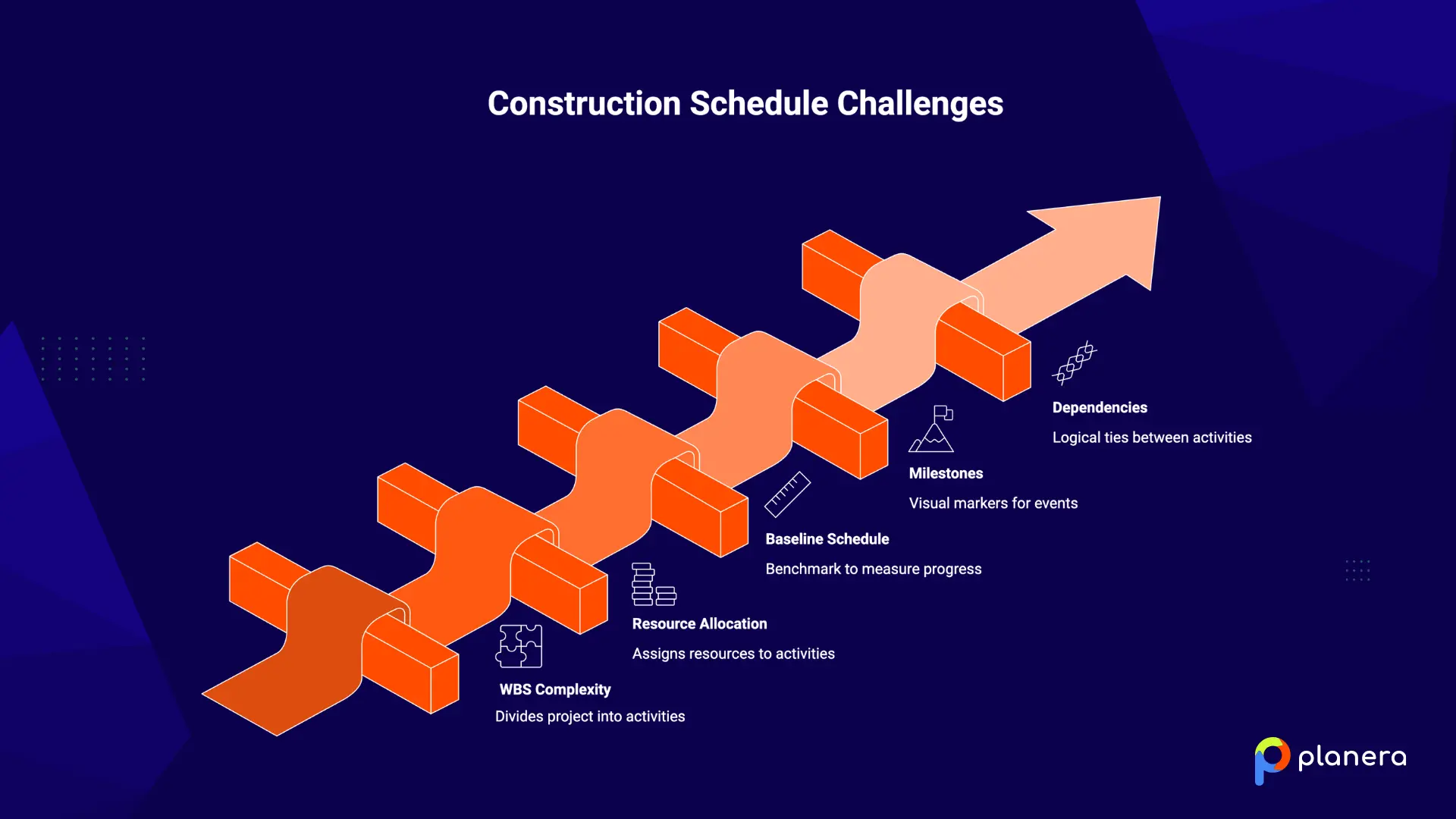
Every construction schedule includes five core elements:
- Work Breakdown Structure (WBS): Divides the full project into specific, manageable activities, both independent and dependent.
- Resource allocation: Assigns labor, materials, equipment, and budget to each activity so nothing is double-booked or missing.
- Baseline schedule: The final approved version of the schedule, used as the benchmark to measure actual progress against the plan.
- Milestones: Visual markers for major project events like concrete pours, topping out, substantial completion, or owner inspections.
- Dependencies: Logical ties between activities that define the order of work. You can't hang drywall before the framing is done.
Schedules are not fixed. They change as conditions change, including weather, material delays, labor availability, or scope adjustments. When a project needs schedule recovery, construction fast tracking may be considered.A good schedule is updated regularly to stay realistic. One way teams manage these ongoing changes is by using a construction lookahead schedule, which turns the master plan into near-term field work.
The benefits are clear: projects stay on time, resources are used efficiently, costs are controlled, risks are spotted early, and communication across the team improves. As Oracle says, construction scheduling helps ensure projects finish on time, meet quality standards, and stay within budget.
Key Construction Scheduling Terms Every PM Should Know
| Term | Definition |
|---|---|
| Construction schedule | A project plan that shows tasks, timing, responsibilities, resources, and deadlines needed to complete the job. |
| Work Breakdown Structure (WBS) | A way to break the full project into smaller, manageable activities and work packages. |
| Resource allocation | The process of assigning labor, materials, equipment, and budget to each activity. |
| Baseline schedule | The approved version of the schedule is used to measure actual progress against the original plan. |
| Milestones | Key checkpoints or major events in the project, such as inspections, concrete pours, or substantial completion. |
| Dependencies | Logical links between tasks that determine the sequence of work. |
| Critical path | The longest chain of dependent tasks determines the shortest possible project duration. |
| Float | The amount of time a task can be delayed without delaying the overall project completion date. |
| Lookahead schedule | A short-term planning schedule, usually covering the next 2 to 6 weeks, is used to coordinate upcoming work in the field. |
| Schedule update | A revision made to reflect actual progress, delays, scope changes, or site conditions. |

Who Is Involved in Construction Scheduling?
Construction scheduling is a team effort. Many people play a role in making sure a project stays on track, each contributing in different ways.
- Project Owner / Client: Starts the project, approves the budget, sets goals, and reviews major milestones. Every schedule decision should trace back to the owner's objectives.
- Construction Manager (CM): Oversees the project from the owner’s perspective, making sure the budget, schedule, and resources are managed across all phases.
- General Contractor (GC): Runs the construction work, manages subcontractors, supervises daily site operations, and keeps the schedule moving.
- Project Manager (PM): Acts as the central coordinator, handling contracts, budgets, scheduling, and change orders from the office side.
- Superintendent: Directs field operations, coordinates subcontractors, enforces safety, and manages daily logistics on site.
- Subcontractors / Specialty Contractors: Carry out specific trades such as electrical, plumbing, HVAC, or structural work. Their work directly affects project timelines.
- Architects & Engineers: Provide designs and technical specifications that guide how long tasks take and how they depend on each other.
- Suppliers / Procurement Teams: Deliver materials on schedule. A delay in materials can affect multiple tasks and slow down the whole project.
Each role is important for creating a realistic, workable schedule that keeps the project on time and on budget.
What Are the 7 Different Types of Construction Schedules?
No single construction scheduling method works for every project. The right choice depends on the project's size, complexity, level of repetition, and how your team prefers to work. Many contractors use more than one method on the same project.
1. Critical Path Method (CPM)
CPM is the most common construction scheduling method. It identifies the longest sequence of tasks, called the critical path, which determines the shortest possible project duration. Any delay in these tasks delays the entire project. CPM works best for large projects with clearly defined tasks, but it can become very complex and may struggle with unexpected changes.
2. Program Evaluation and Review Technique (PERT)
PERT focuses on milestones rather than individual tasks. It uses three time estimates for each task: optimistic, most likely, and pessimistic, to calculate the expected duration. PERT is useful for projects with high uncertainty and often complements CPM, which handles detailed task scheduling.
3. Line of Balance (LOB)
LOB is designed for projects with repetitive tasks such as high-rise floors, housing units, or road sections. It helps crews move efficiently from one unit to the next. LOB makes it easier to track performance trends and predict productivity.
4. Q Scheduling
Q Scheduling uses bar charts to represent resource quantities, with bar positions showing where and when those resources will be used. It's the least-used scheduling method in construction, but it has a specific niche: it gives visibility into material quantities, resource types, locations of use, and timing.
That makes it useful for resource-intensive phases where knowing exactly what material goes where matters more than mapping task dependencies.
5. Resource-Oriented Scheduling
This method focuses on allocating and leveling resources before setting the timeline. It adjusts task start dates or durations to avoid overloading labor or equipment. It works well for projects with tight budgets, limited staff, or equipment that must be shared.
6. Last Planner System
LPS is a collaborative approach that involves the people actually doing the work. Teams plan backward from a target completion date and coordinate short-term activities. LPS tracks schedule reliability and works alongside CPM, with CPM handling the master schedule and LPS guiding day-to-day execution.
7. Gantt Chart
A Gantt chart is a simple visual tool showing tasks on a timeline. Each bar represents a task’s start, duration, end, and dependencies. Gantt charts are easy to read and great for small or medium projects, but they can become cluttered for large projects and do not show resource needs.
How to Create a Construction Schedule?
Knowing how to create a construction schedule is a core skill for any project manager. A reliable construction project schedule requires a clear process, realistic inputs, and regular updates as the project moves forward. Breaking the process into clear steps makes it easier to build a schedule that is practical, accurate, and easy for the team to follow.
Follow these six steps to set it up effectively:
Step 1: Define Project Scope and Objectives
Start by outlining the project goals, expected deliverables, major milestones, site conditions, and constraints. This is also the stage to identify early risks, such as weather exposure, permit delays, labor shortages, or procurement issues. If the scope is unclear at the beginning, the schedule will be unstable from the start.
Step 2: Identify and Prioritize Tasks
Break the project into manageable activities using a Work Breakdown Structure. List every major task required to complete the job, then define the order in which those tasks need to happen. At this point, it is important to estimate task durations and distinguish critical activities from non-critical ones.
Step 3: Determine Dependencies and Task Sequence
Once the tasks are identified, map the relationships between them. Some activities can only begin after another is finished, while others may run in parallel. Defining dependencies helps establish the right workflow and reduces the chance of sequencing issues later in the project. This is also the point where lead times, lags, and critical path activities should be identified.
Step 4: Assign Resources and Responsibilities
After sequencing the work, allocate the resources needed for each task. This includes labor, materials, equipment, budget, and the team member responsible for execution. Responsibilities should be assigned clearly across the owner, project manager, superintendent, general contractor, subcontractors, and suppliers. Proper resource planning helps prevent crew conflicts, bottlenecks, and material shortages.
Step 5: Build the Project Timeline
Turn the task list into a working project timeline using the scheduling method that fits your project, such as CPM, Gantt, or Line of Balance. Set start dates, finish dates, task durations, milestones, float, and deadlines. Once the timeline is approved, establish the baseline schedule so progress can be tracked against the original plan.
Step 6: Monitor, Adjust, and Communicate
A construction schedule should be treated as a live project document. Track actual progress against the baseline and update the schedule to reflect site conditions, labor changes, material delays, weather impacts, or scope revisions. Share updates with all stakeholders so everyone is working from the same version and small issues can be addressed before they become major delays.
What Tools to Use for Creating Schedules of Your Construction Projects
Looking at construction project schedule examples can help teams choose the right format for their projects. The construction scheduling software market reached $6.8 billion in 2025, offering many options. Choosing the right tool depends on the size of your project, your team, and your workflow.
Gantt Charts
Gantt charts are the foundational visual scheduling tool. They are available in most platforms or as standalone templates. They work well for smaller projects, high-level overviews, and communicating timelines to stakeholders.
Planera

Planera is a cloud-based visual CPM scheduling platform with a drag-and-drop whiteboard interface. It is designed for contractors moving away from legacy tools who want sophisticated scheduling without unnecessary complexity. Planera supports full import and export of P6 and MPP files and integrates with platforms like Procore and Autodesk.
Microsoft Project

Microsoft Project is a widely used general-purpose scheduling tool. The desktop version is being retired, and teams are moving to cloud-native alternatives. It is suitable for small to mid-sized projects with basic scheduling needs, especially for teams already using the Microsoft ecosystem.
Primavera P6
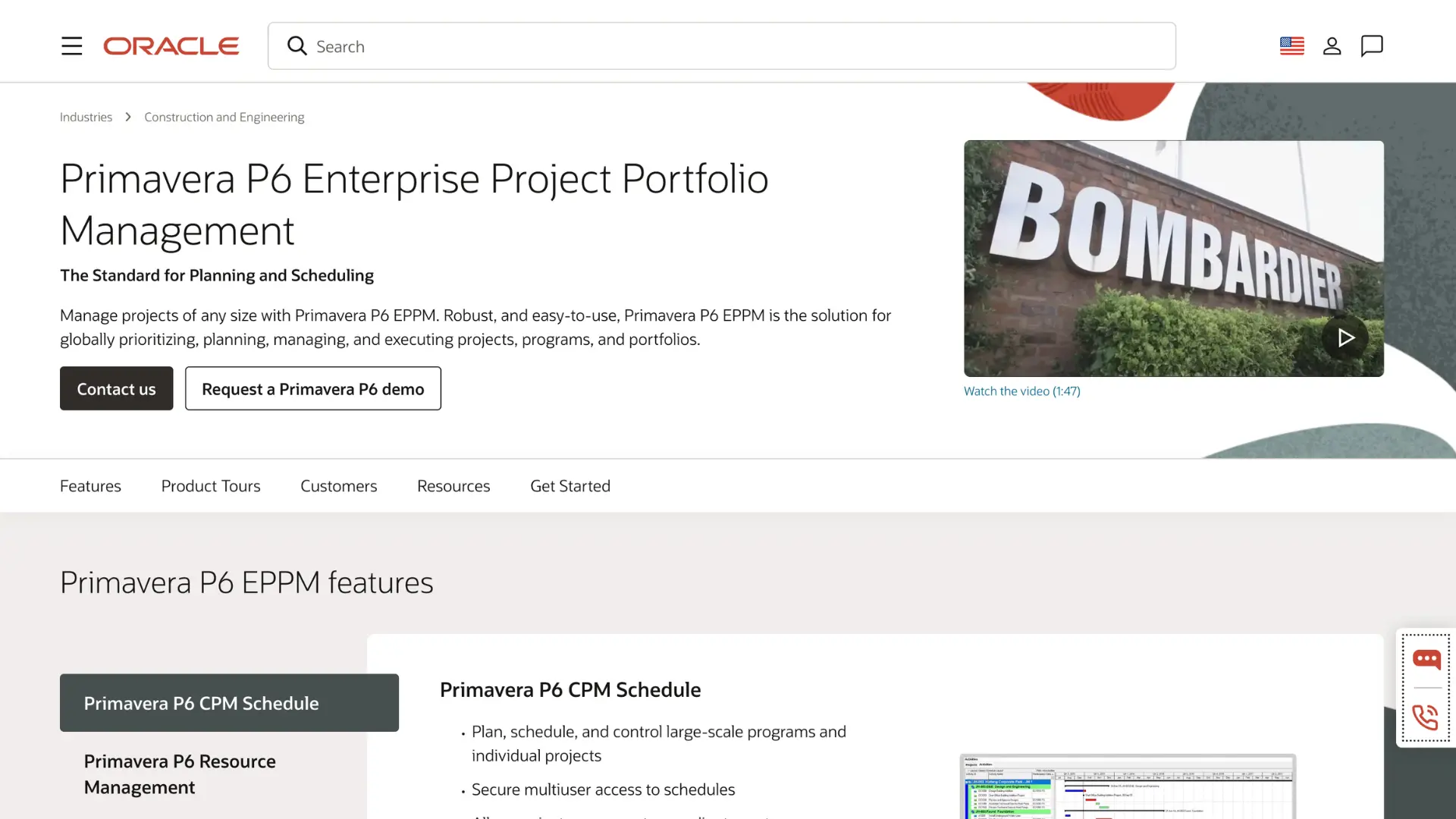
Oracle Primavera P6 is the industry standard for large-scale construction scheduling. It is available as P6 Professional for desktop, Oracle Primavera Cloud, and EPPM for on-premise use. Primavera is extremely powerful but complex, with a steep learning curve. It is best suited for large infrastructure and long-duration projects with dedicated scheduling teams.
Procore

Procore is an all-in-one construction management platform that includes Gantt and calendar scheduling, critical path visualization, lookahead planning, and master schedule uploads from P6 or MS Project. It works well for general contractors who want a single platform for documentation, financials, and field management, however it is not a suitable scheduling solution for projects that require a CPM schedule.
Outbuild
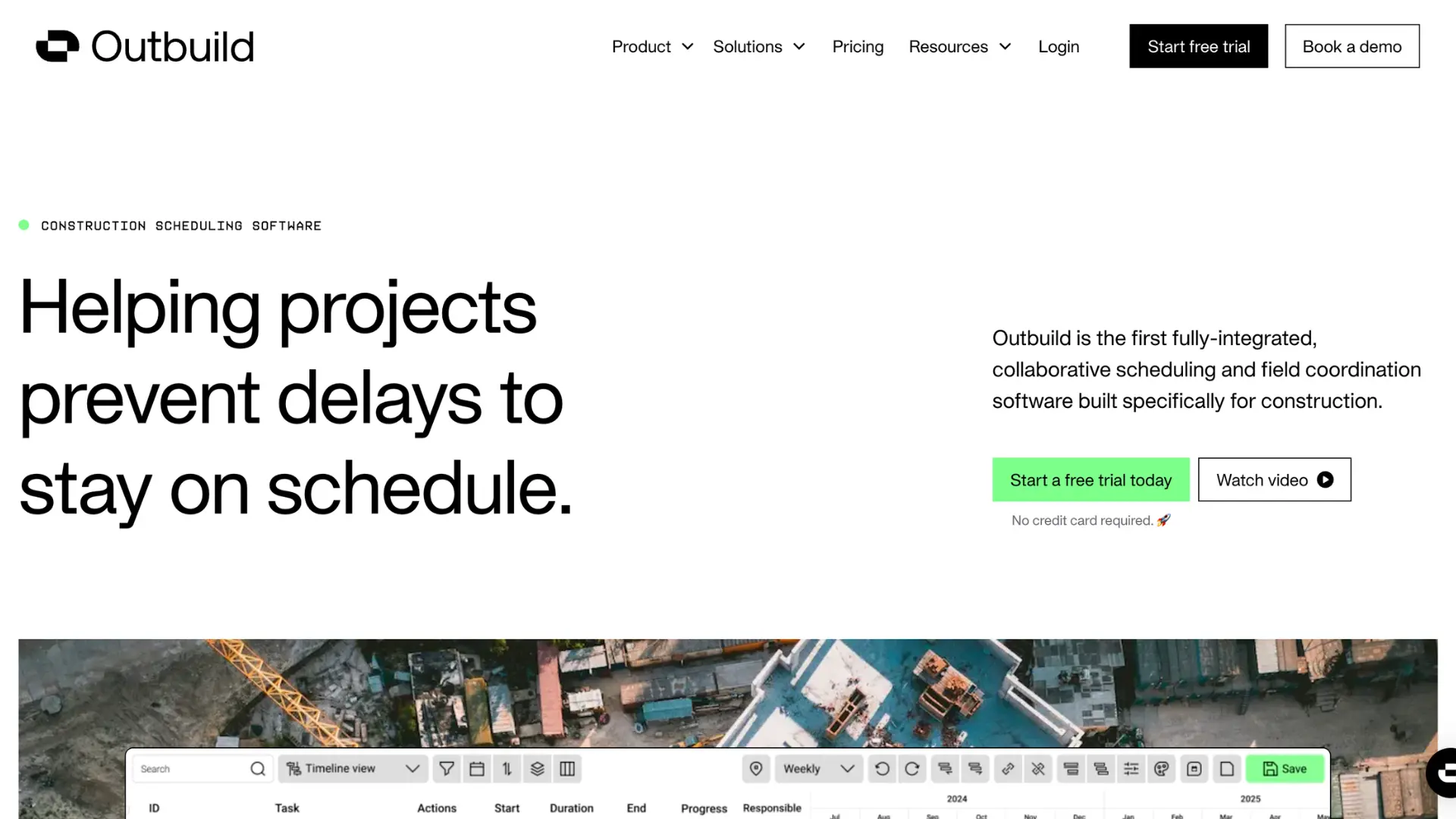
Outbuild is a field-focused scheduling tool built around lookahead planning and weekly work plans. The platform is designed for teams that prioritize field collaboration over complex schedule modeling. It lacks true CPM functionality, so contractors managing intricate, logic-driven schedules or working in environments that require full critical path analysis will likely find it limited.
Touchplan
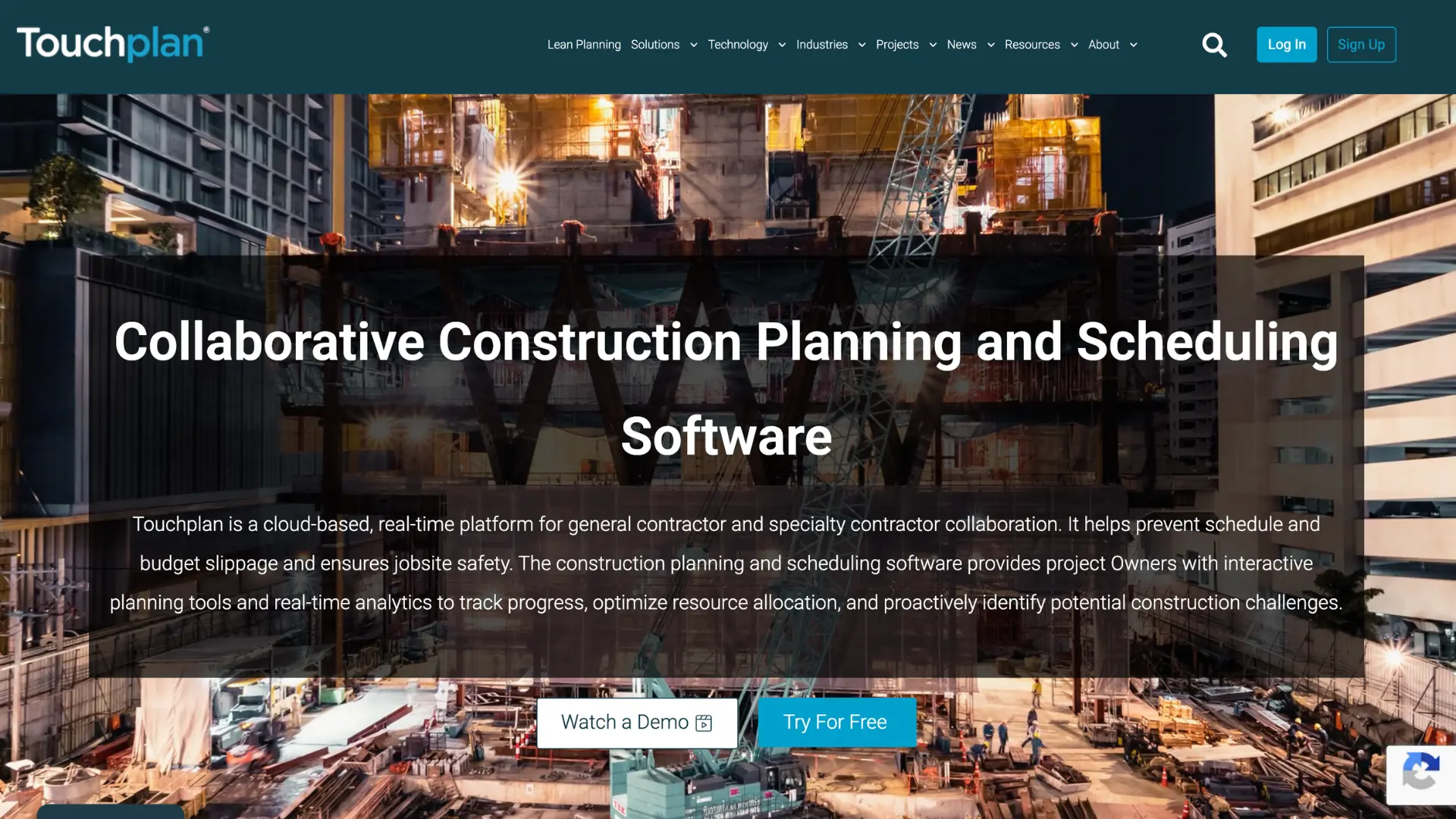
Touchplan is a lean construction planning tool built around the Last Planner System. It supports pull planning, phase scheduling, and lookahead workflows, and integrates with Procore, P6, MS Project, and Power BI. Where it falls short is in schedule rigor: Touchplan has no activity logic, so tasks float without predecessors or successors, and there's no audit trail when things slip. It works for collaborative planning sessions, but it's not a CPM tool. Teams that need critical path analysis, earned value tracking, or a defensible schedule record will find it lacks the structure to deliver that.
Nialli

Nialli digitizes sticky-note pull-planning sessions, making it a fast, collaborative tool for planning workshops. It is quick to implement, usually in just a few days. However, it is not designed to manage, update, or defend a live CPM schedule.
Asta Powerproject

Asta Powerproject delivers strong CPM scheduling, detailed logic control, and resource management. Widely respected among professional planners, but primarily desktop-based with limited visual collaboration features. Best for experienced schedulers focused on network logic and resource analysis.
Phoenix
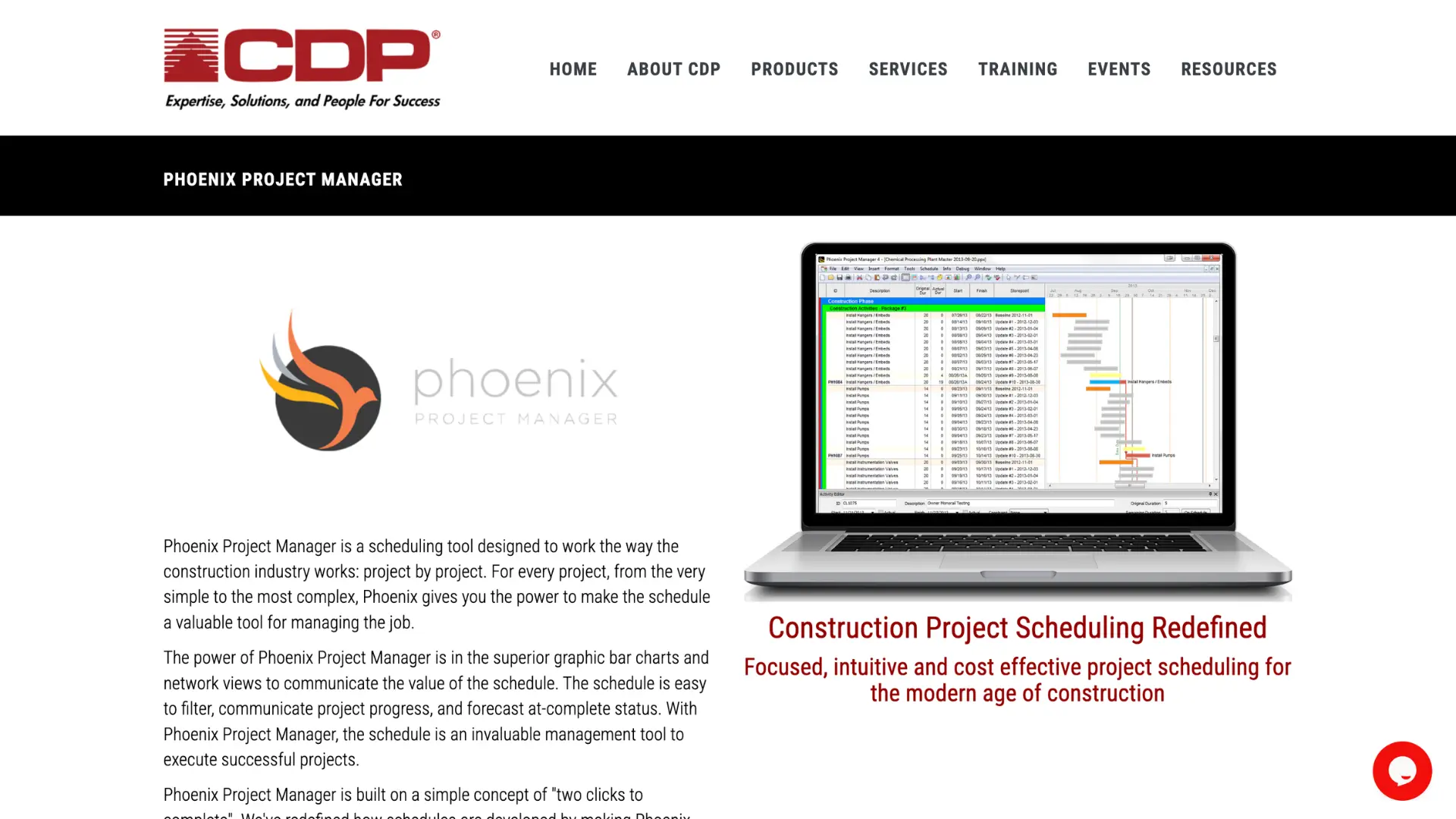
Phoenix Project Manager is a desktop-based CPM tool built for schedulers who need deep schedule analysis and claims documentation. It handles traditional CPM logic well, which makes it a fit for litigation-heavy or owner-reported project environments. The tradeoffs are significant: it runs on-premise and requires VMware, has no real collaboration features, and has a reputation for minimal customer support. Implementation typically runs one to three months. For teams that need a visual, collaborative scheduling environment, Phoenix offers little; it's best described as a claims-focused P6 alternative, not a modern scheduling platform.
Hoylu
Hoylu is a digital whiteboard tool built around visual planning, lookaheads, and short-interval planning. It's fast to get running and has a clean interface that field teams find approachable. The core limitation is that it doesn't connect meaningfully to a master schedule; teams using Hoylu for field planning often end up with divergence between what's happening in the field and what the master schedule shows. It has no CPM functionality, no critical path analysis, and no schedule quality scoring. For contractors who need a single source of scheduling truth across pre-construction and field execution, Hoylu handles one piece of that workflow but not the whole thing.
Allucent
Allucent is a web-based update layer designed to sit on top of Primavera P6. Field teams, typically superintendents, use it to submit progress updates through a Gantt interface, which then exports back to P6 via XER file. It's not a standalone scheduling platform. P6 still owns all the scheduling logic, and teams commonly pair Allucent with a third tool like SmartPM just to get basic reporting. The result is a three-tool stack for work that a single platform should handle. Logic editing is dialog-based with no visual drag-and-drop, and its analytics capabilities are limited enough that most customers end up managing around them.
Construction Scheduling Best Practices
Having the right method and tools is only half the equation. Discipline and process determine whether your schedule actually keeps the project on track.
Use Technology to Simplify Scheduling
Manual timelines and Excel spreadsheets cannot keep up with the complexity of modern construction projects. Using purpose-built scheduling software helps connect office and field teams, provides real-time updates, and integrates with other project management tools.
By 2026, firms that use integrated digital platforms report higher on-time completion rates compared to those relying on manual coordination.
Build Flexibility Into the Schedule
Allocate buffer periods for unforeseen events: weather, supply chain disruptions, and permit delays. Use contingency planning to keep the project moving without burning through the budget. Don't create a schedule so tight that a single delay cascades into a major overrun.
Maintain an Updated Inventory
Review and update your schedule regularly based on material availability, weather forecasts, and field conditions. Pair your schedule with tools that automate workflow updates so the team reacts to changes before they become problems.
Review Past Projects for Insights
Analyze historical project data to identify recurring delay patterns and improve future duration estimates. AI-powered tools can now surface these insights automatically, improving forecast accuracy over time.
10 Construction Scheduling Challenges and How to Avoid Them
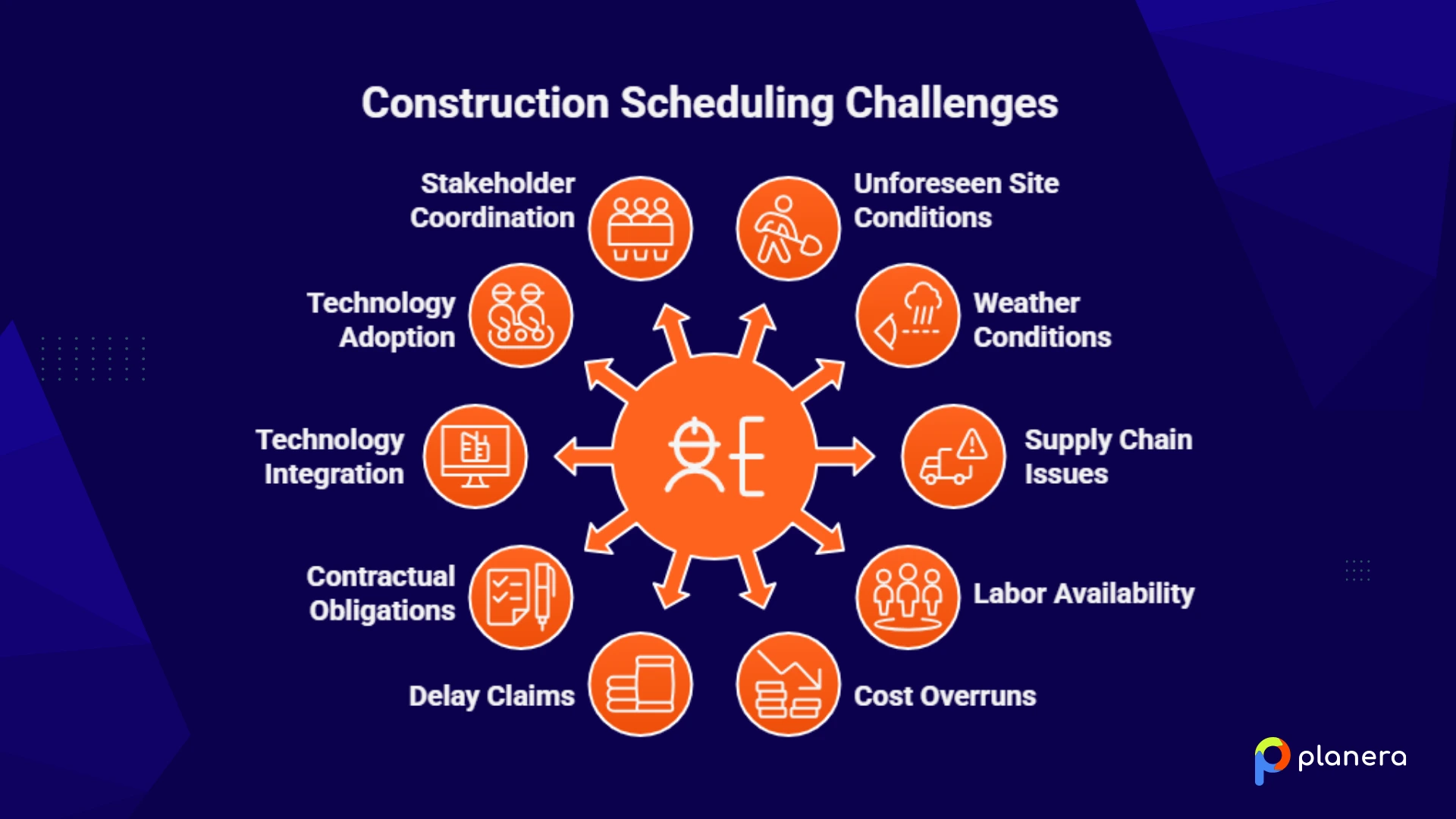
Even well-planned schedules can run into problems. Here are 10 common construction scheduling challenges and strategies to address each one.
1. Unforeseen Site Conditions
Unexpected soil, groundwater, buried utilities, or structural conditions can disrupt the planned sequence overnight.
How to avoid: Conduct site investigations and geotechnical studies during preconstruction. Build contingency time into early site work phases.
2. Weather Conditions
Weather disruptions are among the most common causes of unplanned schedule delays.
How to avoid: Build weather buffer periods into the schedule. Monitor forecasts actively. Plan alternate work sequences that can proceed during adverse weather.
3. Supply Chain Issues
Supply chain disruptions can create material shortages that push multiple tasks back.
How to avoid: Establish strong supplier relationships and early procurement timelines. Use scheduling software that links submittals and material delivery to specific schedule activities.
4. Labor Availability and Productivity
Shortages or low productivity in the workforce can delay projects significantly.
How to avoid: Plan workforce needs early. Coordinate with subcontractors during the scheduling process. Invest in training and retain reliable trade partners.
5. Cost Overruns Due to Scheduling Challenges
According to OpenAsset, a single 30-day delay on a $10M project adds $300,000+ in labor costs alone.
How to avoid: Track schedule vs. baseline regularly. Catch deviations early. Keep real-time cost tracking aligned to schedule milestones.
6. Delay Claims and Disputes
Schedule delays often lead to legal disputes, especially on contracts with liquidated damages clauses.
How to avoid: Keep detailed schedule documentation. Update the schedule regularly. When disputes arise, conduct forensic delay analysis following ASCE 67-17, SCL, and AACE 29R-03 standards.
7. Contractual Obligations and Penalties
Many contracts require CPM schedules and impose liquidated damages for missed milestones.
How to avoid: Review contract schedule requirements before creating the schedule. Make sure CPM logic satisfies contractual reporting requirements. Track schedule compliance continuously.
8. Integration of Advanced Technologies
BIM 4D, AI, IoT, and digital twins are increasingly embedded in scheduling workflows, but implementation without proper planning creates new risks.
How to avoid: Integrate new technologies incrementally. Make sure your scheduling platform can connect to BIM and field data systems. Use 4D BIM to simulate sequencing before construction begins.
9. Technology Learning Curve and Adoption Barriers
Many teams struggle to adopt scheduling tools effectively, leaving data unused.
How to avoid: Choose user-friendly tools that field teams can actually adopt. Invest in training. Establish a project controls team or dedicated scheduler. Phase technology adoption so the team isn't overwhelmed.
10. Coordination Among Various Stakeholders
Gaps often appear between the master schedule and day-to-day production schedules when teams are not aligned.
How to avoid: Use collaborative scheduling methods like the Last Planner System to involve trade partners in short-term planning. Publish schedule updates frequently. Create a single source of truth that all stakeholders can access.
The Future of Construction Scheduling
Construction scheduling is experiencing its biggest transformation in decades, driven by AI, BIM, digital twins, modular construction, and integrated platforms.
AI and Predictive Analytics
AI algorithms can analyze historical and real-time data to predict delays and cost overruns before they occur. By 2026, about 27% of AEC firms globally are using AI for automation and decision-making, and that number continues to grow. AI helps optimize scheduling and resource allocation, delivering significant cost savings and more reliable timelines.
4D BIM
4D BIM links 3D models to schedule data, allowing teams to simulate construction sequences, detect clashes early, and reduce rework. It has become the baseline for most projects worldwide, cutting construction delays and improving overall efficiency.
Digital Twins
Digital twins extend project intelligence beyond construction into operations and long-term asset management. This technology allows teams to monitor, simulate, and optimize projects even after completion, making maintenance and future planning more efficient.
Modular and Prefabrication
Modular construction and prefabrication help accelerate schedules and improve predictability. They address labor shortages and give owners more certainty around costs and timelines, making them an increasingly popular approach for modern projects.
Integrated Platforms
Integrated platforms that combine scheduling, budgeting, and procurement are becoming essential. Firms using these tools report higher on-time completion rates. The future of construction scheduling relies on treating technology as the operational backbone of projects, not just as a support tool, to stay competitive and deliver better outcomes.
FAQ
What is scheduling in construction?
Construction scheduling is the process of planning and coordinating all tasks, resources, and timelines required to complete a construction project. It makes sure work finishes on time, within budget, and according to scope.
How do you schedule construction activities?
Start by listing all tasks, defining durations, identifying dependencies, and building a Work Breakdown Structure. Then choose a scheduling method (CPM, Gantt, LOB, etc.), assign resources, create a timeline, and set a baseline. Monitor and update the schedule throughout the project.
What is the construction schedule sequence?
The typical construction schedule sequence runs from site preparation and excavation to foundation, structural framing, mechanical/electrical/plumbing rough-ins, exterior envelope, interior finishes, inspections, and closeout. Each phase must be sequenced to avoid rework and meet regulatory requirements.
What are the two types of schedules used in construction?
The two most widely used types are the Critical Path Method (CPM) schedule for detailed task sequencing on complex projects and the Gantt chart for visual timelines on smaller or simpler projects. Many teams use both: CPM for the master schedule and Gantt for stakeholder communication.
What makes a good construction schedule?
A good construction schedule is clear, realistic, logically structured, and regularly updated. It accounts for resource availability, task dependencies, risks, and contractual obligations, and every person on the project can read and understand it, from the PM to the field crew.
Why do we need construction project schedules?
Construction schedules provide the roadmap for project execution. They prevent delays and cost overruns, improve communication and coordination across all stakeholders, support risk management, help meet regulatory compliance, and determine whether a project finishes on time and within budget.

You deserve better scheduling software.
Drive revenue, reduce costs, and manage scheduling with Planera.
Request a Demo