


The global construction project management software market is projected to reach $13.18 billion in 2026, with forecasts putting it at $22.64 billion by 2032. As construction teams adopt more digital construction tools, they have more options for scheduling, collaboration and project control.
While Primavera P6 remains strong for large infrastructure work, many teams find it too complex, expensive, and slow to adopt for daily use. Long training times, high costs, and legacy workflows drive demand for simpler, modern alternatives.
In this guide, we compare 10 Primavera P6 alternatives across different team sizes and project types, including scheduling-first tools, all-in-one platforms, and field-focused software. We have evaluated each option for usability, pricing, scheduling strength, mobile access, and implementation speed.
What Is Primavera P6? Key Features, Strengths, and Limitations

Oracle Primavera P6 Enterprise Project Portfolio Management (EPPM) stands as the industry standard for large-scale construction scheduling.
What Are The Core Strengths of Primavera P6?
Primavera P6 is built for managing very large and complex projects. It lets teams break work down into detailed tasks and manage many projects at the same time from one system. Schedules can grow to thousands of activities without performance issues, which makes P6 suitable for enterprise-level planning.
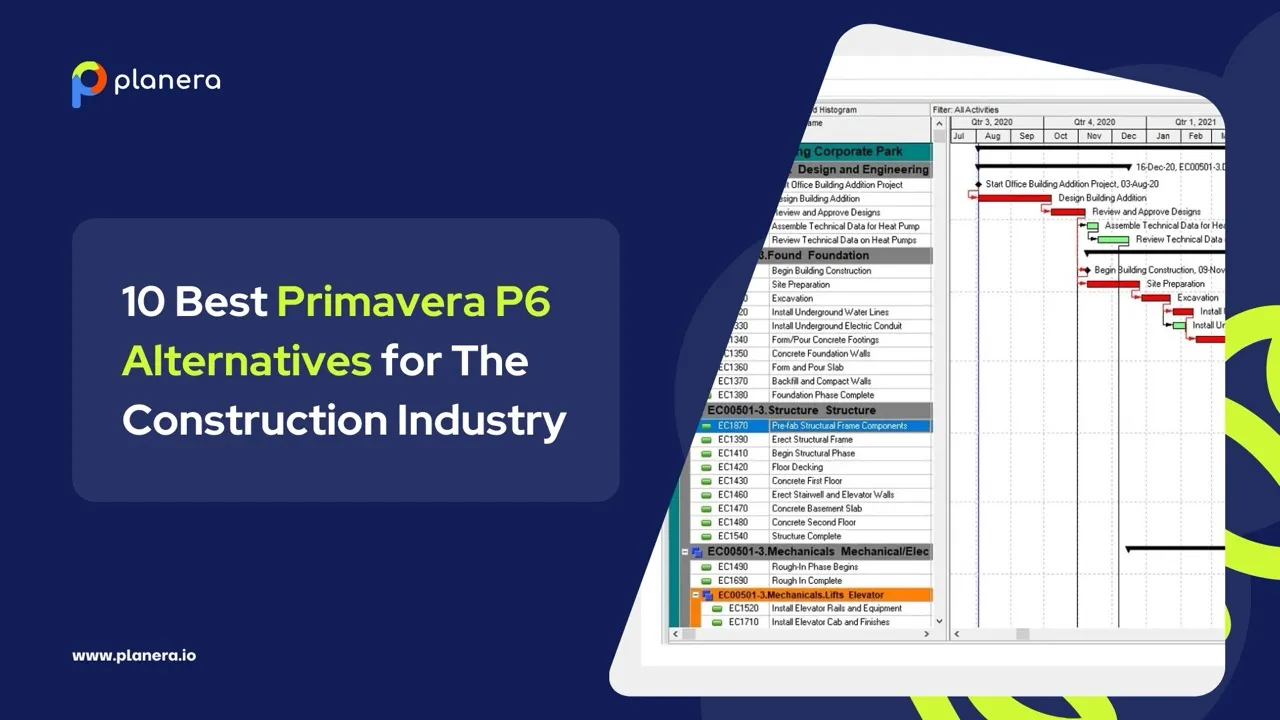
P6 uses Gantt charts to show progress across individual projects, full programs, and construction milestone schedules. It also allows different types of task relationships, giving planners more control over how activities connect and change over time. Resource planning is highly detailed, helping teams plan labor, equipment, and materials across multiple projects.
For organizations that need strict cost tracking, P6 supports budgeted material costs and integrates with Primavera Risk Analysis for advanced risk planning. These strengths make it a strong choice for large construction, energy, aerospace, and infrastructure projects where scale, control, and compliance matter.
Why Do Teams Search for Primavera P6 Alternatives?
Many teams look for alternatives because P6 can be difficult for smaller or mid-sized construction teams to adopt. Key reasons include:
- Steep learning curve: The interface is complex and typically requires formal training before teams can use it effectively.
- Long implementation timelines: Setting up P6 can take weeks or months, delaying the point at which teams start seeing real value from the software.
- High cost for smaller teams: Adding users or advanced features can get expensive, making it better suited for large enterprises.
- Complex IT requirements: P6 relies on Oracle or SQL databases, which need extra server setup and ongoing IT support.
- Limited support for mid-size GC workflows: P6 lacks many features that smaller teams rely on daily, such as effective collaboration and simplified communication tools.
- Overall complexity: Powerful but often more complicated than modern alternatives that are simpler to use.
How Much Does Primavera P6 Cost?
The cost of Primavera P6 scheduling software depends on the edition, number of users and deployment model. Oracle does not publish one standard commercial price for every P6 configuration, so actual costs can vary by organization and licensing agreement.
Current Primavera P6 Professional pricing puts a perpetual license at roughly $3,500 to $3,900 per user. Primavera P6 EPPM typically costs more, with listings around $3,850 per user before maintenance, training or implementation costs are included.
For cloud deployment, pricing follows a subscription model. Oracle Primavera Cloud pricing listings show packages that vary based on the number of users and capabilities required. Oracle also provides separate Primavera Cloud licensing options for scheduling, progress tracking, task management and portfolio planning.
The total cost can extend beyond the software license. Construction teams may also need to budget for:
- annual maintenance and support
- implementation and system configuration
- employee training
- integrations and database infrastructure
- additional licenses as the project team grows
For smaller contractors or teams that do not need P6's full enterprise feature set, these costs can be one reason to compare Primavera P6 alternatives with simpler pricing and implementation requirements.
Planera: The Best Primavera P6 Alternative for Construction Scheduling Excellence
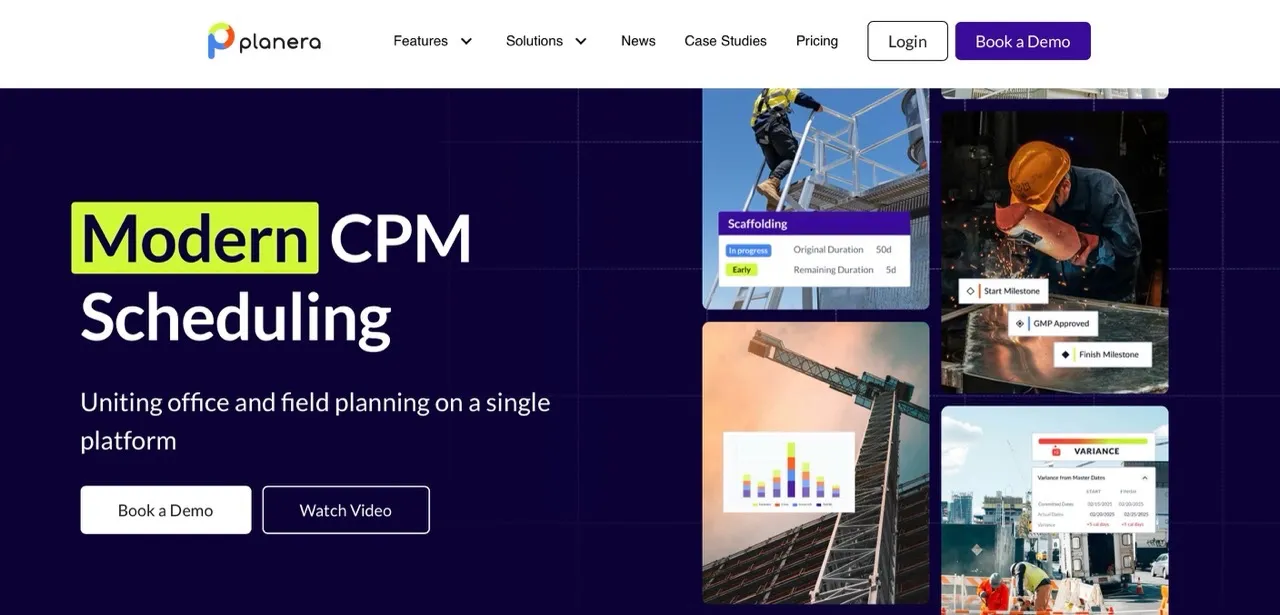
For construction teams whose primary need is exceptional scheduling without platform complexity, Planera delivers purpose-built scheduling excellence. This construction scheduling software focuses development resources entirely on making scheduling powerful, collaborative, and intuitive.
Planera's "focused tool philosophy" means exceptional scheduling capabilities rather than adequate functionality across everything. This allows deeper innovation in visual workflow management, real-time collaboration, and AI-assisted schedule intelligence.
- Scheduling-First Design
The CPM Canvas provides a visual, whiteboard-style interface for collaborative schedule building. Multiple team members can build schedules simultaneously in real-time. The in-platform Quality Assessment validates schedules against industry standards. Critical path identification and dependency tracking are visualized intuitively, making it easier for teams to understand schedule impacts at a glance.
- Rapid Implementation
Planera can be learned in hours to days rather than the weeks or months required for P6, and teams can create fully resource-loaded schedules in hours. This speed makes a noticeable difference in practice. As one project manager at Big-D Construction puts it plainly: "I can sit there in a room with a group of experienced, like-minded, smart people and put together a schedule that makes sense to all of them in about a quarter of the time."
- Transparent Pricing
Planera uses volume-based pricing with unlimited users at no extra cost, so the whole team, including field crews and subcontractors, can collaborate without incurring additional fees. Because the platform is cloud-based, teams also avoid the expense and complexity of maintaining servers or IT infrastructure.
- Tablet-Ready
Planera gives field crews full access to schedules on an iPad, with updates from job sites syncing in real time to keep the office and field aligned.
- AI Scheduling Assistant
The Manny AI Assistant lets you ask questions in plain language, detect risks, and explore "what if" scenarios directly in your schedule. The Resource Management tools help balance labor and equipment assignments while flagging potential bottlenecks before they disrupt the project.
- Additional Capabilities
Version Control tracks changes, compares versions, and maintains full project history. Import/Export capabilities seamlessly handle P6, MS Project, and Excel files. Native integrations with Procore and Autodesk Construction Cloud enable seamless data flow across your project tech stack. The Dashboard and Reports deliver real-time insights, S-curves, percent plan complete, and variance tracking.
Notable Clients: Zachry, HITT Contracting, Rimrock Construction, AMLI Residential, Miles-McClellan
User Testimonial: "The collaborative capabilities of Planera in real time are far and away above any other scheduling software. Multiple people can use it at one time."
For teams seeking enterprise scheduling capabilities with modern usability standards, Planera delivers the depth and control you need without legacy interface complexity.
Planera vs Primavera P6: A Direct Comparison
Both Planera and Primavera P6 serve construction scheduling needs, but with fundamentally different philosophies. Understanding these differences helps teams choose the right fit. The table below highlights the key distinctions.
| Capability | Planera | Primavera P6 |
|---|---|---|
| Primary Focus | Construction scheduling excellence | Construction scheduling |
| Learning Curve | Days to weeks | Months |
| Pricing Model | Volume-based | User-based |
| Visual Schedule Building | CPM Canvas with whiteboard-style collaboration | Not available |
| Field Access | Full tablet web app with complete functionality | Limited (P6 EPPM only), poor usability |
| Real-time Collaboration | Multiple team members build schedules simultaneously | Enterprise collaboration with full access levels |
| Implementation Time | Days to weeks, productive immediately | Weeks to months, requires extensive training |
| AI-Assisted Scheduling | Manny AI for risk detection and scenario planning | No Native AI capabilities |
| Quality Assessment | In-Platform Quality Validation | Multiple custom logs and filters |
| Infrastructure Required | Cloud-native, no servers needed | May require Oracle/SQL database infrastructure |
| Cost Scaling | Predictable project-based pricing | Scales with users, features, and project volume |
When Does Primavera P6 Make Sense?
- Primavera P6 works best for very large projects with tens of thousands of tasks and complex portfolios. It is ideal for enterprise-level teams managing multiple business units.
- Industries that need strict cost control, such as aerospace, defense, and oil and gas, benefit from its advanced features.
- Teams already embedded in the Oracle ecosystem, or those handling government contracts with strict compliance requirements, also find strong value in P6's capabilities.
When Does Planera Make Sense?
- Planera is designed for teams looking for a modern & intuitive CPM scheduling solution
- Its visual interface allows teams to get started quickly, with full adoption in days instead of months.
- Teams that rely on real-time collaboration, field updates, and fast schedule adjustments see immediate benefits.
- Planera’s volume-based pricing with unlimited users keeps costs predictable, and its Mobile-ready design ensures field teams stay aligned with office plans.
As one of the best construction workflow management software solutions, Planera delivers deep scheduling capabilities with the power and scalability organizations need, without unnecessary complexity..
Planera vs Primavera P6: What Are The Key Differentiators?
Scheduling Depth Without Platform Bloat
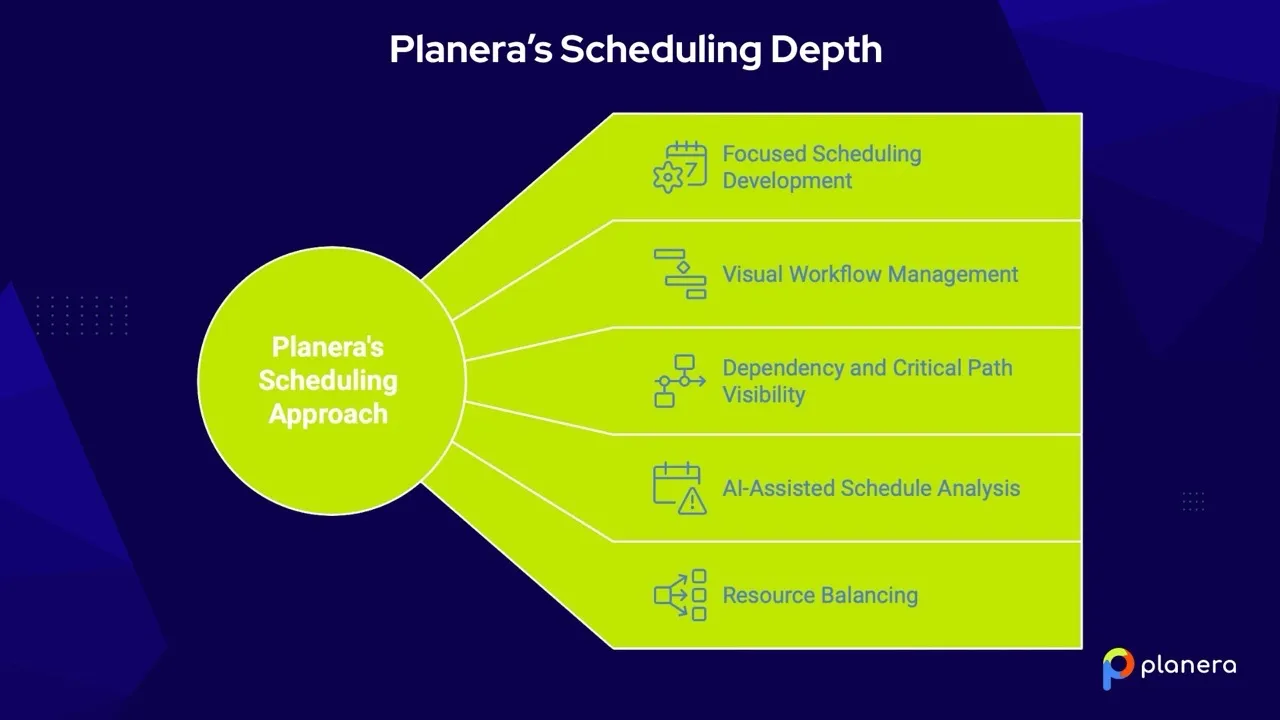
Platforms that try to cover everything split their development focus across dozens of features. That often results in shallow scheduling capabilities and slow workflows. Planera takes a different approach: it focuses entirely on scheduling, allowing for deeper functionality where it matters most.
- Focused Scheduling Development
Planera dedicates all product development to CPM scheduling. Features are designed specifically for construction scheduling workflows, not adapted from general project management tools. - Visual Workflow Management
The CPM Canvas complements dense Gantt charts with a visual, whiteboard-style interface. Teams can build and adjust schedules using drag-and-drop planning while preserving full CPM logic and dependency accuracy. - Dependency and Critical Path Visibility
Critical path updates as the schedule changes. Dependencies, float, and impacts remain clearly visible, helping teams understand how changes affect the overall timeline. - AI-Assisted Schedule Analysis
Manny AI highlights risks, answers plain-language questions, and supports “what-if” analysis without duplicating schedules, helping teams act before issues escalate. - Resource Balancing
Visual resource loading makes conflicts easy to spot. Labor and equipment adjustments can be made quickly, with changes reflected across the schedule in real time.
Faster Time to Value

Traditional platforms often require weeks or months before teams become productive. Long setup cycles, complex training requirements, and delayed adoption all slow the path to ROI.
- Planera’s Rapid Implementation
With Planera, teams begin building schedules in the first week and typically manage schedules independently within a few weeks. The visual interface significantly reduces training time, enabling teams to become self-sufficient more quickly. - Implementation Comparison
Traditional platforms typically follow a multi-month rollout that includes extended training, configuration, and change management. Planera, by contrast, enables productive scheduling within weeks rather than quarters. - Business Impact
The result is faster ROI, less disruption during the transition period, lower training costs, and immediate scheduling improvements.
In construction, faster implementation means faster coordination, fewer delays, and better outcomes.
Pricing Clarity and Predictability
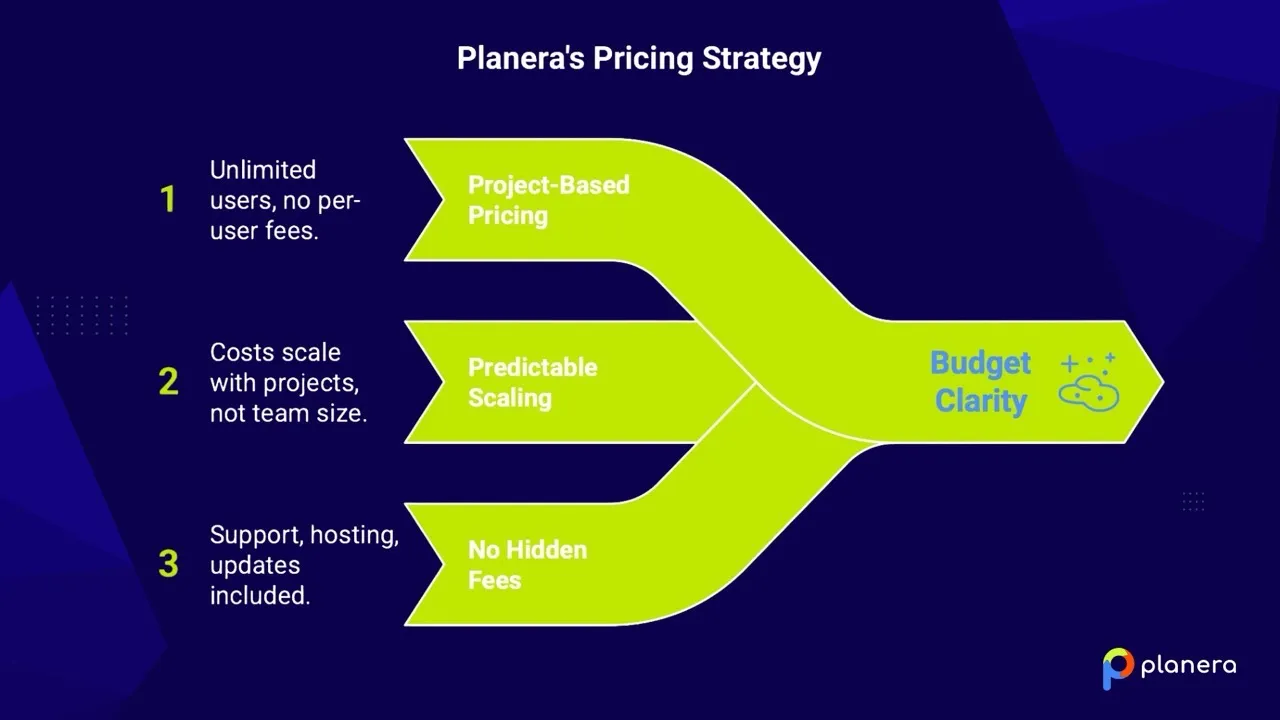
Many platforms start with low entry pricing, then become expensive as teams grow. Per-user fees, feature upgrades, surprise price increases after trials, and additional training or implementation costs can all make long-term budgeting difficult.
- Volume-Based Pricing, Not Per User
Planera uses project-based pricing with unlimited users. You can add office staff, field crews, subcontractors, and stakeholders without increasing costs. Collaboration isn’t restricted by licenses. - Predictable Scaling
Costs scale with volume, not team size. Pricing stays stable as teams grow, with no sudden jumps after trials or renewals. - Straightforward Pricing
Your subscription includes support, cloud hosting, updates, onboarding, and training. Optional services and integrations available for specialized requirements. - Why This Matters
This approach makes budget forecasting straightforward and allows teams to collaborate freely without worrying about user limits. Costs align with actual business growth rather than arbitrary user counts, making ROI easier to measure and plan for.
Other Primavera P6 Alternatives to Consider in 2026
Different construction platforms solve different problems. While Planera combines full CPM scheduling with real-time visual planning in a single cloud-native system, many other tools focus on either Lean coordination, desktop CPM analysis, or financial/project management workflows.
The tools below may be useful depending on your priorities — but most require a separate master schedule or lack the CPM rigor needed to fully replace Primavera P6 on complex projects.
Touchplan – Best for Lean Lookahead Schedules
Best suited for: Contractors focused on pull planning and short-term coordination.
Touchplan helps teams collaborate on lookahead schedules and track constraints. It supports Lean construction workflows and improves weekly planning conversations in the field.
However, Touchplan is not a CPM scheduling platform. It does not manage logic-driven master schedules, critical path calculations, or contract-level updates. Teams typically maintain a separate Primavera P6 or CPM schedule for long-term construction sequencing and claims protection.
Key limitation:
Touchplan improves short-term planning but does not replace a CPM master schedule built around the critical path method; meaning teams often operate in two systems.
Nialli – Best for Planning Workshops

Best suited for: Teams running structured planning sessions.
Nialli digitizes sticky-note planning sessions and helps teams align during construction pull planning workshops. It’s intuitive and effective for collaborative discussions.
However, it lacks:
- Logic-driven dependencies
- Critical path calculation
- Ongoing schedule control
- Contract-ready schedule updates
It is primarily a facilitation tool rather than a schedule management platform.
Key limitation:
Great for planning sessions, but not built to manage, update, and defend a live CPM schedule.
Outbuild – Best for Modern Gantt-Based Scheduling
Best suited for: Contractors seeking simple Gantt-based scheduling for small projects
Outbuild offers modern Gantt charts and supports collaboration between office and field teams. It is more user-friendly than traditional enterprise schedulers.
However:
- It does not offer the same depth of CPM configuration and forensic scheduling rigor as Primavera P6.
- Complex import/export workflows with P6 environments can create friction.
- On very large, legally sensitive projects, it may not provide the defensible audit trail or schedule analysis capabilities required.
Outbuild is a solution for SMB general contractors, but does not meet the CPM requirements of sophisticated commercial or heavy civil GCs. It does not support any claims-intensive environments.
Key limitation:
Simplifies scheduling, but may lack the enterprise-grade CPM depth required for high-risk projects.
Asta Powerproject – Best for Modern CPM
Best suited for: Large contractors with dedicated planning teams.
Asta Powerproject delivers strong CPM scheduling, detailed logic control, and resource management. It is widely respected among professional planners.
However, it remains primarily a desktop scheduler built for experts. Field teams, superintendents, and project managers often struggle to interact with it directly.
Key limitation:
Strong CPM engine — but limited visual collaboration and broader team adoption.
Phoenix Project Manager – Best for CPM Specialists

Best suited for: Experienced schedulers focused on network logic analysis.
Phoenix provides traditional CPM logic and schedule analysis tools. It supports standard formats and works well for technical schedule reviews.
However:
- It lacks modern cloud collaboration.
- It is not designed for shared, field-accessible planning.
- Visual workflow capabilities are minimal.
Schedules often remain siloed within the planning team.
Key limitation:
A technical CPM tool, not a collaborative construction planning platform.
Hoylu – Best for Visual Coordination
Best suited for: Teams that prioritize visual collaboration boards.
Hoylu offers digital whiteboards and pull planning functionality. It supports interactive planning meetings and improves team alignment.
However, it does not manage:
- Full CPM schedules
- Critical path logic
- Baseline comparisons
- Contract-ready updates
Teams must rely on a separate CPM system to control the actual schedule.
Key limitation:
Excellent visual collaboration — but no integrated CPM engine.
Allucent – Best for Making P6 Easier
Best suited for: Organizations committed to staying on Primavera P6.
Allucent enhances the user experience of Primavera P6 by making certain updates and views more accessible.
However, it does not replace P6. The complexity, database structure, and administrative burden of Primavera remain.
Key limitation:
Improves the interface — but the underlying system and limitations stay the same.
Microsoft Project – Best for Smaller Projects
Best suited for: Teams already embedded in the Microsoft ecosystem.
Microsoft Project provides Gantt charts, dependencies, and basic critical path functionality.
However:
- It is not purpose-built for construction CPM.
- It struggles with large, multi-phase projects.
- It lacks the robustness needed for contract-grade schedule management.
- Enterprise-scale collaboration is limited compared to modern cloud platforms.
Additionally, Microsoft is sunsetting its Online version, leaving only the desktop software available. For complex construction environments, it typically falls short of Primavera-level control.
Key limitation:
Suitable for light scheduling; not high-risk, large-scale CPM environments.
How We Chose the Best Primavera P6 Alternatives
We evaluated each alternative based on how well it replaces or improves on Primavera P6 for real construction teams. The focus was on practical value, not feature count.
The main criteria included:
- Scheduling capabilities: CPM, dependencies, critical path and schedule updates
- Ease of use: how quickly office and field teams can learn the platform
- Implementation: setup requirements and time needed to get started
- Pricing: transparency and overall cost considerations
- Mobile access: ability to review and update schedules in the field
- Integrations: compatibility with other construction and project management tools
- Project fit: suitability for different contractor sizes and project types
We also considered common reasons teams look for Primavera P6 alternatives, such as a steep learning curve, complex workflows, cost and limited accessibility for field users.
Quick Comparison: How These Alternatives Stack Up
This comparison table summarizes key factors across all alternatives, making it easy to evaluate options at a glance. Use this to shortlist 2-3 candidates for detailed evaluation based on your priorities.
Construction scheduling software overview
Pricing, learning curve & implementation compared · 10 leading tools
🔍
Showing 10 of 10 entries
| Software | Best For | Starting Price | Learning Curve | Implementation Time | CPM Scheduling Capability | Primary Strength |
|---|
What Trade-Offs Should Teams Expect from Primavera P6 Alternatives?
Not every Primavera P6 alternative is designed to replace the full depth of P6. Different tools tend to focus on different parts of the scheduling workflow, so teams should compare them based on what they actually need.
Common trade-offs include:
- Visual planning tools often make collaboration easier for field and project teams but may offer less advanced CPM scheduling.
- Desktop scheduling software can provide strong logic and critical path capabilities but may be less convenient for real-time collaboration.
- Broader project management platforms may combine scheduling with financial, document or workflow features but offer less depth for complex construction schedules.
For construction teams, the key question is whether a tool can support the level of construction scheduling required for the project while remaining practical for the people who need to update and use the schedule.
How to Choose the Right Primavera P6 Alternative
Choosing construction software isn’t about finding the tool with the most features. It’s about choosing the one that fixes your biggest daily problem. Use the steps below to narrow your options quickly and confidently.
1. Consider Your Primary Workflow Needs
Every team has one issue that causes most delays or stress. Choose software that solves that first.
- If schedules keep breaking or crews clash between projects, look for scheduling-focused tools like Planera, or familiar planners like Microsoft Project if your team is already comfortable with that environment.
- If you don't know job profitability until it's too late, financial-focused platforms like Buildern, JobTread, or Procore may be a better fit for gaining real-time visibility into costs.
- If clients constantly ask for updates, client-first tools like BuildBook or Buildern are easier for homeowners to follow.
- If field teams struggle to follow office plans, field-focused tools like Fieldwire or Planera help bridge the gap.
Simple rule: If it doesn’t directly fix your biggest problem, don’t shortlist it.
2. Match the Software to Your Business Size and Type
Software built for massive contractors often overwhelms small teams.
- Small teams and small budgets: Look for simple, affordable tools like Contractor Foreman, BuildBook, or Fieldwire’s free tier. Planera also works well if scheduling is your main issue.
- Growing companies: Choose software that can scale without exploding in cost, such as Planera, Buildern, JobTread, or Knowify.
- Large and enterprise contractors: You'll need strong portfolio management and coordination capabilities, which tools like Planera, Procore, or Primavera P6 provide.
Simple rule: If the software feels too complex for your current team, it probably is.
3. Ask for Pricing Transparency
The price you see isn’t the full cost. Training time, setup, and growth all matter.
- Flat monthly pricing is predictable and usually indicates a simpler product.
- Per-user pricing can become expensive quickly as your team grows.
- Project-based pricing keeps user access open and avoids surprise fees as you add collaborators.
- Revenue-based pricing (a percentage of project value) scales naturally with project size, making it cost-effective for larger projects where the scheduling investment aligns proportionally with project budgets.
Watch out for: Hidden onboarding fees, long contracts, or prices that jump after the trial.
4. Implementation Timeline
Digital tools for construction only help once your team actually uses it.
- Some tools are usable for days or weeks.
- Others take months and heavy training.
Simple rule: If you need results this quarter, avoid tools with long implementation timelines.
5. Check Tablet Functionality
If field crews can't easily use the software, schedules fall apart.
When evaluating tablet functionality, ask these questions:
- Can field teams update schedules, or only view them?
- Does the app work offline when connectivity is limited?
- Was the tablet interface designed for touch-based use, or is it simply a shrunk-down version of the desktop?
If half your users are in the field, tablet quality is critical.
How Can Construction Teams Switch from Primavera P6?
Switching construction software isn’t just a technical change. It’s a team change. A smooth transition focuses on moving the right data, training people properly, and reducing risk during the switch.
1. Review and Prepare Existing Schedule Data
Start by deciding which schedules, calendars, activity codes and project data actually need to move. Cleaning outdated or duplicate information before migration can make the transition easier.
Teams should also confirm whether the new platform supports common P6 formats such as XER or XML. Planera, for example, supports importing projects from P6 while preserving schedule logic, durations, milestones, activity codes, WBS order and other project data.
2. Start With a Pilot Project
Rather than move every project at once, test the new platform on one active or upcoming project first. A pilot gives the team time to check schedule logic, imports and workflows before a wider rollout.
It also helps identify differences between P6 and the new system that may require changes to existing processes.
3. Train Users by Role
Schedulers, project managers and field teams do not need the same level of training. Role-based onboarding can help each group focus on the features they actually use.
A small group of experienced users can also test the platform first and help support the rest of the team during adoption.
4. Decide Whether to Run Both Systems Temporarily
Some teams may need to keep P6 available while they validate schedules in the new platform, especially on complex or contract-sensitive projects.
Other teams may move new projects to the new system while existing projects remain in P6 until completion. The right approach depends on project requirements and how much schedule data needs to be preserved.
5. Test Field Access and Daily Workflows
Before the full rollout, confirm that superintendents, project managers and other field users can access the schedule and complete the updates expected from them.
Teams comparing replacements can also review how modern construction scheduling software handles schedule imports, field updates and collaboration before they make the switch.
I’d not add more than these two links here. The P6 import link is the most valuable one because it directly supports the migration intent.
Conclusion
The best Primavera P6 alternative depends on the type of projects a team manages, the level of scheduling detail required and how easily office and field teams need to collaborate.
Some contractors may need advanced CPM scheduling and portfolio control, while others may benefit more from simpler tools built around visual planning, field updates and faster adoption. Cost, implementation requirements, mobile access and file compatibility should all factor into the decision.
Before switching, teams should test shortlisted platforms with real project workflows, confirm that existing schedule data can be transferred and make sure the software fits both current needs and future growth.
For teams looking for a more visual and collaborative approach to construction scheduling, request a Planera demo to see how it compares with Primavera P6 on real project workflows.
FAQ
What is the best alternative to Primavera P6 for construction?
Planera is one of the best Primavera P6 alternatives for construction teams that need CPM scheduling with a simpler, more visual and collaborative workflow. It is especially well suited to teams that want strong scheduling capabilities without the complexity and learning curve of P6.
Why do construction teams switch from Primavera P6?
Teams switch because P6 is complex, expensive, and slow to implement. It’s built for large, complex projects with a high learning curve for users. Modern teams often want cloud-based, mobile-friendly tools that are easier to learn and use day-to-day.
Can I use Planera alongside other construction software?
Yes. Many teams use Planera for scheduling while keeping other tools for finance, field management, or client communication. This approach lets each tool focus on what it does best, rather than forcing one platform to handle everything adequately but nothing exceptionally.
How long does it take to switch software?
Fast transitions take days to 2 weeks (Planera, Touchplan, Nialli, Hoylu). Moderate switches take 2-4 weeks (Outbuild, Microsoft Project). Enterprise platforms like Asta Powerproject, Phoenix Project Manager, or P6 can take 1–3 months, depending on team size, training, and data migration.
Should I choose an all-in-one platform or specialized tools?
All-in-one platforms are good if you want one system for everything and have limited IT resources to manage multiple integrations. Specialized tools are better when one workflow is critical, whether that's CPM scheduling, Lean planning, or visual collaboration. Many teams use a mix: a best-in-class tool for their main need plus complementary software for other functions.
Are there easier alternatives to Primavera P6 for small teams?
Yes. Smaller construction teams may prefer platforms with simpler interfaces, faster onboarding and fewer administrative requirements. The right choice depends on whether the team primarily needs CPM scheduling, visual planning or field collaboration.
Can construction teams use Primavera P6 and another scheduling tool together?
Yes. Some teams keep P6 for contract schedules, owner requirements or complex master schedules while using another platform for visual planning, collaboration or field updates. Whether this approach works depends on how easily schedule information can move between the systems.
You deserve better scheduling software.
Drive revenue, reduce costs, and manage scheduling with Planera.
Request a Demo.webp)