



Construction projects live and die by schedules, budgets, and those thousand little details that need to align perfectly. When your workflow software can't keep up, your team suffers, you miss deadlines, and communication breaks down. These problems drain your profits and damage your reputation.
SNS Insider reports the construction software market hit $6.80 billion in 2025 and will reach $14.35 billion by 2033. Over 60% of construction firms worldwide now rely on project management or field productivity software to simplify workflows.
Now the question isn't whether you need construction workflow software. The question is which platform actually helps your team deliver projects on time and within budget.
We break down 9 platforms that stand out for 2026. Each one brings something different. We cover what each does best, where it falls short, and which contractors get the most value from it.
What Construction Workflow Management Software Actually Does
Think of Construction scheduling software as the hub that keeps every part of your project connected. It helps you manage schedules, tasks, documents, budgets, team communication, and safety checks all in one place, from the first planning meeting to final closeout.
A good workflow platform links your schedule to your budget and keeps field crews in sync with the office team. Documents are always in front of the right people, and updates from the jobsite appear immediately. No more waiting for emails or losing messages.
Construction tools have come a long way. Traditional software like P6 or Microsoft Project still works for some projects, but they were not built for teams that need to collaborate in real time or check updates from a phone on site. Modern platforms offer powerful scheduling and planning features without requiring deep technical knowledge.
By 2026, these platforms will be adding AI and automation to make your work easier. Predictive tools can flag schedule issues before they happen, and you can ask questions about your project in plain English and get answers instantly. These features are already here, helping teams get more done today.
Top 9 Construction Workflow Management Software Platforms for 2026
| Platform | Best For | Core Capabilities | Strengths | Limitations |
|---|---|---|---|---|
| Planera | Contractors moving away from P6 or Microsoft Project who want sophisticated scheduling without complexity | Visual CPM scheduling, Automatic critical path analysis, Real-time collaboration, Multi-level planning boards | Easy-to-learn visual interface, Strong team collaboration, Smooth transition from legacy tools, Cloud & mobile-ready | Pricing requires direct discussion, Shorter market history |
| Procore | Large contractors and multi-project firms needing one platform for projects, financials, and field operations | Centralized project management, Financial tracking & cost control, Field-office coordination | Broad workflow coverage, Scales well for multi-projects, Large integration ecosystem, Reliable support | Higher cost for smaller teams, Setup requires planning |
| Autodesk Construction Cloud | Firms seeking tight BIM integration and AI-powered automation across project lifecycle | AI-powered project insights (Construction IQ), Natural language queries (Autodesk Assistant), Automated submittal/spec management | Advanced AI capabilities, Regular updates, Complete AECO solution | Complex for simple projects, Full value requires Autodesk investment, Steep learning curve |
| Buildertrend | Residential builders, custom builders, remodelers, and specialty contractors with 2-50 team members | Project management, Sales & client management, Cost tracking, Progress updates | Focused on residential workflows, Strong client communication, Combines multiple functions in one platform | Not suited for large commercial projects, Some manual processes remain, Can be costly for very small teams |
| Wrike | Contractors needing flexibility, clear project visibility, and detailed scheduling | Gantt charts, Custom workflows, Resource management | Highly flexible, Strong scheduling visualization, Effective resource planning, Supports diverse workflows | Not construction-specific, Setup/customization required, Learning curve for advanced features |
| FlowForma | Construction firms needing to automate routine processes without IT resources | Construction Process Accelerator (9 pre-built templates), Mobile access | No IT skills required, Fast deployment, Industry templates included, Reduces repetitive work quickly | Focused on automation, Best used alongside other platforms, Limited scheduling |
| Bluebeam | Teams prioritizing document review, markup, and collaboration across distributed projects | Document review & markup, 2D/3D collaboration, Document management | Strong markup & review tools, Real-time collaboration, Field-ready mobile access, Proven at scale | Focused on document management, Needs other platforms for full workflow, Best as specialized tool |
| Fieldwire | On-site coordination and field team communication | Mobile-first interface, Real-time task management, Drawing markup & plan viewing | Optimized for field workflows, Intuitive mobile interface, Real-time updates | Limited office capabilities, Best used with other platforms, Not full scheduling solution |
| Projectmates | Organizations with unique workflow requirements needing customization | RFI & submittal tracking, Discussion forums, Photo documentation | Supports customizable workflows, Facilitates team collaboration, Good for unique processes | Requires configuration, Less plug-and-play, May need implementation support |
1. Planera
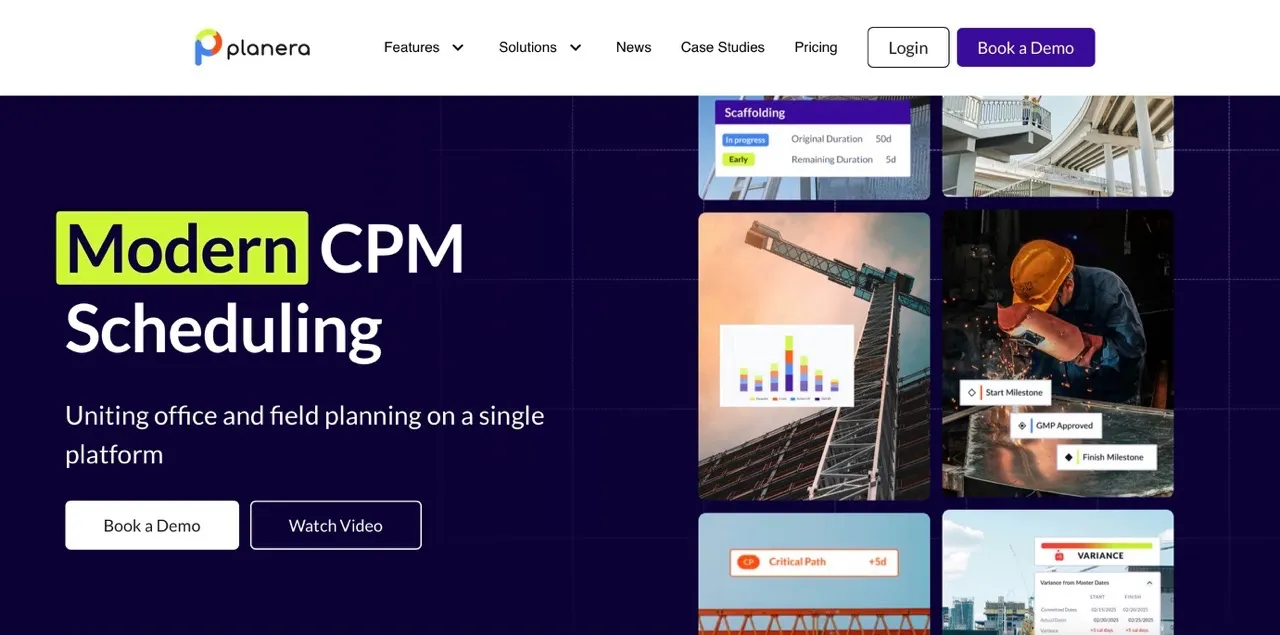
Planera is one of the best CPM software platforms built on a clear idea, which is that scheduling should feel clear. And instead of forcing teams into complex tables and menus, it presents a visual workspace that feels closer to a whiteboard session than legacy software.
Planera has gained so much popularity because planners, superintendents, and project managers can all work in the same schedule without needing deep technical training.
Planera also fits well into existing construction tech stacks. Teams can use it for day-to-day planning while still meeting contractual requirements that call for traditional schedule formats.
Core Capabilities:
- Visual CPM scheduling: Builds schedules through a drag-and-drop interface while preserving full CPM logic.
- Automatic critical path analysis: Updates dependencies, float, and constraints as the schedule changes.
- Real-time collaboration: Allows multiple team members to edit the same schedule at the same time.
- Multi-level planning boards: Supports pull planning and phase planning across different levels of detail.
- Field-ready access on iPad: Enables teams to review and update schedules directly from the jobsite.
- Industry standard file compatibility: Imports from and exports to Primavera P6 and Microsoft Project formats.
- Platform integrations: Connects with Procore and Autodesk Construction Cloud for smoother workflows.
Strengths:
- Easy to learn visual interface
- Strong collaboration across the full project team
- Smooth transition from legacy scheduling tools
- Designed for modern cloud and mobile use
Limitations:
- Pricing requires a direct discussion with the vendor
- Shorter market history compared to long-established tools
Pricing: Contact Planera for custom pricing. Free access available for U.S. universities.
Best For: Contractors that are moving away from P6 or Microsoft Project who want sophisticated scheduling capabilities without the complexity that limits team participation.
2. Procore
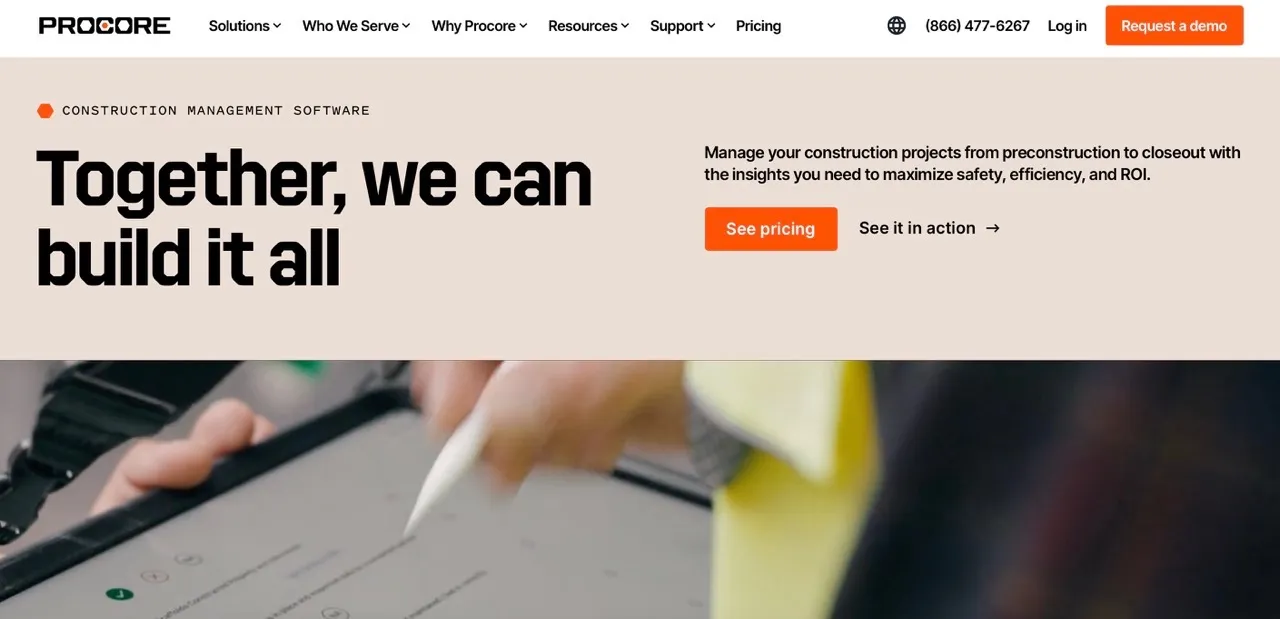
Procore is one of the most widely used construction management platforms in the industry. Teams often adopt it when they need a single system to manage many projects and keep all teams on the same page.
We see Procore work best for companies that want clear oversight across projects and consistent reporting for both office and field teams. The platform also includes tools that help surface key information faster and reduce manual work across common workflows.
Core Capabilities:
- Centralized project management: Keeps drawings, RFIs, submittals, and daily logs in one shared system.
- Financial tracking and cost control: Supports budgeting, job costing, and real time cost visibility.
- Field and office coordination: Connects site teams and office staff with current project data.
- Quality and safety management: Tracks inspections, incidents, and compliance documentation.
- Automation and insight tools: Highlights risks and patterns across projects to support faster decisions.
- Integration marketplace: Connects with a large range of construction and accounting tools.
- Unlimited user access: Allows teams to add users without per-seat licensing concerns.
Strengths:
- Broad feature coverage across project workflows
- Scales well for large and multi-project organizations
- Strong ecosystem of integrations
- Reliable support availability
Limitations:
- Higher cost for smaller teams
- Initial setup takes time and planning
- Pricing varies based on construction volume
Pricing: Pricing is based on annual construction volume. Contracts are typically customized based on company size and usage.
Best For: Large contractors and multi-project firms that want one platform to manage projects, financials, and field operations.
3. Autodesk Construction Cloud

As a leading construction workflow management software, Autodesk Construction Cloud (ACC) helps AECO teams manage projects from design through construction. Teams that use Revit or AutoCAD often choose ACC because it brings design and construction workflows together in one system. It works best for teams that need reliable data, clear risk tracking, and tools to keep work organized from start to finish.
ACC receives regular updates and offers features that make planning, submittals, and jobsite documentation faster and easier.
Core Capabilities:
- AI-powered project insights: Construction IQ highlights risks and priorities across quality, safety, and project management.
- Natural language queries: Autodesk Assistant lets teams ask questions about project data without navigating menus.
- Automated submittal and spec management: AutoSpecs generates submittal logs and breaks down complex spec books quickly.
- Smart photo tagging: Photo Autotags labels construction images automatically for faster documentation.
- Automated drawing extraction: Extracts key information from project drawings using OCR technology.
- Autodesk tool integration: Works directly with Revit, AutoCAD, and other Autodesk design tools.
- Third-party integrations: Connects with ERPs, CRMs, document management, and analytics platforms.
Strengths:
- Advanced AI for construction workflows
- Regular updates
- Complete AECO solution
Limitations:
- Can be complex for simple projects
- Full value requires investment in the Autodesk ecosystem
- Complex learning curve
Pricing: Custom pricing based on project volume and company needs.
Best For: Firms that are looking for tight BIM integration and AI-powered automation throughout the project lifecycle.
4. Buildertrend

Buildertrend is a construction workflow management software built for residential construction teams. Small to mid-sized builders rely on it to manage projects, communicate with clients, and keep schedules on track. We have seen teams use Buildertrend to reduce administrative work while keeping homeowners informed throughout the project. Its mobile access and integration with accounting tools make it easier to handle day-to-day operations without constant back-and-forth between apps.
Core Capabilities:
- Project management: Tracks schedules, tasks, and team responsibilities in one place
- Sales and client management: CRM features, proposals, and email updates help keep clients engaged
- Cost tracking: Matches estimates with actual spending and generates clear financial reports
- Progress updates: Sends automatic notifications to homeowners about project milestones
- Client portal with payments: Provides online payment options and easy access to project information
- Change order management: Handles approvals electronically to keep projects moving
- Mobile access and integrations: Works on mobile devices and connects with accounting software such as QuickBooks and Xero
Strengths:
- Focuses on residential construction workflows
- Helps maintain clear communication with homeowners
- Combines multiple project functions in a single platform
Limitations:
- Not designed for large commercial projects
- Some manual processes remain
- May be costly for very small teams
Pricing: Base plan starts at $499 per month, with three pricing tiers to match different team needs.
Best For: Residential builders, custom builders, remodelers, and specialty contractors with teams of 2 to 50 employees
5. Wrike
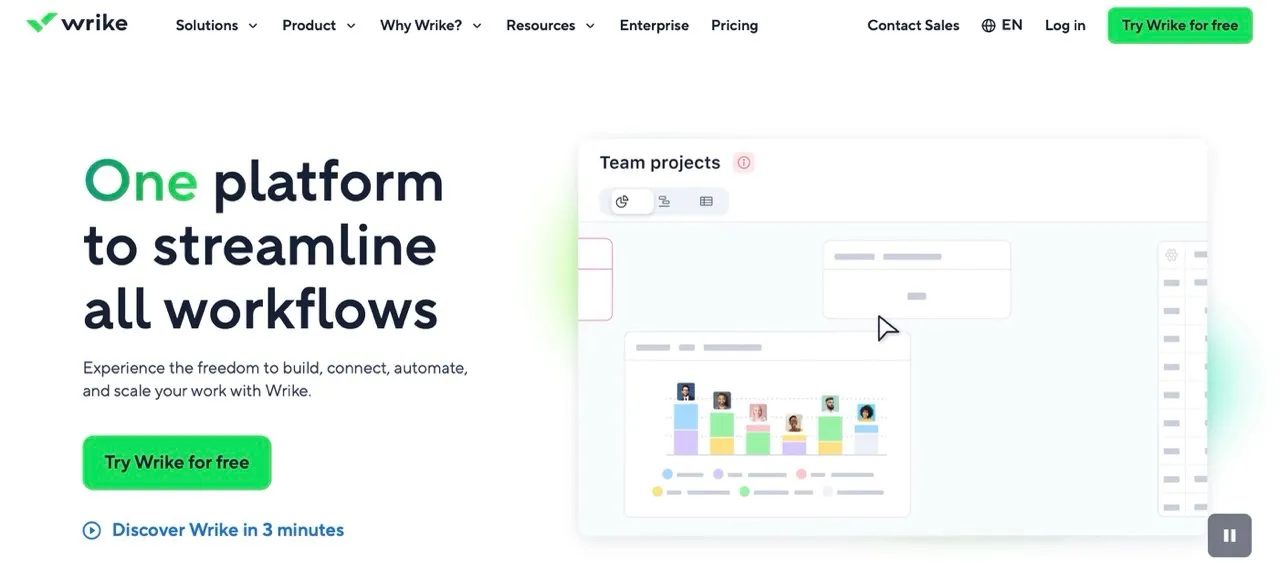
Wrike is a general project management platform that contractors can use for detailed scheduling and adaptable workflows. Teams with unique project types often choose it to visualize timelines and manage resources efficiently. While it is not built specifically for construction, its tools can support multi-stage projects and provide clear oversight across all tasks.
Core Capabilities:
- Gantt charts: Visualize project schedules and adjust timelines and resources with ease.
- Custom workflows: Create processes that match the stages of each construction project.
- Resource management: Allocate and track staff, equipment, and materials effectively.
- Task and time tracking: Monitor team responsibilities and progress to stay on schedule.
- Centralized dashboards: View multiple projects in a single interface for better oversight.
Strengths:
- Highly flexible and customizable
- Strong scheduling visualization
- Effective resource planning
- Supports diverse project types
Limitations:
- Not designed specifically for construction
- May require setup and customization
- Advanced features have a learning curve
Pricing: Has a free plan with limited features, and monthly paid plans start at $10/user.
Best For: Contractors who need flexibility, clear project visibility, and detailed scheduling across unique or multi-stage projects
6. FlowForma

FlowForma focuses on process automation for construction teams rather than full project management. Teams without IT expertise can use it to turn manual workflows into digital processes quickly. This construction workflow management software works across project phases, helping teams reduce repetitive tasks and improve consistency in documentation.
Core Capabilities:
- Construction Process Accelerator: Offers nine pre-built construction process templates ready for immediate use.
- Mobile access: Lets field teams update processes and submit information directly from job sites.
- BIM compliance support: Helps teams maintain required documentation for regulatory and project standards.
- Automated workflows: Covers tasks from pre-construction through post-build phases with minimal setup.
- No-code process builder: Enables business users to create and modify workflows without IT support.
Strengths:
- Requires no IT expertise for setup
- Fast deployment across teams
- Templates support industry-specific processes
- Helps reduce repetitive work quickly
Limitations:
- Focuses on automation rather than full project management
- Best used alongside other construction platforms
- Scheduling features are limited
Pricing: Has a free plan, paid plans start at €40 per month
Best For: Construction firms that need to automate routine processes and reduce manual work without IT resources
7. Bluebeam

Bluebeam is a platform focused on document management and collaboration for construction teams. It is often used by teams that need to review drawings, track changes, and manage specifications efficiently. Bluebeam keeps field and office teams aligned and reduces errors in documentation, especially on complex projects.
Core Capabilities:
- Document review and markup: Allows multiple reviewers to annotate and comment on drawings in real time.
- 2D and 3D collaboration: Supports both traditional and model-based review workflows.
- Document management: Provides version control, organized storage, and measurement tools.
- Integrations: Connects with existing systems through APIs and pre-built connectors.
- Mobile access: Lets field teams access and review documents directly from tablets or phones.
Strengths:
- Strong markup and review tools for drawings and specifications
- Supports real-time collaboration across teams
- Field-ready access with mobile functionality
- Proven use on large-scale projects
Limitations:
- Primarily focused on document management
- Needs other platforms for full project workflow coverage
- Best suited as a specialized tool
Pricing: Basic plan starts at $260/user annually.
Best For: Teams that prioritize document review, markup, and collaboration across distributed construction projects
8. Fieldwire
Fieldwire is a mobile-first platform for construction teams focused on field management and on-site coordination. It helps teams track tasks, view drawings, and communicate directly from the jobsite, keeping field and office teams aligned throughout the project.
Core Capabilities:
- Mobile-first interface: Designed for tablets and phones, letting teams access schedules and drawings on-site.
- Real-time task management: Updates tasks and responsibilities instantly to keep everyone current.
- Drawing markup and plan viewing: Allows field teams to annotate and review plans directly in the app.
- Punch list management: Tracks closeout items efficiently and ensures completion.
- Direct communication: Connects field observations and updates to office-based project managers immediately.
Strengths:
- Focused on field team workflows
- Intuitive mobile interface for on-site use
- Supports real-time updates and task tracking
Limitations:
- Limited office-side capabilities
- Best used alongside other platforms
- Not intended for full project scheduling
Pricing: Has a free monthly plan with limited features, paid plans start at $30/user per month.
Best For: Teams that need mobile tools for field management and on-site coordination.
9. Projectmates
Projectmates is a platform for construction teams that need flexible workflows. Its tools allow organizations to standardize processes such as RFIs, submittals, safety forms, and other task-based procedures. The platform keeps teams connected across locations and ensures documentation and approvals move efficiently.
Core Capabilities:
- RFI and submittal tracking: Monitors requests and submittals across mobile devices to keep workflows moving.
- Discussion forums: Enables team collaboration on specific issues and tasks.
- Photo documentation: Creates visual progress records automatically.
- Centralized document storage: Stores all project files in one location to prevent loss or duplication.
- Notifications: Sends email and push alerts for items that require attention.
Strengths:
- Supports highly customizable workflows
- Works well for organizations with unique process requirements
- Facilitates collaboration across teams
Limitations:
- Requires configuration for setup
- Less plug-and-play than some competitors
- May need support during implementation
Pricing: Contact Projectmates for custom pricing.
Best For: Organizations with unique workflow requirements that need customization.
How to Evaluate Construction Workflow Management Software
Before you compare specific platforms, you need a clear way to judge them. In our experience, teams make better decisions when they focus on how the software fits daily work, not just feature lists. These are the areas we always review first.
Visual Scheduling and Planning
A visual scheduling tool should help your team see the plan clearly. It should not force them to decode complex tables. For example, visual layouts with drag and drop controls allow more people to take part in schedule updates. We recommend tools that support CPM logic, task dependencies, float, and critical path analysis, but present those features in a way that project managers understand quickly.
AI and Automation Capabilities
Many teams now expect software to reduce manual work. When we review platforms, we look at what the system delivers today, not promises on a roadmap. Ask vendors to show real use cases that your team can apply right away.
Integration Ecosystem
We always check how well it connects with accounting systems, ERP tools, design platforms, and reporting software. A long integration list looks good, but real value comes from clean connections with the tools your team already uses every day.
Mobile Accessibility
During evaluation, we test how well the software works on site. Because the superintendents must update schedules from the field. Also, crews should be able to open drawings without an internet connection. In this case, if mobile access feels like an afterthought, adoption will suffer.
Scalability
We suggest reviewing multi-project views and reporting tools early, even if you do not need them yet. If you manage five projects now and plan for fifteen later, the system should handle that shift without delays or performance issues.
User Experience
We focus on how fast new users gain confidence. Clear layouts, simple navigation, and minimal training requirements matter more than advanced options that few people touch.
Total Cost of Ownership
We advise teams to account for setup time, training costs, custom integrations, and ongoing support. This is because some platforms charge per user, and others base pricing on project volume.
Technology Trends That Shape Construction Workflow Management Software in 2026
Knowing where construction technology is headed can help you choose software that stays useful for years. Several trends are changing what workflow platforms can actually do.
AI and Automation Take the Lead
AI isn’t just about analyzing data anymore. It is starting to take action. By 2026, construction teams can expect AI to handle full workflows, make routine decisions, and continuously optimize work. For example, predictive analytics can spot scheduling risks before they cause delays. Automated tools can extract key info from documents without manual entry. Natural language interfaces let you ask project questions in plain English.
Cloud-Native Platforms Become the Norm
More construction software is moving to the cloud. That means teams can access schedules and documents in real time, collaborate across sites, and avoid the headaches of maintaining servers. Updates happen automatically, and IT teams can focus on bigger priorities instead of patching software.
Digital Twins and Reality Capture Get Practical
Digital twins let your team see a virtual version of the jobsite. You can check progress, spot potential problems, and plan ahead before issues happen. Using drones or laser scanning, teams can keep work safer and make better decisions on site.
Sustainability Metrics Become Part of Daily Workflows
Modern construction software can show your team how projects impact the environment. You can see where materials are being wasted and find ways to cut emissions. The goal is simple: finish your projects efficiently while keeping an eye on the planet.
Making the Switch
Choosing new software is just the first step. We’ve seen teams have the most success when they start small and bring in a few champions to guide the rest of the crew. Giving people proper training before expecting results makes a huge difference. Keep track of progress with simple metrics so you can tell if the software is actually helping.
You need a clear view of what is happening, smooth collaboration across everyone involved, and the ability to adapt when plans change. Modern construction management software platforms that combine scheduling, real-time updates, and AI assistance make these tasks easier for everyone on the team.
Teams that adopt these digital construction tools early often finish more projects with the same staff, put together stronger schedules for bids, and deliver better results for clients.
FAQs
Do I need software like this for small projects?
Yes. Even small teams benefit from keeping schedules, budgets, and tasks visible. It helps prevent miscommunication and reduces administrative work, even for projects with just a few people.
How does AI help in construction workflow management software?
AI can predict schedule risks, automate document processing, highlight priorities, and answer questions about your project in plain English. This reduces errors and helps teams make decisions faster.
Is CPM software hard to set up and learn?
Most platforms are designed to be intuitive. Visual scheduling and clear dashboards allow team members to participate without deep technical knowledge. Training and phased rollout improve adoption.
Can it work with my current software stack?
Yes. Leading platforms integrate with accounting tools, document management systems, and construction software like Planera, Autodesk, and Primavera P6 to keep your workflows connected.
Will a Construction Workflow Software replace my existing tools like Excel or P6?
These platforms often complement or replace older tools. They offer real-time collaboration, easier updates, and integrated features that reduce manual entry and double work.
You deserve better scheduling software.
Drive revenue, reduce costs, and manage scheduling with Planera.
Request a Demo