



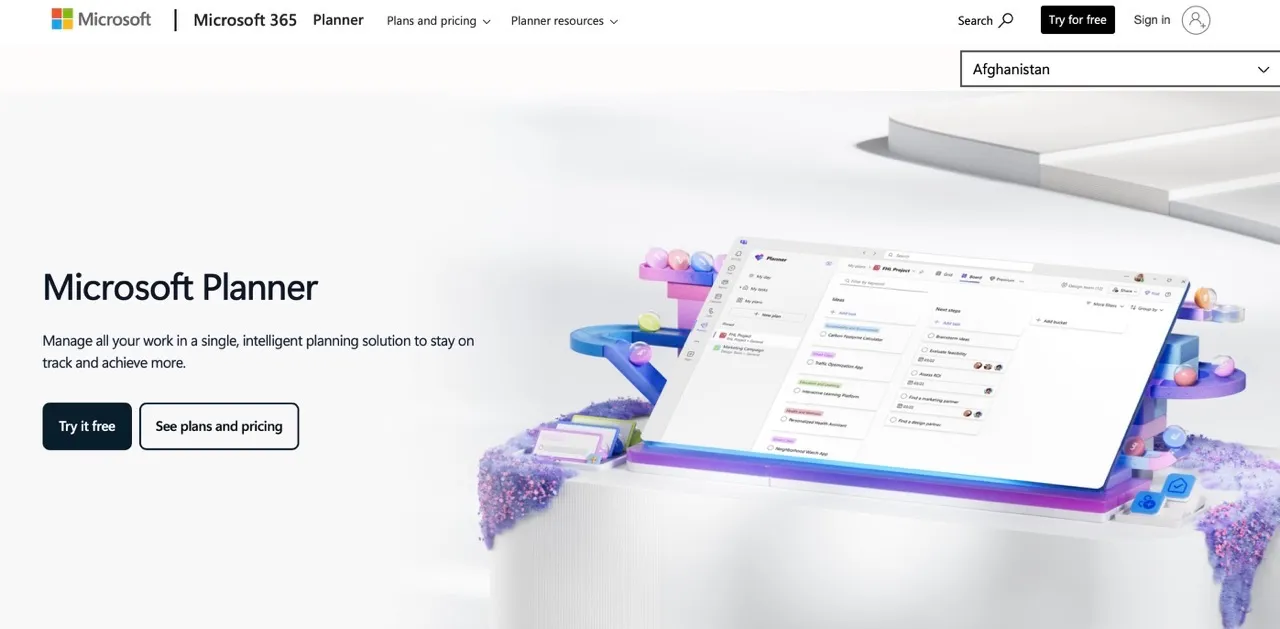
Microsoft Project Online retires on September 30, 2026. New licenses stopped selling after October 1, 2025. Microsoft is pushing users toward Microsoft Planner, which handles checklists fine but falls short for construction scheduling. If you run complex projects with dependencies, critical paths, and trade coordination, Planner won't cut it.
This retirement creates a migration wave toward more modern, cloud-based digital construction tools. Construction teams that relied on Project Online for enterprise scheduling now face a choice, especially when evaluating broader construction scheduling software options versus scheduling-first tools: stay within the Microsoft ecosystem with reduced capabilities, or move to tools built specifically for how construction projects actually work.
70% of construction projects run over budget, primarily due to poor schedule planning. The tools haven't evolved in decades, leaving construction professionals stuck with concepts from 100 years ago.
This guide covers the best Microsoft Project alternatives for construction and project teams. Each tool is evaluated based on ease of use, pricing transparency, scheduling depth, collaboration capabilities, integrations, and migration support.
Planera: A Construction-First Microsoft Project Alternative for Scheduling
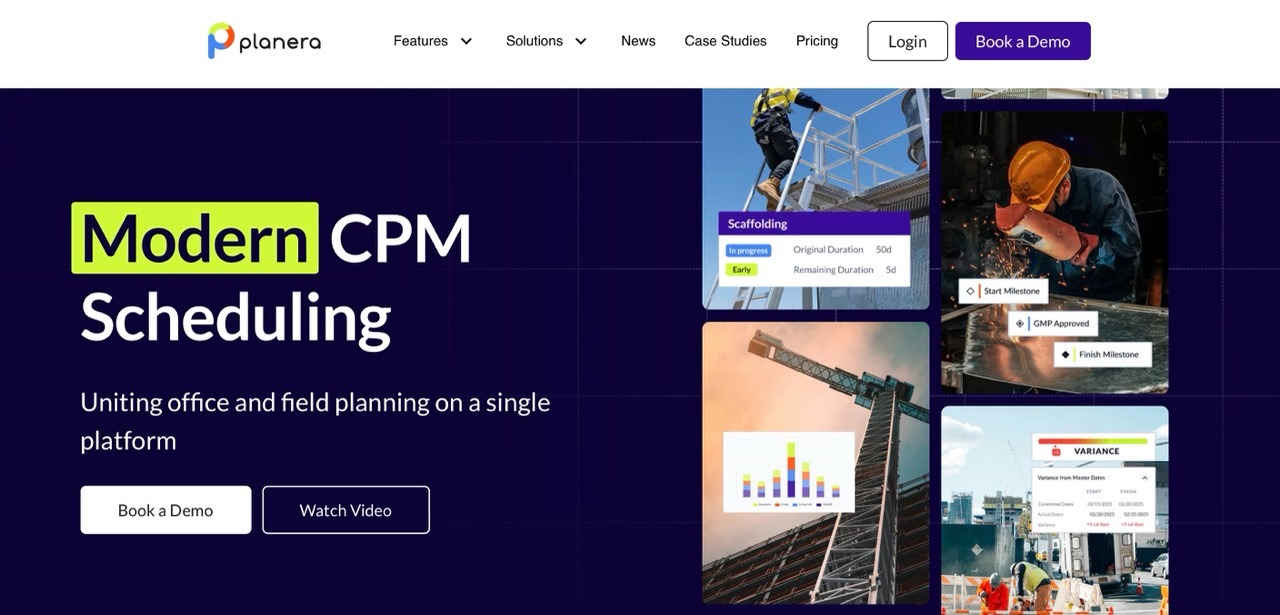
Planera is built specifically for construction scheduling, not general project management. Instead of trying to serve every industry, it focuses entirely on sequencing, coordination, and real-time schedule control for construction teams.
Built for Construction Sequencing and Coordination
Planera understands construction workflows and trade dependencies. The platform is designed around how GCs, schedulers, and field teams actually work. Industry leaders, including Miles-McClellan, HITT Contracting, and Big-D Construction, use Planera for their scheduling needs.
Designed for Schedule Collaboration
Real-time, multi-user scheduling replaces file-based workflows. Office and field teams work from the same source of truth. Changes appear immediately. This reduces rework and keeps everyone aligned as conditions shift.
"The collaborative capabilities of Planera in real time are far and away above any other scheduling software," one customer explains. "Multiple people can use it at one time and develop a schedule together as a team."
Focused on Clarity, Speed, and Adoption
Planera’s collaborative whiteboard interface is quick to pick up: most teams are productive within hours, not weeks. Field teams actually use it because the interface makes sense without specialized training.
"A lot of people don't know how to use P6. It's complicated... and most of the time they resort back to something just as simple as an Excel spreadsheet." Planera fills this gap between spreadsheet simplicity and scheduling power.
Optimized for Teams Who Live in the Schedule
Field teams access field schedules directly through a tablet-ready interface. Updates from job sites sync in real time to keep the office and field aligned. Import/export for .mpp and P6 files makes migration straightforward.
Planera vs Microsoft Project: A Direct Comparison
| Capability | Planera | Microsoft Project |
|---|---|---|
| Primary Focus | Construction scheduling and sequencing | General-purpose project scheduling across industries |
| Learning Curve | Days to weeks | Weeks to months |
| Collaboration Model | Cloud-based, real-time collaboration built into scheduling workflows | Limited real-time collaboration; primarily file-based sharing |
| Scheduling Approach | Visual, whiteboard-style CPM that complements traditional Gantt charts | Gantt-first planning with structured table views |
| Dependencies and Critical Path | Full CPM with construction-oriented sequencing; critical path updates as the schedule changes | Dependency-based scheduling with critical path support for general project use |
| Resource Planning | Scheduling-first labor and equipment planning tailored to construction workflows | Comprehensive resource management with leveling features |
| File Compatibility | Import and export of .mpp and P6 files | Native .mpp format with limited interoperability |
| Platform | Cloud-native platform accessible via browser and tablet web app | Desktop-first application; cloud version retiring |
| Pricing Model | Volume-based pricing with unlimited users | Per-user subscription pricing by tier |
| Implementation Speed | Fast implementation, typically days to weeks, with onboarding support | Moderate implementation requiring setup, training, and governance |
| Integration Focus | Native integrations with construction platforms like Procore and Autodesk Construction Cloud | Deep integration within the Microsoft 365 ecosystem |
| Best For | Construction teams that prioritize collaborative scheduling and field adoption | Organizations that standardized on Microsoft tools needing traditional PM controls |

When Microsoft Project Makes Sense
Microsoft Project fits organizations deeply embedded in the Microsoft 365 ecosystem that need classic, desktop-based PM controls. Industries outside construction with different workflow needs may find value in its broad feature set. Projects where single PM ownership of the schedule works well can succeed with this approach.
When Planera Fits Better
Planera is a stronger fit for construction teams that need full CPM scheduling, real-time collaboration, and easier field adoption without relying on desktop-heavy workflows. Its visual interface helps more stakeholders participate in schedule planning, not only trained schedulers.
It also suits teams that want cloud-based access, tablet-friendly scheduling, .mpp and P6 import/export, and volume-based pricing with unlimited users. For teams moving away from Microsoft Project Online, Planera offers a construction-focused alternative that keeps schedule control while making collaboration easier across office and field teams.
Full CPM Capabilities Without the Complexity
Many teams searching for a Microsoft Project alternative face a false choice: either keep a complex desktop scheduler that few people use, or switch to a lightweight timeline tool that lacks true CPM rigor. Planera eliminates that trade-off.
Planera maintains full critical path method capabilities, placing it among the most effective CPM software options for construction teams. Dependencies, baselines, resource loading, variance tracking, and in-platform DCMA Quality Check all come built in.
The difference lies in accessibility. A visual whiteboard interface replaces dense tables. Broader team members participate, not just scheduling specialists.
"I can sit there in a room with a group of experienced, like-minded, smart people and put together a schedule that makes sense to all of them in about a quarter of the time it would have taken me with P6," one Planera customer shares.
Microsoft Project delivers powerful CPM logic, but access to that power requires significant training and specialization. Planera delivers enterprise-grade CPM depth in a format the broader team can actually use.
Real-Time Collaboration vs. File-Based Workflows
Microsoft Project follows a pattern: one PM owns the schedule, exports updates, and shares via email or Teams. Planera flips this model. Multiple stakeholders work on the same schedule simultaneously.
This eliminates version control issues and rework. Teams iterate faster as conditions change. Office and field work from the same source of truth.
"Instead of everyone using their own Excel or sticky-note systems, Planera puts it all in one space. Each team gets its own schedule space, and it all pipes back to the master."
For construction projects, this matters more than most industries. Trade coordination requires input from multiple parties, which breaks down quickly without clear construction workflow management software supporting the schedule. Field conditions change rapidly. Delays in one trade impact downstream work. Real-time visibility prevents compounding delays.
Unlimited Users vs. Per-Seat Pricing
Microsoft Project charges $10-$55 per user per month, depending on the tier. Costs scale linearly with team size. This often creates barriers to broad adoption and forces companies to limit who gets access.
Planera's pricing takes a different approach. Custom volume-based pricing includes unlimited users. Whole teams can access and collaborate without per-seat charges. This encourages adoption across GC teams, subcontractors, and stakeholders.
Per-seat pricing discourages collaboration. When every additional contributor increases cost, companies restrict access. Schedules become siloed again.
Planera removes that friction. Unlimited users mean superintendents, subcontractors, and project engineers can participate without financial barriers.
Purpose-Built for Construction vs. General PM Suite
Many teams searching for MS project alternatives want easier scheduling, not full PM suites with budget tracking, resource pools, and portfolio management.
The common mismatch plays out like this: Team needs better schedule visibility, easier coordination, and field access. They evaluate an enterprise PM platform with 50+ modules. They spend months on implementation and training. The team ends up using 10% of the features and still struggles with basic schedule visibility.
Planera concentrates engineering effort on scheduling workflows. No dozens of PM modules to configure. Depth where it matters: dependencies, critical path, and resource loading. Breadth where needed: integrations with Procore and Autodesk Construction Cloud for other functions.
Built for Teams Like Yours
Planera works for teams who rely on schedules to coordinate real work, not just report progress. These teams tend to outgrow Microsoft Project and actively search for an MS Project alternative that fits how construction actually operates.
General Contractors Coordinating Schedules Across Teams
General contractors manage schedules spanning internal project teams (PMs, superintendents, schedulers), multiple subcontractors (electrical, plumbing, HVAC, concrete), and external partners (architects, engineers, inspectors, owners).
With Microsoft Project, coordination happens through exported files, screenshots, or static PDF updates. Schedules fall out of sync quickly. No single source of truth exists. Rework happens when changes cascade through trades.
Planera changes this dynamic. All stakeholders access a shared, living schedule. Teams review sequencing together in real time. They iterate on timelines as constraints change. Everyone works from the same source of truth, reducing misalignment across trades and rework.
The result: faster schedule alignment, fewer conflicts, better coordination.
Schedulers and PMs Managing Complex Construction Sequencing
Schedulers and project managers maintain logic-heavy schedules with dependencies reflecting real construction sequencing. Small changes like weather delays, material shifts, or crew availability require rapid re-planning.
Microsoft Project and P6 make changes time-consuming. Testing scenarios require multiple file versions. Downstream impacts prove hard to visualize quickly. Schedule updates lag behind field reality.
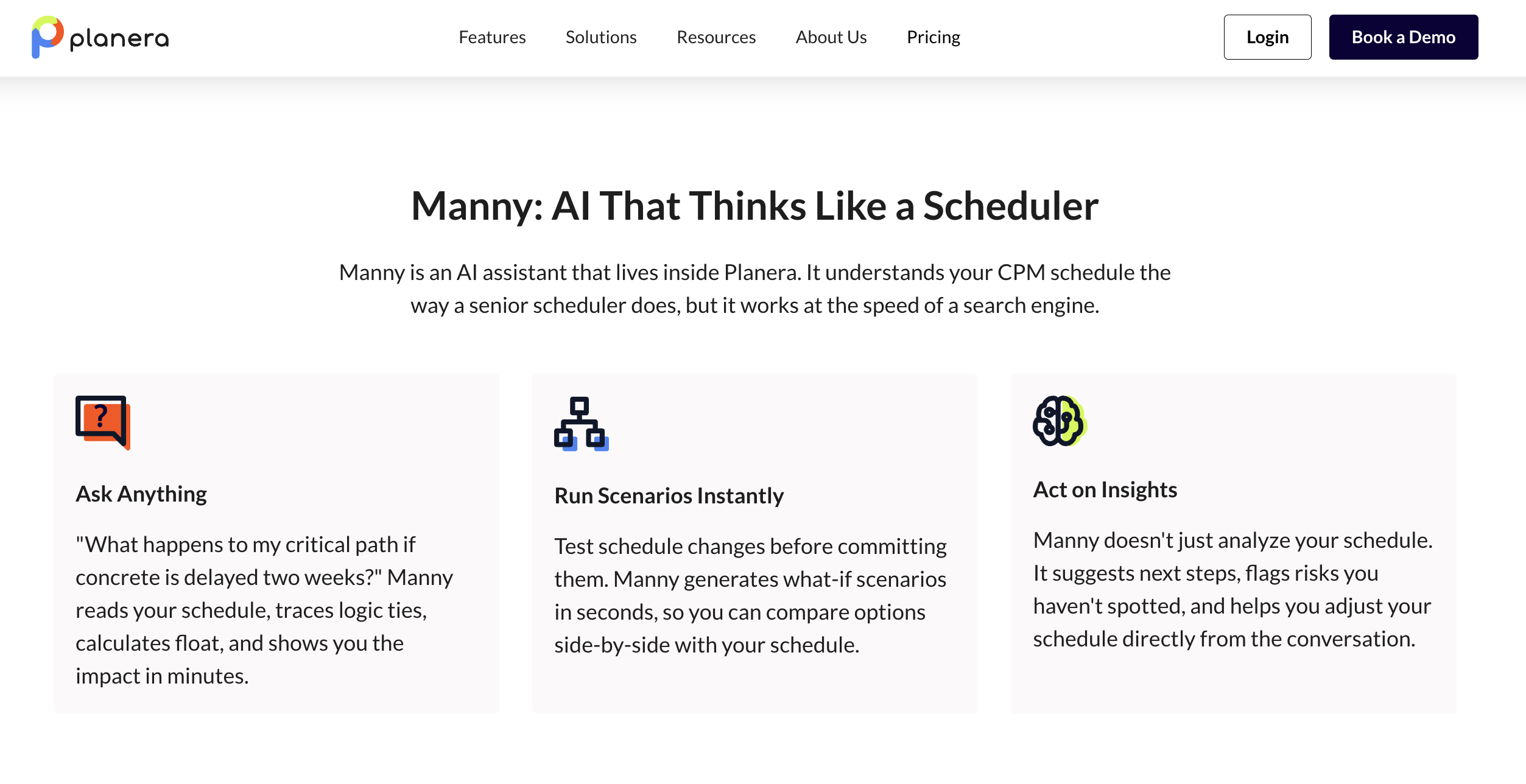
Planera handles this differently. Full CPM with construction-oriented dependencies supports rapid scenario planning and what-if analysis. The Manny AI Assistant helps detect risks before they escalate. A visual interface makes downstream impacts immediately visible. Teams iterate quickly without rebuilding from scratch. Version comparison comes built in.
"By making scheduling visual and collaborative, Planera has changed the game. They've made scheduling significantly easier without sacrificing powerful capabilities. Planera has helped us to make our schedules more accurate and more efficient."
Teams That Need Scheduling Without Full PM Platform Complexity
Many teams searching for "software similar to Microsoft Project" don't actually need a full project management platform. Their biggest challenge involves building, maintaining, and communicating schedules, not managing budgets, documents, and workflows in a single system.
The complexity trap looks familiar: Evaluate the enterprise PM platform with 50+ modules. Spend months in implementation and training. The team ends up using 10% of features. Still struggling with basic schedule visibility.
Planera delivers value faster by focusing on what matters most: clear timelines, logical sequencing, and shared visibility. No overhead of a broad PM suite. Teams adopt quickly and spend time managing the schedule itself. The platform integrates with other tools for non-scheduling functions.
This applies when scheduling stands as the primary pain point, when teams already have tools for budgets, documents, and RFIs, when the schedule needs to drive coordination rather than track everything, and when adoption across field teams matters more than office-only access.
Best Microsoft Project Alternatives for Construction and Project Teams
Different Microsoft Project competitors serve different needs. Some focus on general project management, others on specific industries or workflows. Below are nine alternatives worth considering.
Alternative 1: Oracle Primavera P6
Best For: Enterprise-scale infrastructure and government projects
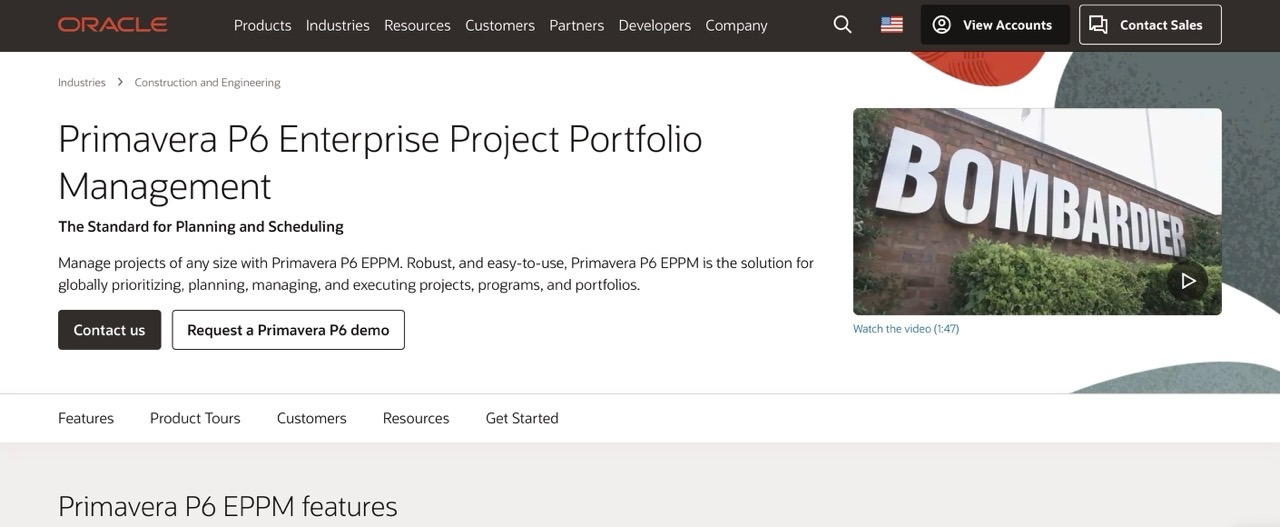
Oracle Primavera P6 is the traditional enterprise standard for complex, large-scale construction projects. It offers one of the most powerful scheduling engines available but comes with a steep learning curve. Construction teams comparing Planera vs Primavera P6 should evaluate CPM depth, collaboration, field access, implementation effort, and adoption across the wider project team.
Pricing: Custom enterprise pricing (not publicly disclosed)
Key Strengths:
- Industry standard for large-scale projects that can handle tens of thousands of activities
- Most powerful CPM scheduling engine with deep resource optimization capabilities
- Strong track record in government and infrastructure sectors
Why It Falls Short: "A lot of people don't know how to use P6. It's complicated... most of the time they resort back to something just as simple as an Excel spreadsheet." The complexity that makes P6 powerful for mega-projects becomes a liability for field adoption. Desktop-centric architecture, steep learning curve, and lack of real-time collaboration prevent superintendents and field teams from engaging effectively. Teams often maintain P6 schedules that nobody in the field actually uses.
Alternative 2: Touchplan
Best For: Last Planner System implementation and collaborative pull planning
Touchplan is a cloud-based platform specifically designed for construction teams practicing Lean methodologies. It digitizes the Last Planner System with real-time collaboration across general contractors and trades.
Pricing: Not publicly disclosed. Used by 16 of the top 25 largest construction firms.
Key Strengths:
- Purpose-built for the Last Planner System with pull planning and lookahead integration
- Strong analytics and variance reporting with proven ROI (50% reduction in planning-related delays, 20% reduction in rework)
- Adopted by major general contractors, including Suffolk, DPR, Skender, and Cianbro
Why It Falls Short: Touchplan excels at collaborative planning but is not a standalone scheduling solution. Teams still need a master scheduling tool like P6 or MS Project to create the baseline schedule that feeds into Touchplan. This creates a two-system workflow where the schedule lives in one tool and collaborative planning lives in another, requiring constant synchronization and adding complexity rather than reducing it.
Alternative 3: Nialli Visual Planner

Best For: Simple visual pull planning with minimal learning curve
Nialli Visual Planner is a cloud-based tool that digitizes the Last Planner System with a strong focus on ease of use. It is designed to feel like using sticky notes while enabling digital collaboration.
Pricing: Not publicly disclosed. 30-day free trial available.
Key Strengths:
- Extremely simple to master (minutes, not days) with a visual interface that mimics physical sticky notes
- Built for "Big Room" collaboration with multi-device access from anywhere
- Imports data from master schedules and includes work progression analytics
Why It Falls Short: Nialli is a complementary tool, not a replacement for traditional scheduling software. It lacks depth for master scheduling, critical path analysis, and comprehensive resource management. While simplicity drives field adoption, teams must maintain separate systems for contract-level scheduling. It becomes an additional tool in the stack rather than a consolidating solution.
Alternative 4: Outbuild
Best For: Straightforward scheduling on small-to-mid-size construction projects
Outbuild offers a user-friendly Gantt interface with lookahead planning and mobile iPad access. It works well for teams managing less complex builds who want something simpler than enterprise schedulers. Construction teams comparing Planera vs Outbuild should consider CPM depth, collaboration needs, schedule documentation, and how much field and office access they require.
Pricing: Not publicly disclosed. Free trial available.
Key Strengths:
- Integrates master schedule with 6-week lookahead planning and provides a mobile iPad app for field teams
- Includes Procore integration for submittals and RFIs, designed specifically for superintendent adoption
- Offers strong customer support from former builders with response times under one minute
Why It Falls Short: "MS Project is too complicated, with too many bells and whistles... You often have a seasoned superintendent who doesn't like computers." Outbuild addresses complexity by reducing functionality that some teams genuinely need. The simplified approach works well for straightforward projects but feels limiting on complex builds requiring sophisticated resource leveling or detailed variance tracking. Tight integration with specific ecosystems like Procore and Autodesk means it works best within those particular environments. On larger or legally sensitive projects, the platform may not provide the CPM rigor or defensible schedule documentation that enterprise teams require.
Alternative 5: Asta Powerproject

Best For: Large contractors with dedicated planning teams
Asta Powerproject is construction-specific scheduling software with strong CPM logic, detailed resource management, and flexible licensing. It is widely used in UK and European markets and respected among professional planners globally.
Pricing: Flexible options including single user, concurrent, and SaaS licensing. 14-day free trial and educational licenses available.
Key Strengths:
- Purpose-built for construction with integrated 4D BIM capabilities
- Cost-effective compared to Primavera P6 and used by over 100,000 professionals worldwide
- Available in multiple language versions (12+) with free Project Viewer for stakeholders
Why It Falls Short: Asta remains primarily a desktop-first scheduler built for experienced planners. Field teams, superintendents, and PMs who aren't scheduling specialists often struggle to engage with it directly. Its visual collaboration capabilities are limited compared to modern cloud platforms, which can restrict adoption beyond the planning department. In North American markets specifically, smaller user communities and fewer local support resources add friction that may outweigh its cost advantages.
Alternative 6: Phoenix Project Manager

Best For: Schedulers who want focused CPM logic and network analysis at low cost
Phoenix Project Manager is a focused desktop CPM tool built for schedulers who prioritize logic-driven analysis. It supports standard scheduling formats and requires no database servers, keeping IT overhead low.
Pricing: One-time purchase model rather than subscription. 30-day free trial available. Exact pricing not publicly disclosed.
Key Strengths:
- Simplified CPM scheduling with an intuitive interface that reduces training time
- Import and export compatibility with P3, P6, Suretrak, MS Project, and Excel formats
- No database servers required, resulting in lower IT requirements and reduced costs
Why It Falls Short: Phoenix PM solves cost and complexity problems by stripping away features that modern teams increasingly need. Cloud collaboration, mobile access, real-time multi-user editing, and extensive integrations are all absent. The desktop-only architecture and limited collaboration capabilities mean teams often outgrow it as projects become more complex or as field teams demand better access to scheduling data. While it is free from subscription costs, it becomes expensive in lost productivity and collaboration friction. As a result, schedules tend to stay siloed within the planning team.
Alternative 7: Hoylu
Best For: A visual collaborative workspace for construction planning meetings
Hoylu is a cloud-based collaboration platform that combines whiteboarding, planning, and task management. It has gained strong adoption in construction, specifically for pull planning sessions.
Pricing: Contact for pricing. Multiple plans available for different team sizes.
Key Strengths:
- Infinite workspace for visual planning with real-time collaboration among over 110,000 users
- Pull planning templates designed for construction and used by major general contractors, including Gilbane, Swinerton, and Skanska
- Proven results with 20-40% schedule improvement and compatibility across all devices
Why It Falls Short: Hoylu excels at collaborative planning but falls short as a complete scheduling solution because it is fundamentally a whiteboarding platform, not construction scheduling software. Teams using Hoylu for pull planning sessions must still maintain separate systems for master scheduling, critical path analysis, and schedule tracking. This creates workflow fragmentation. Plans developed in Hoylu must be manually translated into scheduling tools, creating duplicate data entry and potential for misalignment between what is planned and what is actually tracked.
Alternative 8: Allucent
Best For: Teams staying on Primavera P6 who want a more approachable interface
Allucent improves the day-to-day experience of using Primavera P6 by making common scheduling interactions more accessible. It is designed for teams that plan to keep P6 as their core system but want a friendlier way to interact with it.
Pricing: Subscription-based model. Contact for specific pricing.
Key Strengths:
- Streamlines everyday P6 interactions without requiring teams to navigate the full native interface
- Lowers the barrier for team members who find P6 difficult to use directly
- Useful for organizations already invested in the P6 ecosystem who aren't ready to migrate away
Why It Falls Short: Allucent sits on top of P6 rather than replacing it. The underlying database structure, IT requirements, and administrative overhead of Primavera remain in place. Teams evaluating Microsoft Project alternatives because they want to move away from legacy desktop complexity won't find relief here. Allucent makes P6 easier to use, but the foundational system and its constraints stay the same. For teams whose goal is a fresh start with modern, cloud-native scheduling, Allucent isn't the answer.
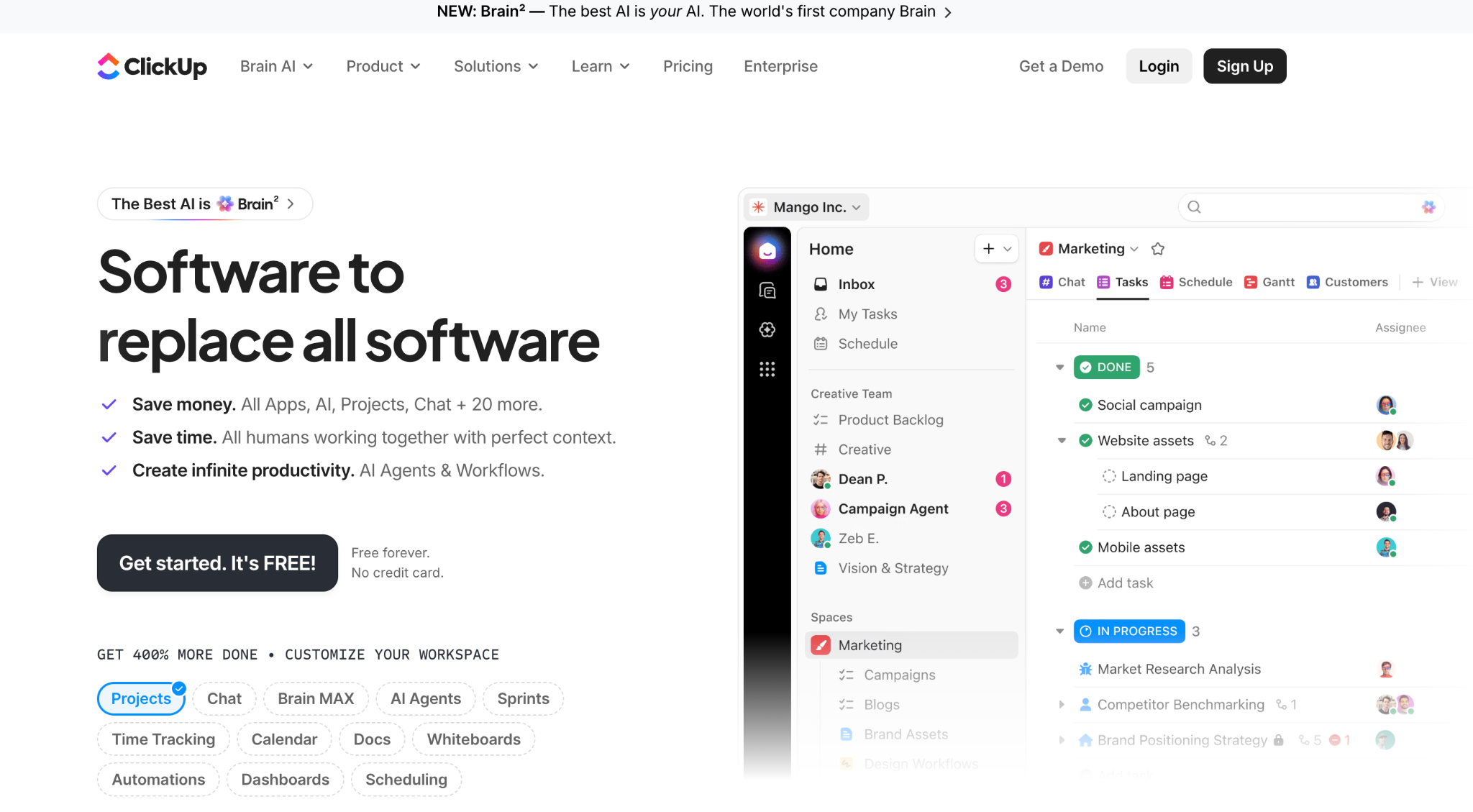
Alternative 9: ClickUp
Best For: General project management, task tracking, dashboards, and team collaboration
ClickUp is a broad work management platform that can help teams organize tasks, timelines, documents, dashboards, and communication in one place. For companies looking for a general Microsoft Project alternative, it can be useful for managing internal workflows, simple timelines, and cross-functional projects.
Key Strengths:
- Flexible task views, including lists, boards, calendars, and Gantt-style timelines
- Strong collaboration features for comments, documents, dashboards, and team updates
- Useful for non-construction teams that need a central workspace for project tracking
Why It Falls Short: ClickUp is not built specifically for construction scheduling. Teams replacing Microsoft Project for construction should confirm that it supports the level of CPM logic, critical path visibility, baselines, dependency management, field access, and schedule migration they need. For construction teams managing complex schedules, a scheduling-first platform like Planera may be a better fit than a general work management tool.
Quick Comparison: How These Alternatives Stack Up
A high-level comparison based on learning curve, implementation speed, and scheduling focus helps narrow options quickly.
| Software | Best For | Starting Price | Learning Curve | Implementation | CPM Scheduling Capability | Field Access |
|---|---|---|---|---|---|---|
| Microsoft Project | General PM across industries | $10/user/mo | Moderate | Months | Moderate | Limited |
| Planera | Construction scheduling excellence | Custom, unlimited users | Low to moderate | Days to weeks | High | Excellent |
| Primavera P6 | Enterprise infrastructure and government projects | Custom | Steep | Months | High | Limited |
| Touchplan | Last Planner System and pull planning | Custom | Low to moderate | Days to weeks | Low | Excellent |
| Nialli | Simple visual pull planning | Custom | Low | Days | None | Good |
| Outbuild | Small to mid-size construction scheduling | Custom | Moderate | Days to weeks | Moderate | Excellent |
| Asta Powerproject | Firms with dedicated planning teams | Flexible licensing | Steep | Months | High | Limited |
| Phoenix Project Manager | Schedulers needing focused CPM | One-time purchase | Moderate | Months | Moderate | Limited |
| Hoylu | Collaborative planning meetings | Contact for pricing | Very low | Days | None | Excellent |
| Allucent | P6 interface simplification | Subscription | Moderate | Months | Moderate | Good |
| ClickUp | General project management and task tracking | Free plan and paid tiers | Low to moderate | Days to weeks | Low | Good |
- Starting price: Refers to the lowest publicly available or commonly stated pricing model.
- Learning curve: Reflects the estimated time needed for typical users to become productive.
- CPM scheduling capability: Refers to support for dependency-driven scheduling, critical path analysis, baselines, and schedule control.
- Field access: Reflects how practical the tool is for jobsite teams or distributed project users.
Why Construction Teams Look for Microsoft Project Alternatives?
Microsoft Project remains a mature scheduling tool, but many teams start looking for alternatives when it becomes difficult to use across the wider project team. The most common reasons include:
- Steep learning curve: Microsoft Project supports dependencies, Gantt charts, critical path planning, and resource management, but many teams need experienced schedulers or formal training to use it effectively.
- High licensing costs: Per-user pricing can become expensive as more stakeholders need access, especially across project teams, field staff, executives, and external partners.
- Limited collaboration: Schedules are often shared through exported files, PDFs, or email updates, which can create version-control issues and slow down feedback.
- Desktop-heavy workflows: Teams with field users, mixed devices, or distributed project teams may need easier cloud-based access and mobile-friendly scheduling.
- Construction-specific gaps: General project management tools do not always support trade sequencing, lookahead planning, field updates, critical path changes, and schedule version control in the way construction teams need.
- Migration pressure: Teams affected by changes to Microsoft Project Online may need a modern scheduling platform that supports existing schedule files while improving collaboration and adoption.
What Are The Key Features, Advantages, and Downsides of Microsoft Project?
Microsoft Project has earned its place as a mature scheduling platform. Credit where it's due: the software delivers robust CPM capabilities, structured planning with work breakdown structures, and strong dependency handling. The .mpp file format became an industry standard, and the tool integrates smoothly with the broader Microsoft 365 ecosystem.
For organizations already embedded in Microsoft's world, Project offers familiar territory. Deep resource management features let you level workloads across portfolios. The scheduling engine handles complex logic well.
That said, these same features create the friction that pushes teams toward alternatives.
Adoption and Training Burden
The interface serves experienced project managers well but creates barriers for cross-functional contributors. Field superintendents, subcontractors, and estimators struggle to participate in schedule development. Most organizations need formal training programs, sometimes requiring certification, before team members become productive.
Collaboration Friction
Microsoft Project follows a file-based workflow. One PM owns the schedule, makes updates in the desktop application, exports to PDF, and shares via email or Teams. Others review and provide feedback through meetings or comments. The PM incorporates changes into the next version. This cycle repeats.
Version control becomes a constant challenge. Which file is current? Did the latest changes get incorporated? For construction projects where conditions change daily, this lag between field reality and schedule updates creates real problems.
Cost and Licensing Complexity
The pricing tiers create confusion:
- Planner Plan 1: $10/user/month
- Planner and Project Plan 3: $30/user/month
- Planner and Project Plan 5: $55/user/month
Different licenses for planners versus contributors make broad adoption expensive. Companies often limit who gets access, which defeats the purpose of collaborative scheduling.
Platform Limitations
Microsoft Project remains desktop-focused. It doesn't work on Mac OS X. It requires Windows. The cloud version (Project Online) is retiring. For construction teams with field workers on various devices, this creates access barriers.
Too Much Tool
Many teams searching for an MS project alternative don't need enterprise project portfolio management. They need scheduling and visibility. Microsoft Project's feature sprawl becomes overhead rather than value.
How Much Does Microsoft Project Cost?
Microsoft Project pricing depends on the plan, licensing model, and deployment option a team chooses. For cloud-based project planning, Microsoft currently lists Planner Plan 1 at $10/user/month and Planner and Project Plan 3 at $30/user/month, billed annually.
| Microsoft Plan | Pricing Model |
|---|---|
| Planner Plan 1 | $10/user/month |
| Planner and Project Plan 3 | $30/user/month |
Microsoft also lists desktop-based one-time purchase options on its Microsoft Project pricing page. Project Standard 2024 is listed at $679.99, while Project Professional 2024 is listed at $1,129.99.
| Microsoft Project Desktop Option | Pricing Model |
|---|---|
| Project Standard 2024 | $679.99 one-time purchase |
| Project Professional 2024 | $1,129.99 one-time purchase |
Pricing can change by region, billing term, and Microsoft plan availability, so teams should confirm the latest costs directly on Microsoft’s pricing pages before making a decision.
How We Chose These Microsoft Project Competitors
We evaluated tools based on their ability to realistically replace Microsoft Project workflows, not basic to-do apps masquerading as PM software. Our criteria focused on:
- Scheduling Depth: True dependencies and critical path support. Baseline management and variance tracking. Resource loading and management. Not just visual timelines.
- Collaboration Capabilities: Real-time versus file-based collaboration. Multi-user simultaneous editing. Field team accessibility.
- Reporting and Visibility: Dashboard and reporting capabilities. Progress tracking against plan. Portfolio-level insights where applicable.
- Integrations: Connection to construction ecosystem (Procore, Autodesk). General business tools (Microsoft 365, Slack). File compatibility (.mpp, P6).
- Learning Curve and Adoption: Time to productivity. Training requirements. User interface intuitiveness.
- Value for Money: Pricing transparency. Total cost of ownership. ROI potential.
We gave preference to tools offering construction-specific features or proven track records in construction projects, along with alternatives that teams commonly evaluate when searching for MS Project replacements.
What To Consider When Choosing a Microsoft Project Alternative
Choosing the right alternative matters less about feature checklists and more about understanding how your team actually builds, updates, and uses schedules.
Do You Need True CPM or Just Timeline Views?
Some tools offer visual timelines but lack true dependency logic and critical path analysis. This works for simple task tracking but fails for construction projects with complex sequencing.
In construction, dependencies matter. You cannot install drywall before electrical rough-in. True CPM scheduling ensures logical sequencing and identifies which delays impact project completion.
- Full CPM: Planera, Primavera P6, Asta Powerproject, Phoenix Project Manager
- Pull Planning Focus: Touchplan, Nialli, Hoylu (complementary to master schedules)
Do You Need .mpp or P6 File Compatibility?
For organizations working with owners who require specific formats or partners using legacy tools, file compatibility becomes a hard requirement.
- Strong Compatibility: Planera (import/export .mpp and P6), Asta Powerproject, Phoenix Project Manager. Allucent works within the P6 environment but is not a standalone file import/export tool.
- Pull Planning Tools: Touchplan, Nialli, Hoylu import schedule data but are not file format replacements
Verify what actually transfers during migration. Do dependencies stay intact? Do baselines transfer? Is resource loading preserved?
Real-Time Collaboration vs. File Sharing?
A major reason teams search for alternatives involves collaboration friction.
- File-Based Model (MS Project, P6, Phoenix PM): One PM owns the schedule, exports updates, shares via email. This creates version control issues and slower feedback loops.
- Real-Time Model (Cloud Tools): Multiple users work in the same schedule simultaneously. Changes appear immediately. Schedule stays current with field reality.
- Cloud-Based: Planera, Touchplan, Nialli, Outbuild, Hoylu
- Desktop-Focused: Microsoft Project, Primavera P6, Asta Powerproject, Phoenix Project Manager
Construction projects benefit when subcontractors can input trade durations, superintendents can update from the field, and estimators can validate during preconstruction.
Resource Management Needs?
Most construction teams need labor and equipment loading on schedules plus crew capacity visibility. They typically do not need advanced leveling algorithms across portfolios.
- Advanced: Primavera P6, Microsoft Project
- Intermediate: Planera, Asta Powerproject
- Collaboration-Focused: Touchplan, Nialli, Outbuild, Hoylu
Be clear whether resource planning is core or secondary to scheduling accuracy.
Integration Requirements?
Verify connections to your specific tools. One deep integration beats dozens of superficial ones.
- Construction-Specific: Planera (construction ecosystem), Outbuild (Procore focus)
- P6 Enhancement: Allucent (operates within the P6 environment)
- General Compatibility: Asta Powerproject (multiple formats), Phoenix Project Manager (legacy tool compatibility)
Pricing Models?
What looks affordable can become expensive at scale.
- Per-User Subscription: Microsoft Project ($10-$55/user/month)
- One-Time Purchase: Phoenix Project Manager (perpetual licensing)
- Volume-Based: Planera (unlimited users included)
- Custom Enterprise: Primavera P6, Touchplan, Nialli, Outbuild, Asta Powerproject, Hoylu, Allucent
Ask about total cost for your team size, hidden fees, and how costs scale.
Migration Speed?
Factor in not just software cost but time, consultants, training, and productivity loss during transition.
- Fast (Weeks): Planera, Touchplan, Nialli, Outbuild, Hoylu
- Moderate (Months): Asta Powerproject, Allucent, Phoenix Project Manager
- Slow (Quarters): Primavera P6
Tools that import .mpp files (Planera, Asta Powerproject, Phoenix Project Manager) reduce migration friction significantly.
How to Switch From Microsoft Project With Minimal Disruption
Migration anxiety is real, but with the right approach, the transition can be surprisingly smooth.
Typical Migration Path
- Phase 1 (2-4 weeks): Pilot one project. Import existing schedule if the tool supports .mpp. Train the core team. Run parallel briefly.
- Phase 2 (1-2 weeks): Build company-standard templates. Configure custom fields. Set up integrations.
- Phase 3 (Ongoing): Train teams in cohorts. Assign champions to support peers. Schedule office hours for questions.
- Phase 4 (2-3 months): Migrate projects as they kick off. Do not force mid-stream migrations. Build confidence through early wins.
Data Migration Options
- Direct Import: Tools like Planera, Asta Powerproject, and Phoenix Project Manager preserve schedule structure, dependencies, and resources. Allucent operates within the P6 environment rather than importing files independently.
- CSV Workaround: Export from MS Project, import to new tool, manually rebuild logic. More work, but manageable for simpler schedules.
- Clean-Sheet Rebuild: Start fresh with templates. Good for improving scheduling practices. Works well for pull planning tools like Touchplan, Nialli, and Hoylu.
How Construction Teams Can Choose the Best Microsoft Project Alternative
The best Microsoft Project alternative depends on how construction teams build, update, and share schedules. If the main need is full CPM scheduling with better collaboration, field access, and easier adoption, a construction-focused platform is usually a stronger fit than a general task management tool.
Planera is a strong option for construction teams that need CPM scheduling, real-time collaboration, .mpp and P6 import/export, and easier participation from office and field users. Before making a final decision, construction teams should test how each platform handles existing schedules, workflows, and migration needs.
To see how Planera works with real construction schedules, book a demo and review how your team can manage sequencing, collaboration, and schedule updates in one shared platform.
FAQs
Do I need to replace Microsoft Project entirely to use Planera?
No. Many teams run Planera alongside Microsoft Project during an initial transition period. Test on a pilot project while maintaining existing workflows. Migrate projects as they naturally kick off rather than mid-stream.
Most teams ultimately replace Microsoft Project once schedules become more collaborative and easier to maintain.
Typical timeline: Week 1-4 pilot project, Week 5-8 template development, Month 3-6 gradual migration, Month 6+ full transition.
What is the best Microsoft Office Project alternative inside Microsoft 365?
Microsoft Project Online retires September 30, 2026. Microsoft Planner replaces it, but Planner is a task management tool, not a construction scheduling solution.
No robust cloud-native scheduling tool exists within Microsoft 365. Teams typically pair a specialized scheduling tool like Planera with Microsoft 365 for communication (Teams), email (Outlook), and documents (SharePoint).
Is there a free MS Project alternative?
Free options are extremely limited for construction-grade scheduling. Free tools typically lack full CPM scheduling, dependency-driven scheduling, construction-specific sequencing, resource loading, and advanced reporting.
Budget-Friendly Option: Phoenix PM (one-time purchase, no subscription)
Most alternatives use custom enterprise pricing. For teams managing real construction schedules, the cost of schedule-driven delays far exceeds the cost of proper scheduling software.
How do alternatives to Microsoft Project handle dependencies and the critical path?
Full CPM Support: Planera, Primavera P6, Microsoft Project, Asta Powerproject, Phoenix Project Manager
Pull Planning Focus: Touchplan, Nialli, Outbuild, Hoylu (complementary to CPM schedules)
P6 Enhancement Layer: Allucent surfaces P6's CPM engine through a friendlier interface but relies on P6 for the scheduling logic itself.
Planera maintains full CPM rigor while presenting it more intuitively. A visual whiteboard makes dependencies clear. Critical path is automatically calculated and highlighted. Multiple float paths are visible for optimization.
Without true CPM, you cannot identify which activities drive project completion, understand schedule flexibility, or analyze delay impacts accurately.
What's the fastest-to-adopt MS Project alternative for scheduling teams?
Planera combines an intuitive whiteboard-style interface, a short learning curve that gets teams productive in hours rather than weeks, guided onboarding with import support, and minimal disruption (import existing .mpp and P6 schedules).
Other Fast-Adoption Options: Touchplan (Lean workflows), Nialli (simple visual interface), Outbuild (field-focused), Hoylu (whiteboard planning)
Slower Adoption: Primavera P6 (months of training), Asta Powerproject (moderate learning curve), Phoenix PM (desktop adjustment), Allucent (requires existing P6 infrastructure).
What is the best alternative to Phoenix Project Manager?
The best Phoenix Project Manager alternative depends on why a construction team is switching. Planera may fit teams that want cloud-based CPM scheduling, real-time collaboration, field access, and .mpp or P6 migration. Primavera P6 or Asta Powerproject may fit teams that need deeper traditional scheduling controls.
Is ClickUp a good Microsoft Project alternative for construction teams?
ClickUp can work for general project management, task tracking, dashboards, and simple timelines. For construction scheduling, teams should confirm support for CPM logic, critical path visibility, baselines, .mpp or P6 migration, and field workflows. A scheduling-first tool is usually stronger for complex construction schedules.
You deserve better scheduling software.
Drive revenue, reduce costs, and manage scheduling with Planera.
Request a Demo