

Keep Your Schedule in Sync With the Field
Update activity progress directly in Planera so your schedule reflects real-world conditions, not last week’s assumptions. Give every stakeholder a single, accurate version of the truth.
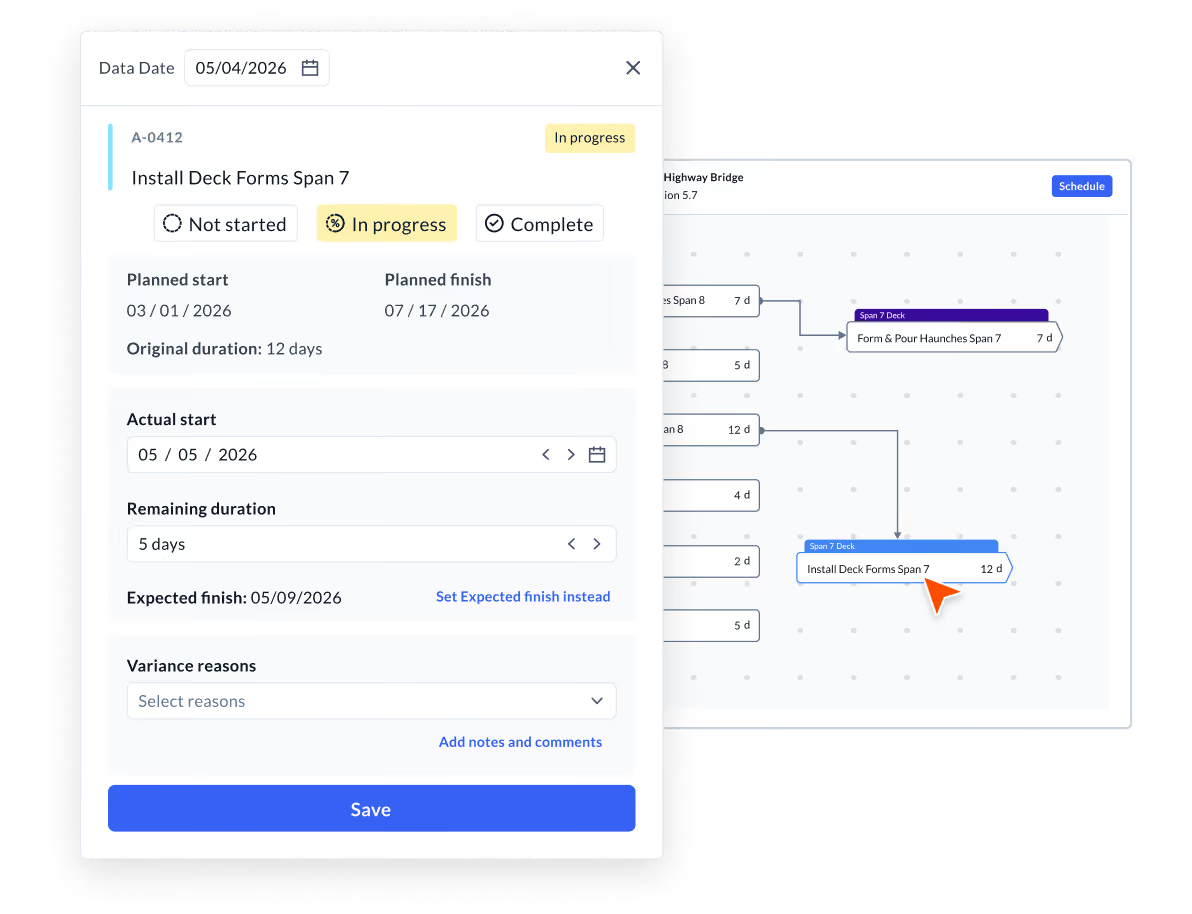











Update progress without the runaround
Log percent complete, actual start and finish dates, and remaining duration right from the Gantt or table view. No spreadsheet exports, no manual reconciliation, no chasing field supervisors for a status update that's already two days old.
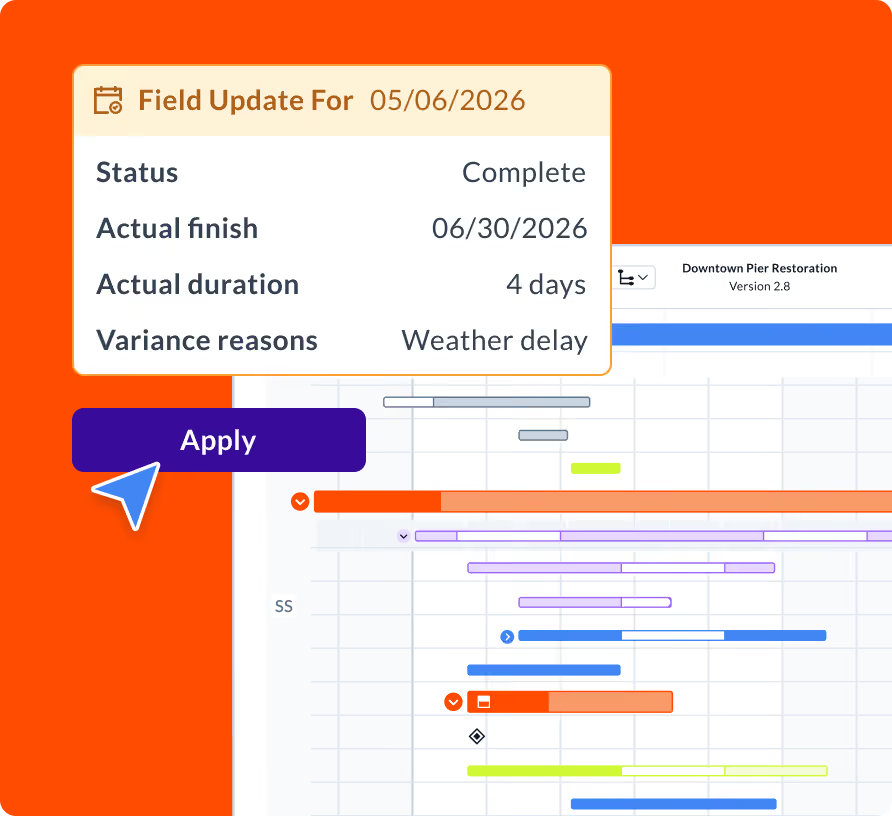
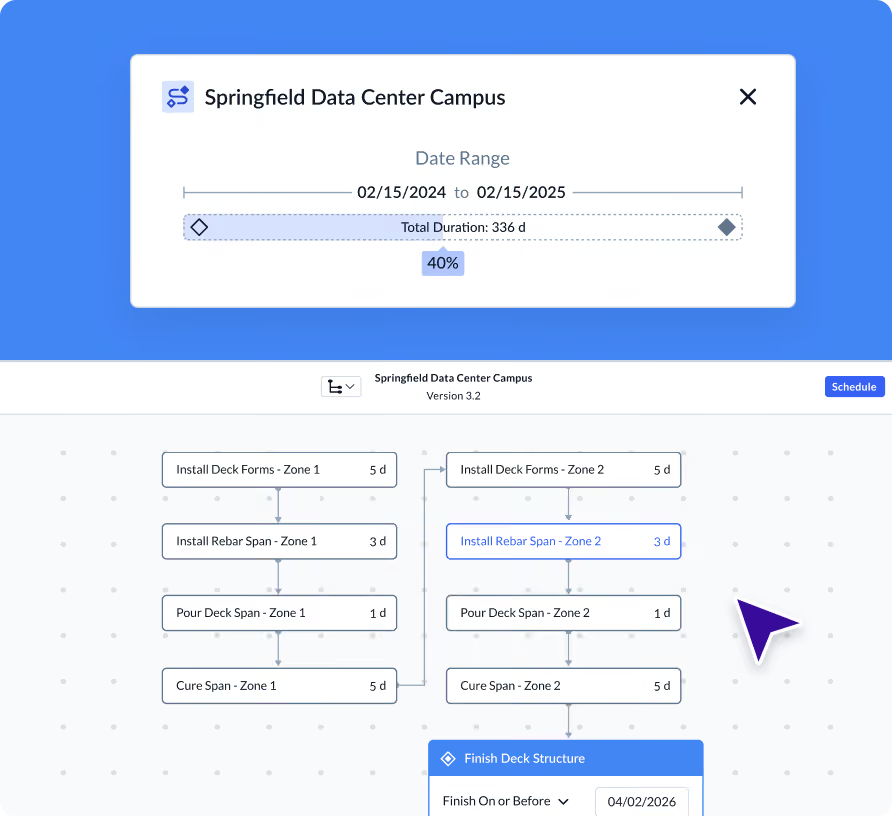
Know your data date, know your story
The data date tells everyone exactly what point in time the schedule reflects. Set it with every update cycle to keep reporting accurate and your team reading from the same page.
Move activities with confidence
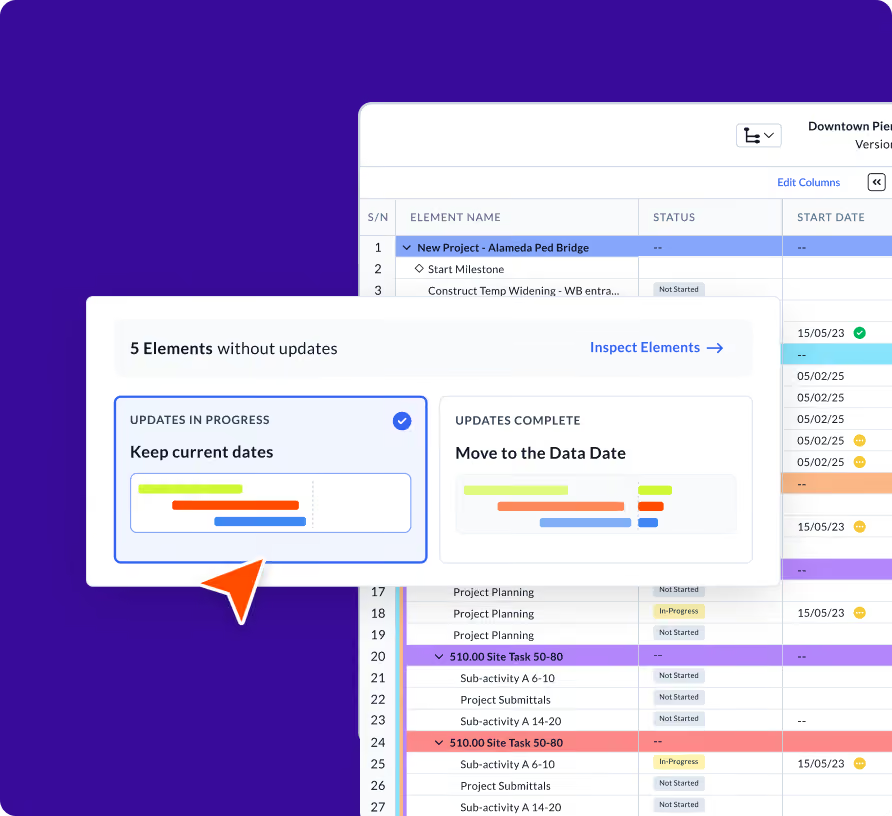
When work slips, Planera gives you the choice to shift dependent activities now or hold until you're ready to replan. Stay in control of your schedule logic without blowing up downstream dates you've already committed to.

“My Friday meetings are no longer four hours of me watching other people do updates. It’s an hour of me sitting with my scheduler talking about what we're going to do.”
Frequently Asked Questions
To help you make an informed decision, we’ve compiled some of the most commonly asked questions.
How do I update progress on an activity?
Navigate to the Gantt or project table and edit the activity directly. You can update percent complete, actual start, actual finish, and remaining duration from the activity fields.
What is a data date and why does it matter?
The data date is the cutoff point your schedule update reflects. Setting it correctly ensures your schedule status is accurate and your reports are telling the right story, not a stale one.
Can I update multiple activities at once?
Yes. You can update activity fields in bulk from the table view, making it faster to log progress across a phase or trade package in a single session.
Can field teams update progress from the iPad?
Yes. Planera for iPad lets superintendents and field leaders update progress directly from the job site, keeping the schedule current without requiring a desk or laptop.
What is the difference between a lookahead schedule and a master schedule?
The master schedule is your full CPM network covering the entire project timeline. A lookahead (or field schedule) is a filtered view, typically 2-6 weeks, showing only the activities relevant to near-term execution. In Planera, both live in the same system with shared logic, so they never fall out of sync the way they do when lookaheads are managed separately in Excel.
Can subcontractors access field schedules in Planera?
Yes. You can invite subcontractors to view and contribute to field schedules directly in Planera. They see only the activities relevant to their scope, and their updates feed back into the master schedule. This replaces the typical workflow of printing schedules, emailing PDFs, or sharing static screenshots with trade partners.