

Compare Schedule Versions in One Snapshot
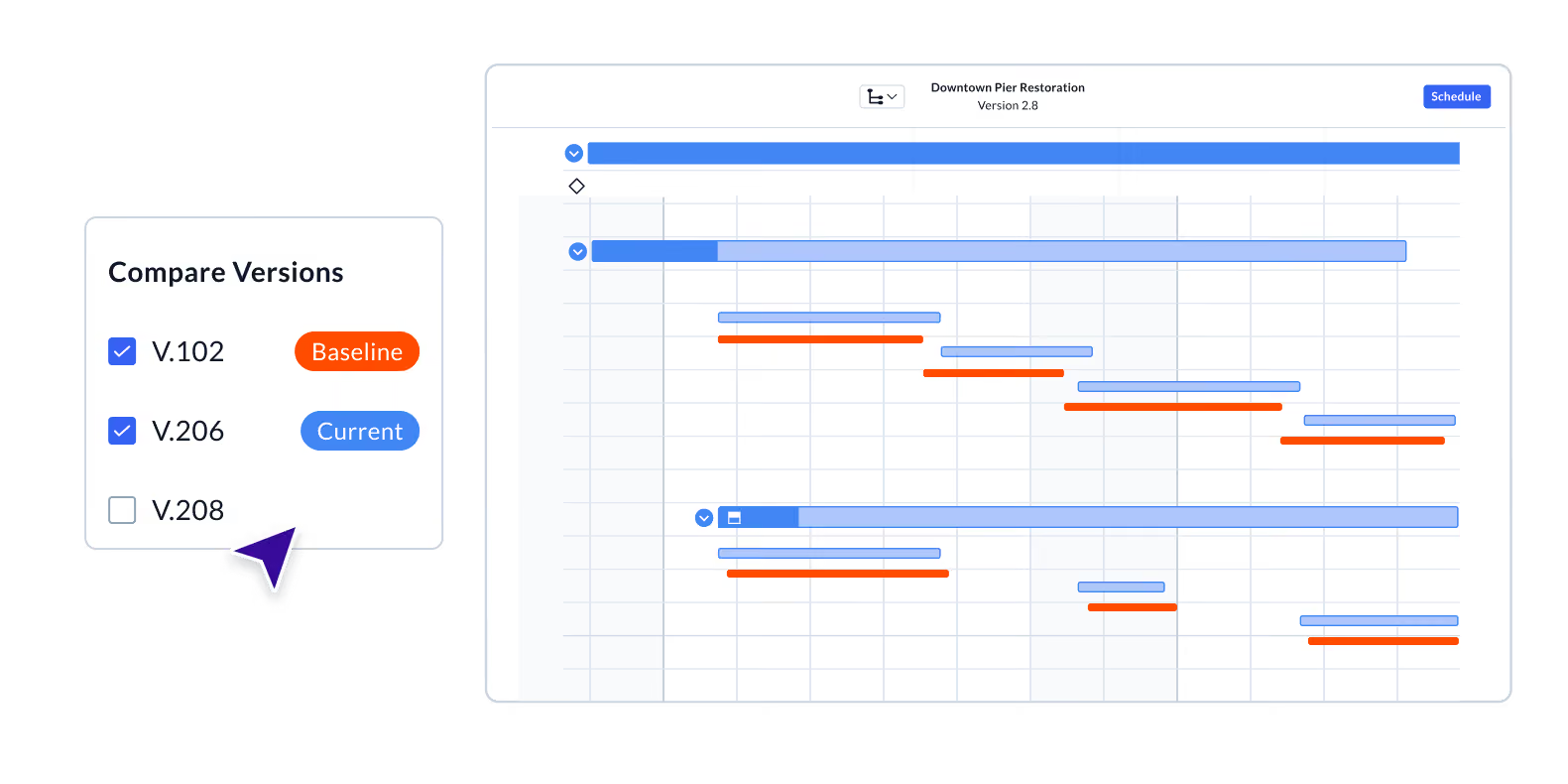
Planera’s version compare overlays any two schedules on the same Gantt chart so you can see what shifted, what moved up, and what slipped, all in one view.











Compare any two schedule versions side by side
Save snapshots of your schedule as the project evolves. When you’re ready to compare, select any two versions and Planera renders both sets of activity bars on the Gantt simultaneously.
Spot schedule drift before it becomes a problem
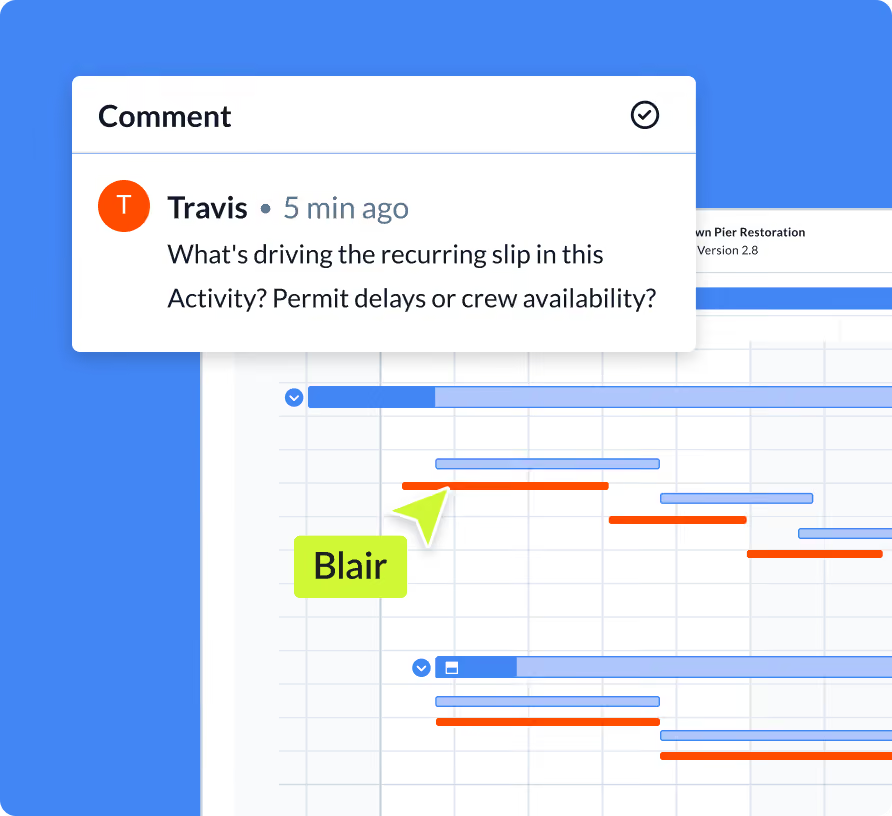
Visual comparison makes it immediately obvious which activities have moved, by how much, and in which direction. No manual spreadsheets, no hunting through exports or printed PDFs. The Gantt tells the story at a glance.
Export the comparison for stakeholder reporting
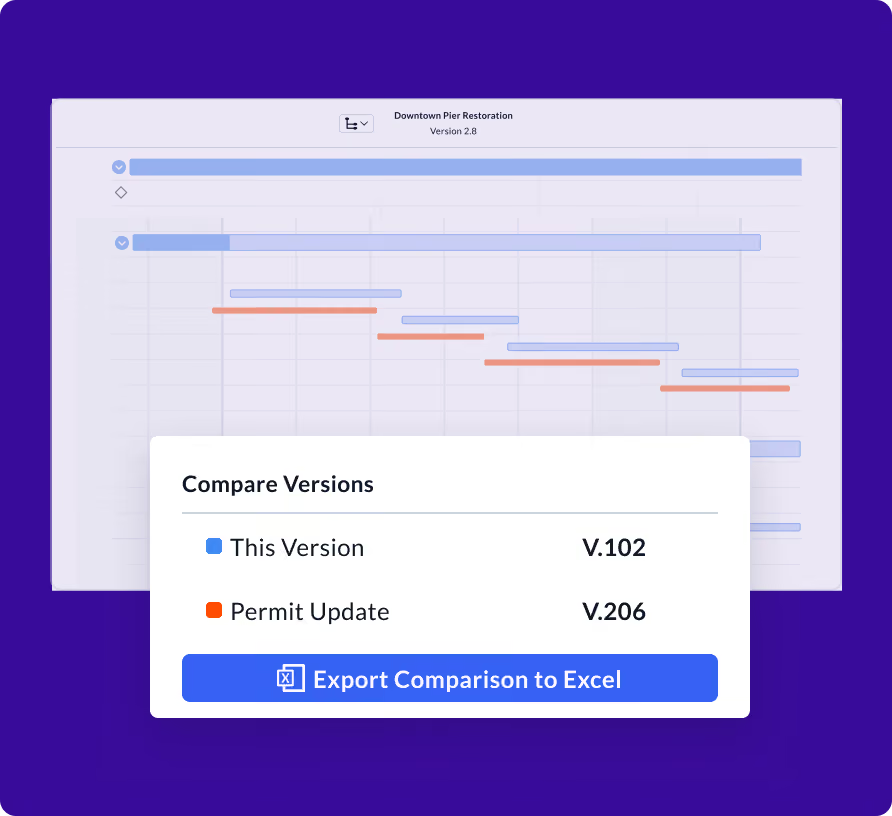
Pull an Excel comparison report with the delta data for any two schedule versions. It’s the analysis you’d normally build by hand, generated in a click. Have it ready for your next OAC, owner update, or schedule recovery conversation.

“Planera’s intuitiveness has attracted a wider range of users across our teams who prefer its point-and-click, drag-and-drop interface over cumbersome, outdated power spreadsheets.”
Frequently Asked Questions
To help you make an informed decision, we’ve compiled some of the most commonly asked questions.
How do I create a version to compare against?
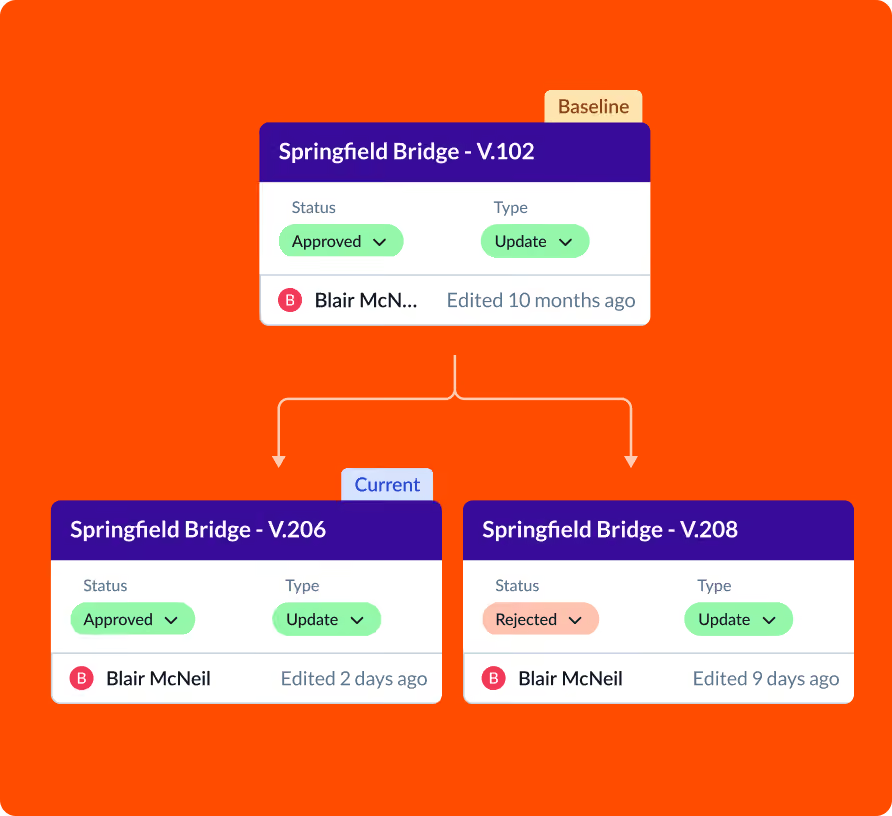
Use Planera’s Versions feature to save a snapshot of the schedule at any point. You can create multiple versions over time and compare any two of them against each other.
Can I compare more than two versions at once?
Version Compare works with two versions at a time. Select the current schedule and any saved version from the dropdown to begin the comparison on the Gantt.
What does the comparison look like on the Gantt?
The comparison version’s activity bars appear beneath the current version's bars on the Gantt chart. This makes it easy to see at a glance which activities have shifted and by how much.
Can I export a version comparison report?
Yes. Planera generates an Excel comparison report showing the differences between any two schedule versions, including date changes and activity-level detail.
Does version compare work with the baseline?
Yes. If you’ve saved a baseline version, you can compare it against any subsequent schedule snapshot to track how the project has evolved from the original plan.