

Know your odds before you commit
Planera’s risk simulation runs thousands of schedule scenarios using Monte Carlo analysis so you can make commitments backed by data.
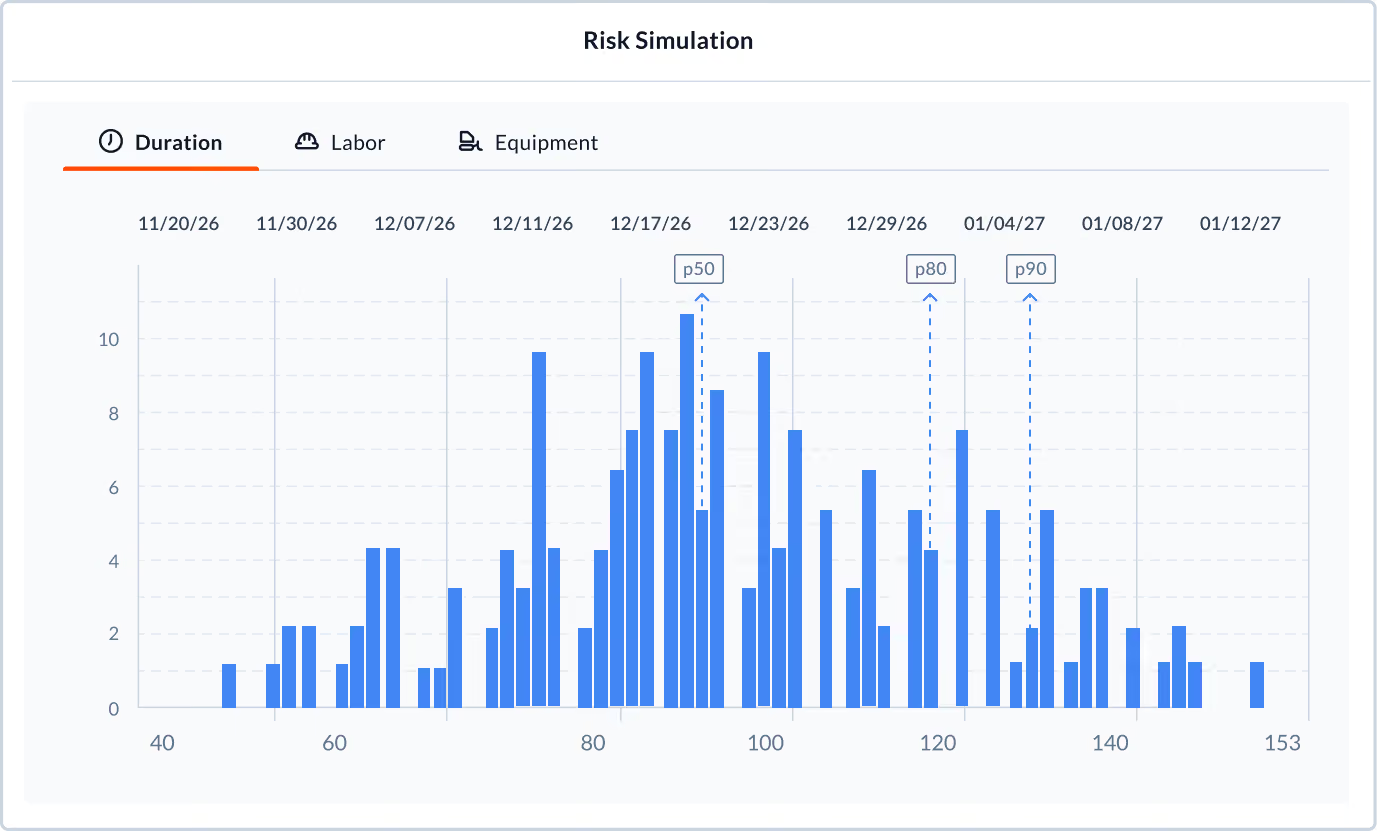











Run Monte Carlo simulations directly on your schedule
Know whether your target date is a stretch or a commitment. Planera runs thousands of iterations across your critical path to show the realistic range of outcomes, not just the plan.
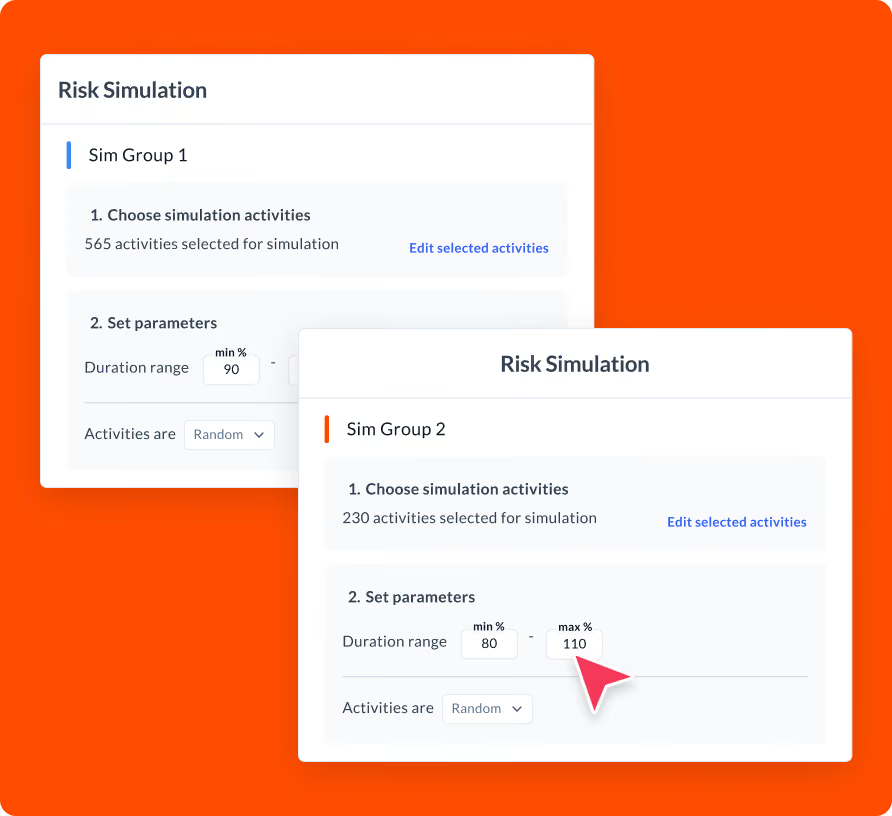
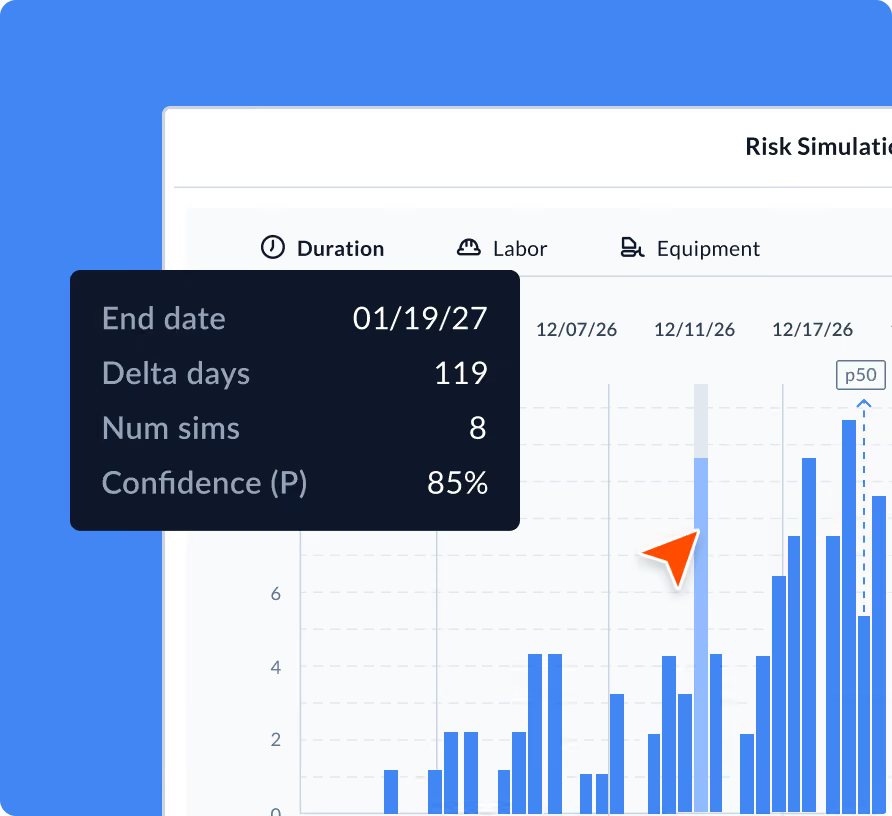
Identify which activities are actually driving your risk
Target the biggest problems first. The simulation surfaces which activities carry the highest variance and the most influence over your finish date. You get a ranked view of where to focus contingency planning.
Turn uncertainty into a defensible commitment
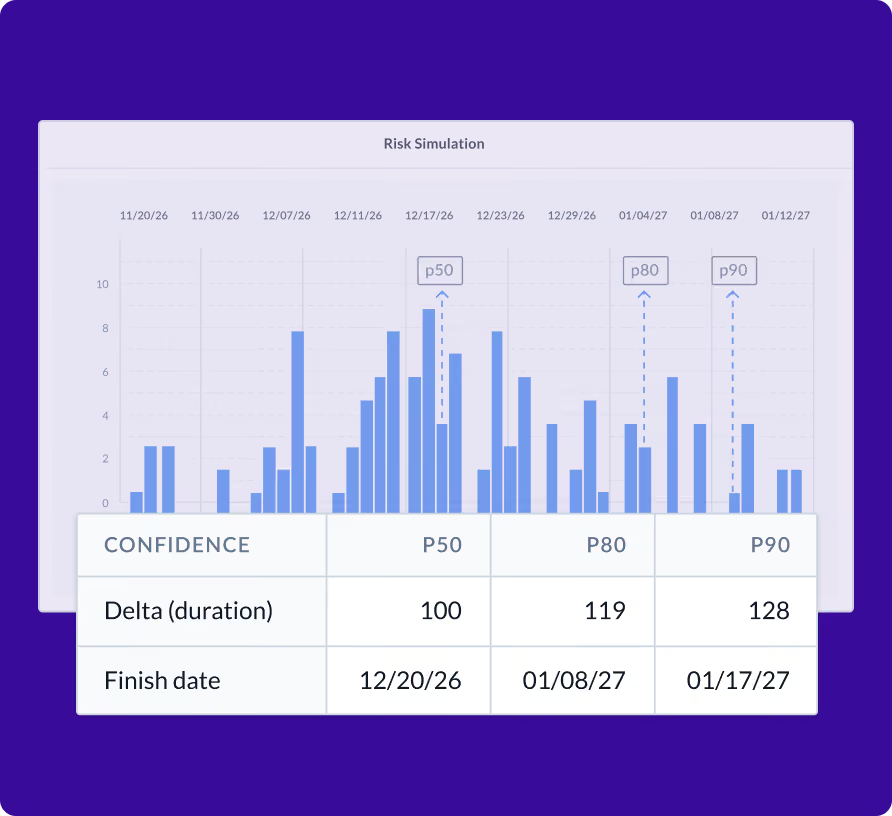
When an owner asks what the probability is of hitting substantial completion, you can give a real answer backed by analysis. Risk simulation gives project leaders the confidence to make commitments and the data to defend them.

“Utilizing Planera during estimation planning allowed us to deliver on our client's needs far better than before by improving our speed, accuracy and inter-team collaboration.”
Frequently Asked Questions
To help you make an informed decision, we’ve compiled some of the most commonly asked questions.
What is Monte Carlo simulation and how does it apply to construction scheduling?
Monte Carlo simulation runs thousands of schedule iterations using probability ranges for activity durations. The result is a distribution of possible completion dates, giving you a realistic view of schedule confidence rather than a single deterministic endpoint.
How do I assign risk ranges to activities?
In Planera’s Risk Simulation tool, you set optimistic, most likely, and pessimistic duration estimates for each activity. The simulation uses these ranges to model variability across the schedule.
What does the output of a risk simulation look like?
The output shows a probability distribution of project completion dates along with a ranking of which activities contribute the most risk to your schedule. You can see, for example, that there is a 70% probability of finishing by a target date.
Can I run risk simulations on a subset of the schedule?
Yes. You can focus the simulation on specific activities or phases rather than the entire schedule, which is useful for analyzing high-risk segments of a project independently.
How does this differ from standard schedule float analysis?
Float analysis shows you buffer in a single deterministic schedule. Risk simulation accounts for the fact that durations are not fixed, modeling how variability across many activities compounds into real schedule risk. It answers not just whether there is float, but how confident you should be in it.
Can subcontractors access field schedules in Planera?
Yes. You can invite subcontractors to view and contribute to field schedules directly in Planera. They see only the activities relevant to their scope, and their updates feed back into the master schedule. This replaces the typical workflow of printing schedules, emailing PDFs, or sharing static screenshots with trade partners.