

Your CPM schedule, in Claude and ChatGPT
 ClaudeChat, Cowork and Code
 ChatGPTBusiness, Enterprise and Edu
- Budgets
- RFIs
- Contracts
- Procurement
- Spreadsheets
The Planera MCP connector brings your live schedules, and Planera’s CPM logic, into the AI tools you're already using.
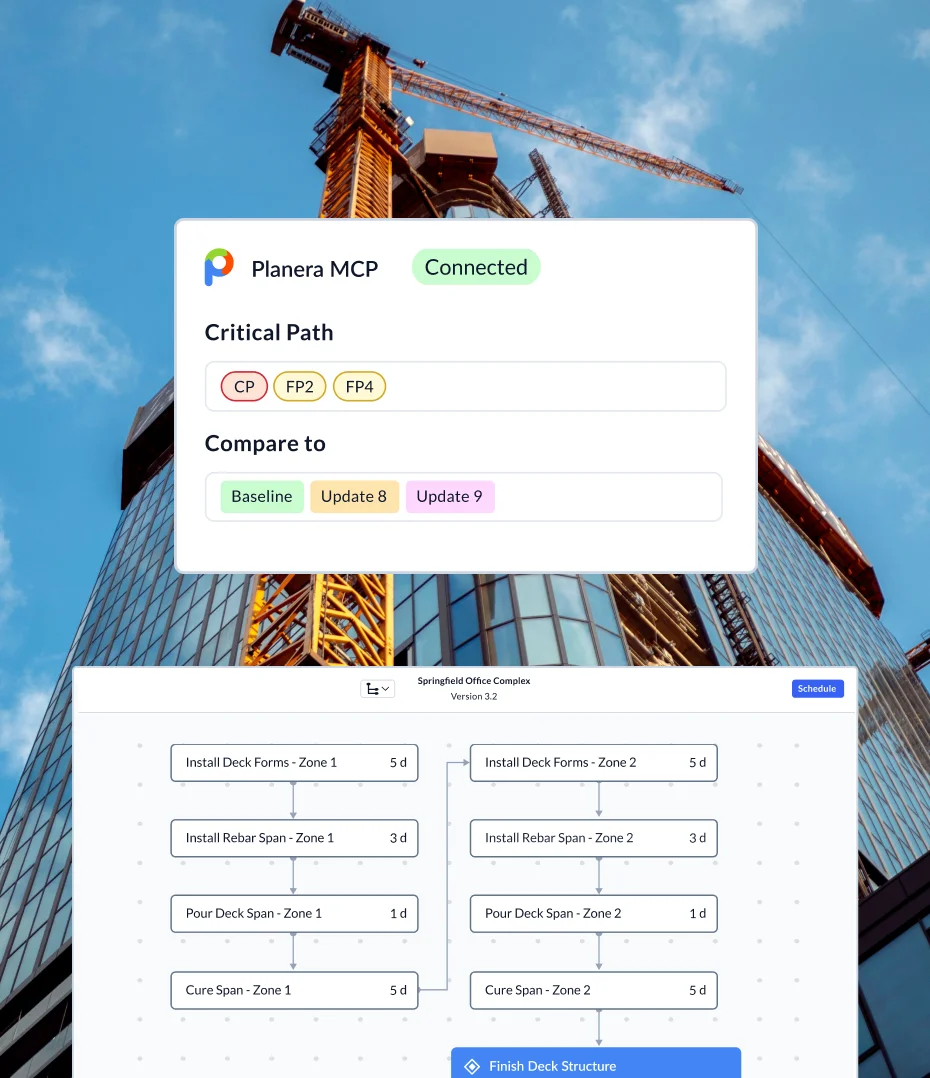
Generic AI reads your schedule. Planera understands it.
Claude and ChatGPT call Planera’s own CPM engine, so answers are calculated, not guessed.
Real CPM logic.
Critical paths, what-ifs and quality checks run on Planera’s engine, with your calendars.
Every version, not one export.
Compare to the baseline or any update, and see who changed what.
Master and field, side by side.
Check that field schedules still match the master plan.
Questions your team can ask today
No commands to learn. Ask the way you’d ask your scheduler, and the assistant works out which Planera data it needs.
"What changed since the last update, and who moved the substantial completion milestone?"
"If steel erection slips ten days, what happens to the finish and the critical path?"
"Build a three-week lookahead for the framing crew, in Spanish."
"Draft this month's schedule narrative: critical path, progress, delays and causes."
"Was float in this update recovered by work in the field, or by editing durations and logic?"
"Do our calendars have next year's holidays?"
"Grade every active schedule and show me the five most common failed checks."
"Which active projects haven't been updated in 14 days, and who edited them last?"
"Which recovery option buys back the most time on Tower B?"
Two ways to put Planera’s intelligence to work
Manny works inside your schedule. The Planera MCP brings your schedule into the AI tools where the rest of your project data lives.
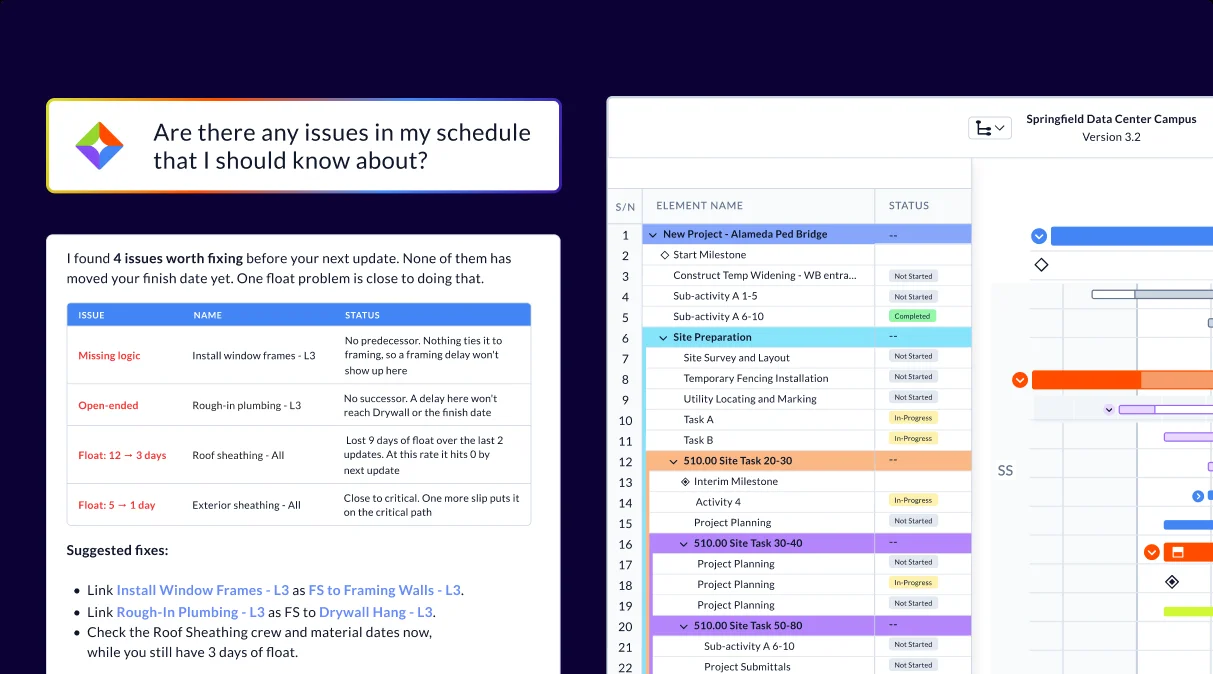
AI inside your schedule
- Lives in Planera, right next to the schedule
- Reads and edits the schedule, with your approval
- Builds, updates, tests what-ifs and writes reports
- For the team building and running the schedule
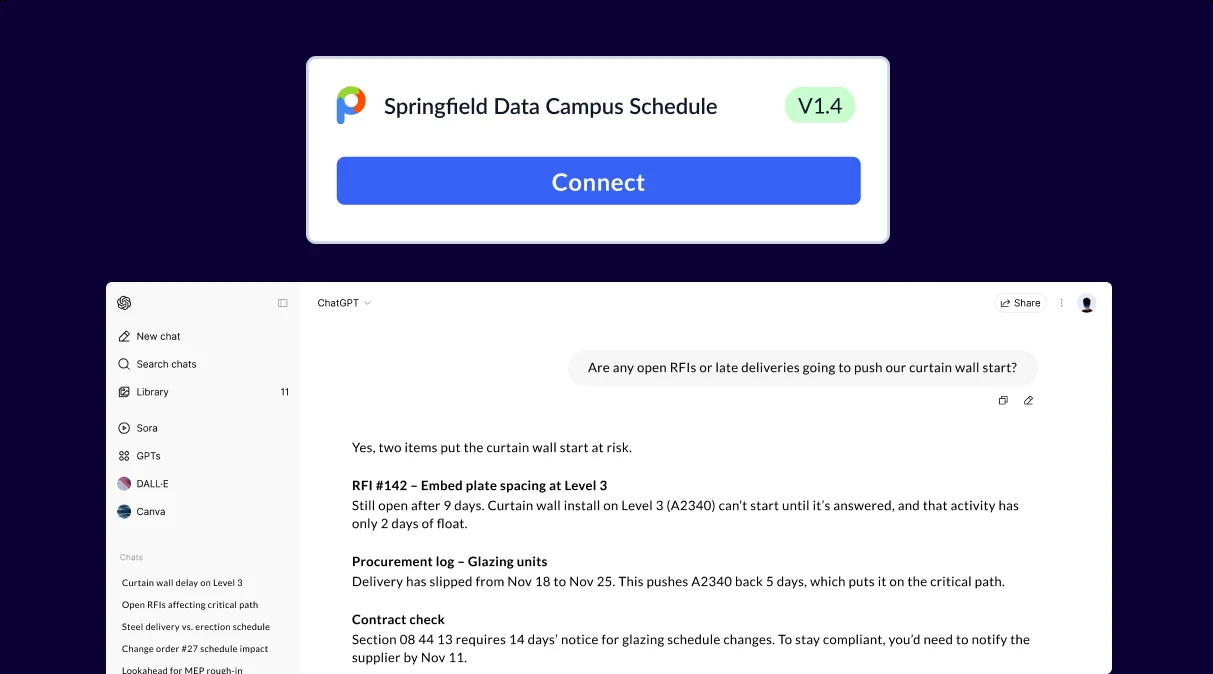
Your schedule inside your AI
- Works in Claude and ChatGPT
- Read-only: analyzes and reports, never edits
- Pairs CPM logic with your budgets, contracts, procurement logs and other tools
- For anyone who needs the schedule alongside everything else
Add the connector
Your Claude organization owner or ChatGPT workspace admin adds the Planera MCP as a custom connector for everyone.

Sign in to Planera
Connect with your own Planera login, including SSO. It takes less than a minute.
Make your first query
Ask about any project you can open in Planera, from the critical path to what changed since the last update.
Frequently Asked Questions
To help you make an informed decision, we've compiled some of the most commonly asked questions.
What is the Planera MCP?
The Planera MCP is a read-only connector that lets Claude and ChatGPT read your Planera schedules and answer questions about them. Answers come from your live schedule data and Planera’s CPM engine.
How is the Planera MCP different from Manny?
Manny lives inside Planera and can read and edit your schedule with your approval. The Planera MCP is read-only and works in Claude and ChatGPT, where you can combine your schedule with budgets, contracts, logs and other tools.
Which AI assistants does it work with?
Claude, including Chat, Cowork and Code, and ChatGPT Business, Enterprise and Edu workspaces.
Can it change my schedule?
No. It can read, analyze and report, but it can’t edit activities, save versions, update progress, post comments or change settings. “What if” questions are simulated and never saved.
What can the assistant see?
Exactly what your Planera login can see, and nothing more. Within those projects it can read project details, activities and milestones, codes, calendars and resources, every schedule version, change history, critical paths, quality checks, comments, and differences between master and field schedules.
Does Claude or ChatGPT store my Planera password?
No. You sign in directly on Planera’s site, and the AI assistant never sees or stores your password.
Does Planera know my project costs?
No. Planera holds the schedule, including labor and equipment hours, but not budgets or rates. For cost questions, bring your budget or accounting export into the conversation, and the assistant pairs it with the schedule.
Is the Planera MCP secure?
Each person signs in with their own Planera login, so the assistant only sees the projects that person can already see. The connection is read-only, and Planera is SOC 2 Type 2 certified.
How do I get access?
Talk to your Planera account team, or book a demo to see the Planera MCP working on a live schedule.
Raise the standard in every tool your team uses
See the Planera MCP answer real questions from a live CPM schedule.
Book a Demo