



A schedule has to hold up for a lot of readers: the owner who wants it to look consistent, the executive who only needs the big picture, and the scheduler who needs to know the sequence will actually build and what could stop it. This release works on all of them.
Catch risk before it reaches the field
Two new agents look past whether your schedule is complete to whether it will actually hold up on site.
Catch sequencing issues that standard schedule checks miss
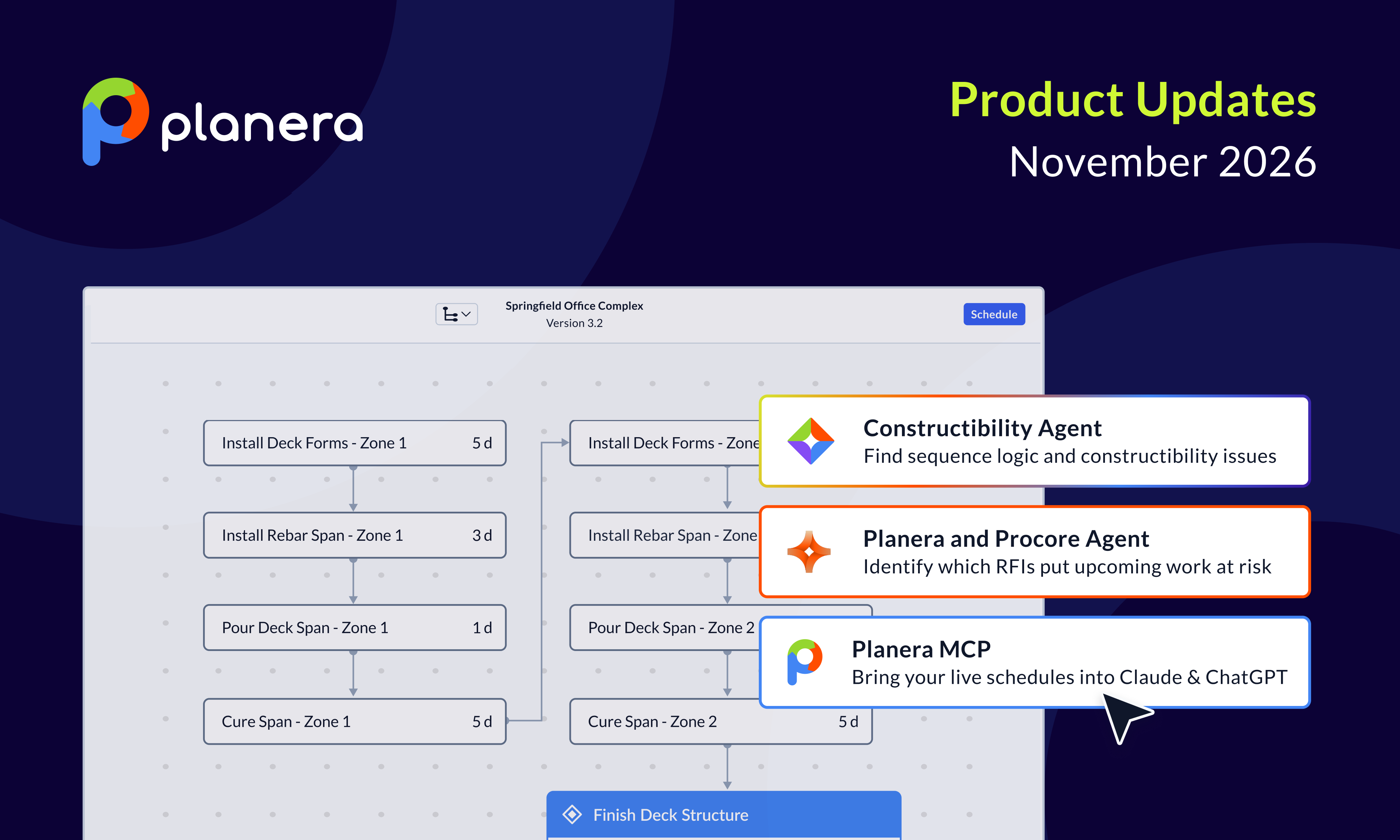
The Constructability Agent tells you whether your sequence makes sense as a build, not just whether the logic is complete. Passing every quality check doesn't rule out finishes landing ahead of rough-ins or a pour coming before the rebar inspection. The agent builds on the Schedule Quality Report: start it from the report's side panel, add your organization's SOPs or standards if you want them considered, and Manny returns an executive summary, then hard violations and soft flags, each linked to the element with context on why it was flagged. It's rolling out gradually, so if you don't see it yet, reach out to your Planera team. Watch how it works.
See which open RFIs could delay upcoming work
The Planera and Procore agent shows supers and schedulers which open RFIs put upcoming work at risk, instead of finding out at the pull-planning meeting. It reads your open Procore RFIs alongside Planera's critical path and look-ahead, ranks what's actually at risk, and writes a note onto each matched activity in Planera with the RFI number, responsible party, due date, and a link back to Procore, so no one has to match RFIs to the schedule by hand. It only annotates, so dates and logic still go through Planera's change controls, and it reports low-confidence RFIs as unmatched rather than guessing.
Give every audience the right view of the schedule
Owners, executives, and field teams each need a different cut of the same schedule, and these updates make each one easier to produce and trust.
Coming soon: give executives and owners the big picture, tied to the real schedule
Summary Schedule, coming soon and rolling out in stages over upcoming releases, will turn a master schedule with thousands of elements into a focused summary for owner and executive reviews, without maintaining a separate summary by hand. It's built from hammocks between activities, milestones, groups, or hard dates and from key elements you add directly, and it stays tied to the underlying logic so it updates as the schedule moves. You'll be able to filter it, compare it against previous versions, and download a PDF, and it will take the place of Watchlist in the left navigation, with existing watchlist items moving over automatically. Watch how it works.
See how each WBS group moved, version over version, right in the Gantt
You can now see how a whole scope of work shifted between versions, not just individual activities. When you turn on Compare Versions from the More menu in the Gantt, groups and WBS rows get comparison bars alongside activities and tasks, showing each group's dates against the version you picked. If an element doesn't exist in that version, a dashed line makes that clear. It's rolling out gradually, so if you don't see it yet, reach out to your Planera team.
Keep schedule colors consistent across every project
Organization admins can now keep schedule colors consistent across every project, so schedules shared with owners look the same wherever they come from. Teams use color to separate trades, mark scopes of work, or follow a corporate color scheme, and admins now set group and activity colors once in a color library under Libraries and Settings, editing by hex code or picker, adding colors, reordering the palette, and previewing each color in the canvas and Gantt with text color picked automatically for legibility. Once the palette is saved, every project in the organization picks it up immediately. It's rolling out gradually, so if you don't see it yet, reach out to your Planera team. Watch how it works.
Turn off PPC in a field schedule without losing master schedule variance
Some field schedules don't need planned percent complete but still need to show how field dates compare to the master schedule. The PPC setting in the field schedule is now separate from master and field schedule variance, so you can switch PPC off and still see that variance on the activity canvas, on hover, and in the table's variance comparison tab. It's rolling out gradually, so if you don't see it yet, reach out to your Planera team.
Move faster in your schedule, with a safety net
These updates take the repetitive clicks out of everyday edits and make it easier to recover when something goes wrong.
Clean up an imported schedule in a few clicks, not one activity at a time
Importing a schedule often means inheriting constraints someone added months or years ago, and clearing them one activity at a time can take an afternoon. The bulk actions bar in the table has been updated, so you can select a set of activities and remove their constraints, delete them, edit names and IDs, or add calendars, labor, and equipment to all of them at once. It's rolling out gradually, so if you don't see it yet, reach out to your Planera team.
Log every reason a date moved, faster
When an activity slips or starts early, recording why matters, and there's often more than one reason, like weather and a change order. The variance reason picker in the progress update is now wider and searchable, so you can find and add several reasons quickly with either your keyboard or your mouse. It's rolling out gradually, so if you don't see it yet, reach out to your Planera team.
Catch an accidental delete before it ripples through your schedule
Deleting a well-connected activity by mistake can shift downstream work and finish dates if no one notices in time to undo it. Planera now asks you to confirm before you delete or dissolve, and the confirmation appears right at your cursor, including from the context menu, so a deliberate delete still takes just one more click with no extra mouse movement. It's rolling out gradually, so if you don't see it yet, reach out to your Planera team.
Roll a project back to an earlier point in time
You can now restore a project to an earlier state without undoing a long run of edits one at a time. Every time a project is scheduled, Planera saves a snapshot of it. From the More menu, open View project history, pick a snapshot, name the version, and restore it. The restored state opens as a new version, marked with a dashed line and a Restored tag in the version canvas, so it's always clear where it came from. It's rolling out gradually, so if you don't see it yet, reach out to your Planera team.
Put AI to work on your schedule
Manny and the Planera MCP can now take in more of your project context and do more of the setup work for you.
Get answers from your Planera schedule in Claude or ChatGPT
You can now get answers from your Planera schedules in Claude or ChatGPT, alongside your other sources, without pulling data out of each one. The Planera MCP brings your live Planera schedules and Planera's CPM logic into Claude and ChatGPT, so you can ask about critical paths, version comparisons, what-if scenarios, and quality checks, and pair schedule data with documents like budgets and contracts. It's read-only and only sees what your Planera login can see. Learn more.
Give Manny your drawings, specs, and reports as context
Manny's answers get sharper when it can see the documents behind your schedule. You can now upload PDFs into a Manny chat as reference, whether that's an RFP or spec with requirements like the allowed overall duration or weather-day allowances, construction drawings that explain the logic of the work, or an example report you want a narrative to match in style and format. Manny uses what's in the file when it responds, so you spend less time explaining the job and more time on the answer. It's rolling out gradually, so if you don't see it yet, reach out to your Planera team.
See Manny's interactive outputs right where you're working
When Manny builds something interactive for you, you can now open it right inside Planera instead of downloading a file to view it. Manny renders the HTML it generates directly in the product, with its interactive elements working as intended, and you can open it full screen to give it room. It's rolling out gradually, so if you don't see it yet, reach out to your Planera team.
Let Manny set up the codes you need to organize your schedule
Grouping work by location, job type, or risk usually means building out codes and tagging activities before the analysis can start. Manny can now create new code categories and the values inside them, so you can ask it to analyze the project and add location and job type tags that make it easier to build work packages, or create a risk code and assign high, medium, and low based on what it knows about the project for better risk simulations. It's rolling out gradually, so if you don't see it yet, reach out to your Planera team.

You deserve better scheduling software.
Drive revenue, reduce costs, and manage scheduling with Planera.
Request a Demo