



Construction projects often run late. 91% of projects finish behind schedule, over budget, or both. One major reason is traditional top-down scheduling, where one person builds the entire schedule without enough input from the field team.
Pull planning in construction takes a different approach. Instead of creating the plan from the top down, it brings together the people closest to the work to build the schedule as a team. This method is based on the Last Planner System and helps crews coordinate work more accurately and avoid delays.
In this guide, we’ll explain what pull planning in construction is, how the process works step by step, how it compares to traditional CPM scheduling, and how Planera helps teams manage pull plans more easily.
What Is Pull Planning in Construction?
Pull planning in construction is a scheduling method where teams start with a project milestone and plan backward to identify the tasks needed to reach it. The work is sequenced based on real job site needs and assigned to the trades responsible for completing it.
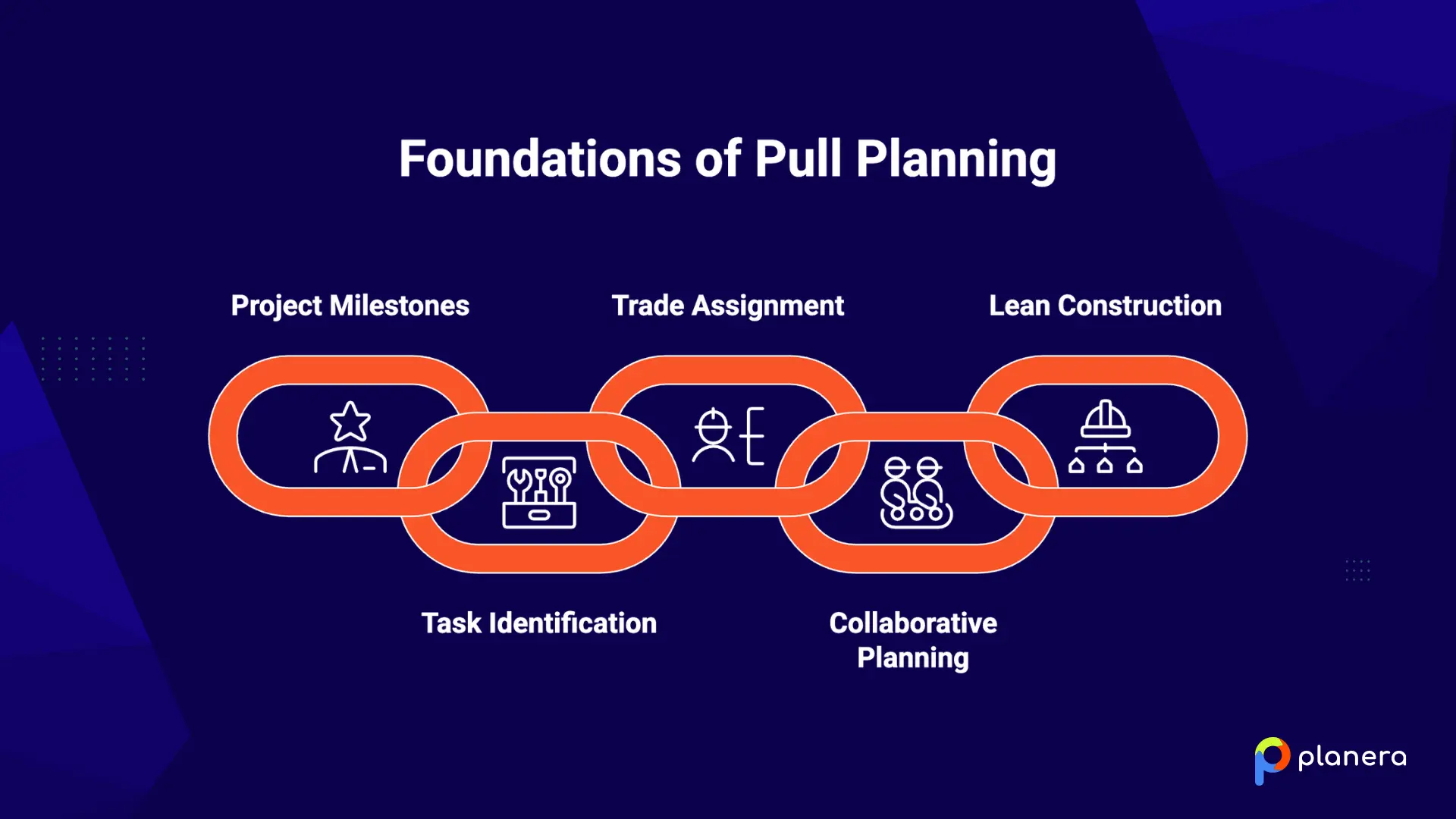
Unlike traditional scheduling, pull planning is built collaboratively by superintendents, foremen, and trade partners instead of one scheduler working alone. It is part of a lean construction approach made to improve coordination and reduce delays.
During pull planning sessions, each trade commits to specific tasks and deadlines, helping the entire team stay aligned throughout the project.
Why Does Pull Planning Matter in Construction?
Traditional CPM schedules are usually created by one planner or project manager using estimated timelines and task sequences. The problem is that construction projects constantly change. Different trades, crew availability, equipment issues, and jobsite conditions can quickly make the original schedule unrealistic.
Pull planning in construction brings field teams into the planning process from the start. Superintendents, foremen, and trade partners help build the schedule together, so the plan reflects real jobsite conditions, actual dependencies, and realistic timelines.
Because the team creates the plan together, crews are more likely to trust it, follow it, and stay aligned throughout the project.
What Are the Key Principles of Pull Planning?
Pull planning in construction is based on 4 main principles that help teams build more reliable schedules and improve coordination on the job site.
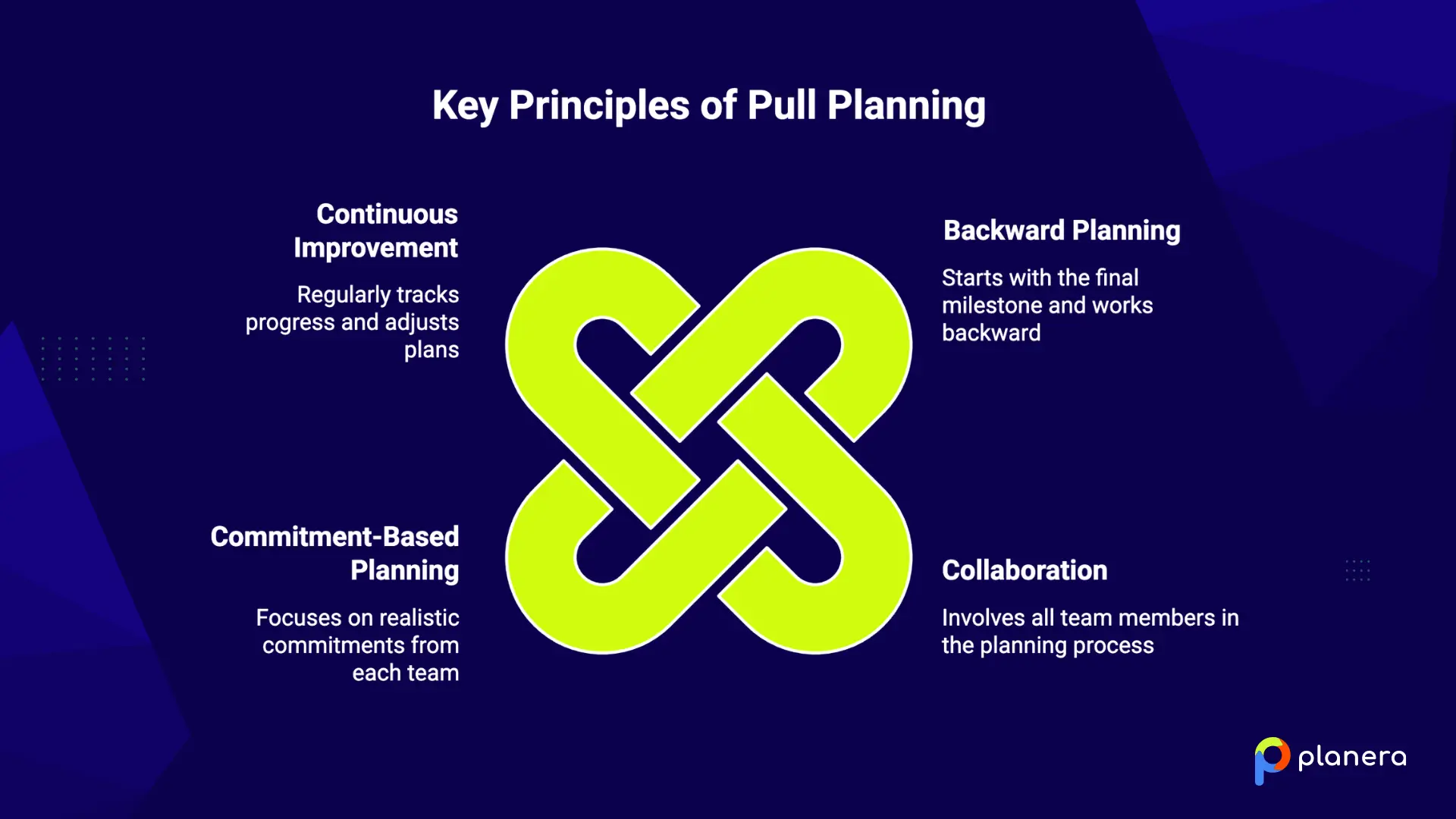
Backward Planning
In pull planning, the team starts with the final milestone or completion date and works backward from there. Instead of asking, “What happens next?” the team asks, “What needs to happen before the next task can begin?”
This approach helps teams spot dependencies, avoid conflicts between trades, and create a more realistic construction schedule.
Collaboration
In pull planning, the team starts with the final milestone or completion date and works backward from there. Instead of asking, "What happens next?" the team asks, "What needs to happen before the next task can begin?"
This approach helps teams spot dependencies, avoid conflicts between trades, and create a more realistic construction schedule. Tools like Planera's digital whiteboard canvas make this backward-planning process much faster by letting teams build logic directly on screen instead of rearranging sticky notes.
Commitment-Based Planning
Pull planning focuses on real commitments, not rough estimates. Each team agrees to tasks and deadlines they can realistically complete based on available labor, materials, and site conditions.
Because these commitments are made in front of the group, teams naturally become more accountable to each other.
Continuous Improvement
Teams regularly track how much planned work was actually completed. In lean construction, this is called Percent Plan Complete (PPC).
When tasks are missed, the team reviews what caused the delay and uses that information to improve future planning. Over time, this helps make schedules more accurate and predictable.
How Pull Planning Works in Construction (Step-by-Step Guide)
A pull planning session in construction follows a clear process led by a facilitator and the key trade leads involved in the project.
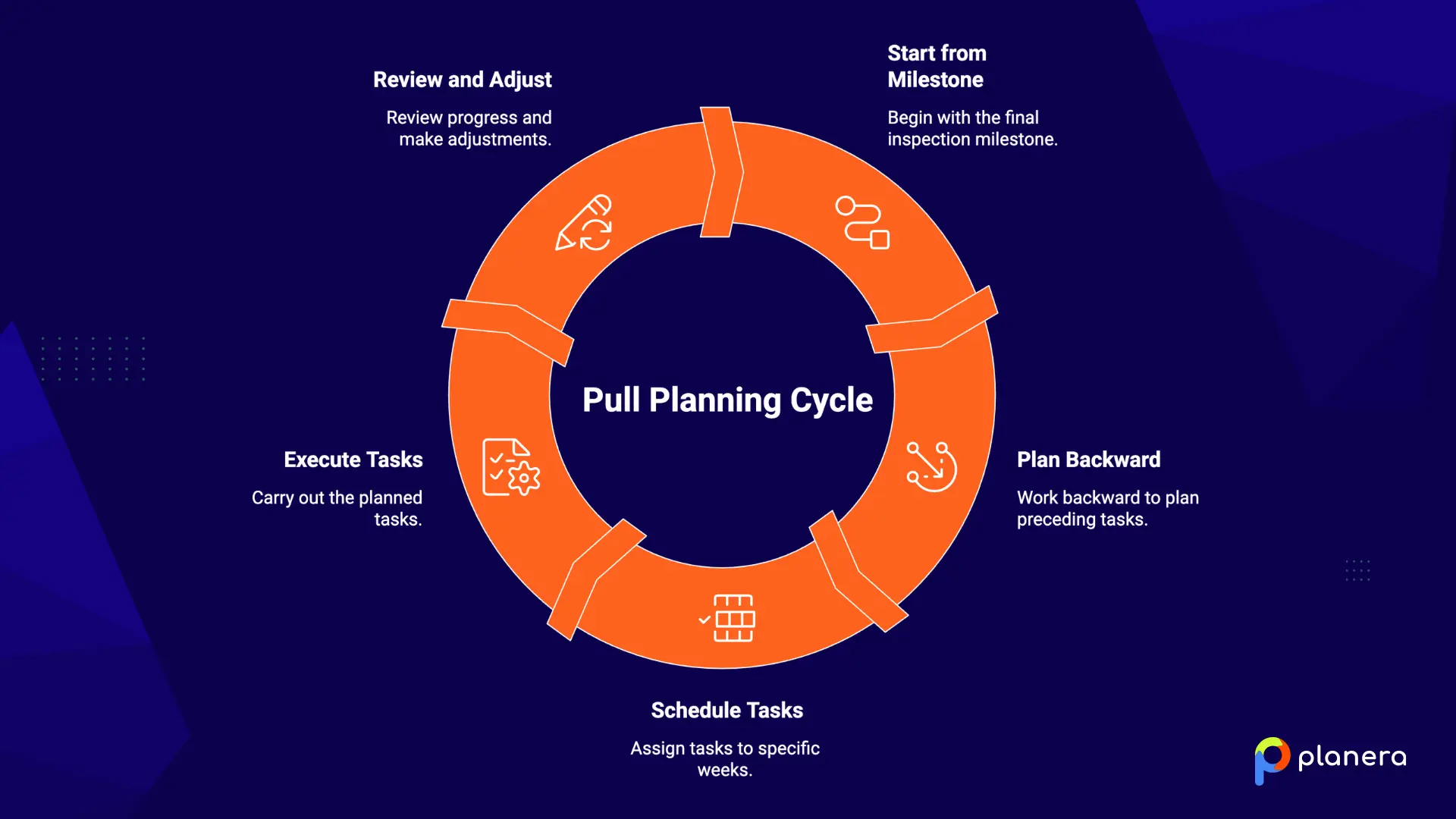
1. Set Project Milestones
The team starts by defining the main milestone they are working toward. This could be structural completion, building dry-in, MEP rough-in, or final handover. This date becomes the anchor for the entire plan. Establishing clear milestones early is also a core step in preconstruction planning, where Planera helps teams build CPM logic before breaking ground.
2. Break Down the Work
Next, the team lists all activities needed to reach that milestone. Each task is written clearly so everyone understands what “done” means. Tasks are often placed on sticky notes, with one task per note, and assigned to the relevant trade.
3. Sequence the Activities
The team then organizes the tasks in reverse order, starting from the milestone and working backward. At each step, they ask what needs to happen before the next task can start. This helps reveal dependencies and improves construction sequencing.
4. Identify Constraints
For every task, the team checks what could block progress. Common constraints include late materials, permit delays, missing design details, or unavailable equipment. Each issue is recorded and assigned to someone who will resolve it.
5. Assign Responsibilities
Each task is assigned to a specific trade lead or crew. These are clear commitments, not rough estimates. Everyone agrees on what they will complete and when.
6. Document the Plan
The full schedule is then captured on a planning board or in a digital tool. This becomes the shared reference for the entire team during the project phase.
7. Track and Update Progress
Teams meet regularly to review progress using Percent Plan Complete (PPC). If tasks are missed, the team reviews the reasons and updates the plan. This keeps the schedule accurate and aligned with real jobsite conditions.
Pull Planning Example in Construction
Here is a simple example of pull planning on a real project.
Imagine a commercial office interior fit-out where the goal is to complete MEP rough-in in eight weeks.
The general contractor brings the electrical foreman, plumbing lead, framing crew lead, and insulation subcontractor into a pull planning session. The team starts from the Week 8 milestone, which is the rough-in inspection, and works backward to plan the work.
- Week 8: Final inspections
- Week 7: Electrical finish and tie-ins
- Week 6: Plumbing and HVAC rough-in complete
- Week 5: Drywall closed on one side
- Week 4: Insulation complete
- Week 3: Rough-in inspections for framing
- Weeks 1 and 2: Framing complete, MEP rough-in begins
Each trade agrees to their tasks and timing, so everyone clearly understands the sequence and dependencies.
During the session, the plumbing lead raises a problem. The rooftop unit needs crane access before HVAC work can finish, but the crane is already booked for another part of the project. The team notices the issue early and updates the crane schedule before it causes a delay.
This early visibility into constraints is one of the main reasons pull planning in construction helps reduce delays and surprises during execution.
Pull Planning vs Traditional Scheduling: Which One to Choose
Push vs Pull Planning
In traditional construction scheduling, also called push planning, work flows from the start of the project to the end. A master schedule is created upfront, and tasks are released based on dates. Work moves forward even if the next team is not fully ready. This is the standard CPM approach used in construction for many years.
Pull planning in construction works in the opposite way. The team starts with a milestone and works backward to plan tasks. Work only begins when the previous step is complete and conditions are ready. In simple terms, each task is “pulled” into action when it is needed.
Key Differences in Workflow and Control
| Dimension | Traditional CPM (Push) | Pull Planning |
|---|---|---|
| Planning direction | Forward, from start to end | Backward, from end to start |
| Who plans | Planner or PM alone | All key trades plus the PM |
| Flexibility | Low, with a rigid timeline | High, adapts to conditions |
| Field buy-in | Low | High |
| Constraint management | Reactive | Proactive |
| Best for | Contractual baselines and owner reporting | Phase execution and trade coordination |

When to Use Each Approach
- CPM scheduling is still important in construction. Many contracts require it for reporting, budgeting, and overall project tracking.
- Pull planning works best during the execution phase, especially when multiple trades need to coordinate closely and stay aligned week by week.
Most successful teams use both methods. CPM is used for the master schedule, while pull planning is used for phase-level planning and daily or weekly coordination.
At Planera, we combine both approaches by running visual pull planning sessions that directly connect to a full CPM schedule.
Benefits of Pull Planning for Construction Teams
Pull planning in construction leads to more predictable and efficient project delivery. Here are the main benefits teams see when they adopt it.
- Better schedule reliability. Pull plans are based on real job site conditions and the actual capacity of each trade. Because the people doing the work help build the schedule, it becomes more accurate and easier to trust during execution.
- Fewer delays and rework. Teams identify and remove constraints before work starts. Projects using pull planning can see fewer delays and less rework compared to traditional push scheduling.
- Stronger communication. Since all key trades plan together, dependencies become clear early. Teams understand who is responsible for each step, which helps avoid gaps and misalignment during construction.
- Higher productivity on-site. Work is planned only when it is truly needed, which supports a just-in-time flow of labor and materials. This reduces waiting time and avoids unnecessary movement of crews and equipment.
- Increased accountability. Pull planning builds accountability by having team members commit to specific tasks and deadlines during planning sessions. When commitments are made publicly, follow-through improves across the team.
Common Challenges in Pull Planning (And How to Solve Them)
Pull planning in construction works well, but teams often face a few common challenges when they first adopt it. Here is what they are and how to fix them.
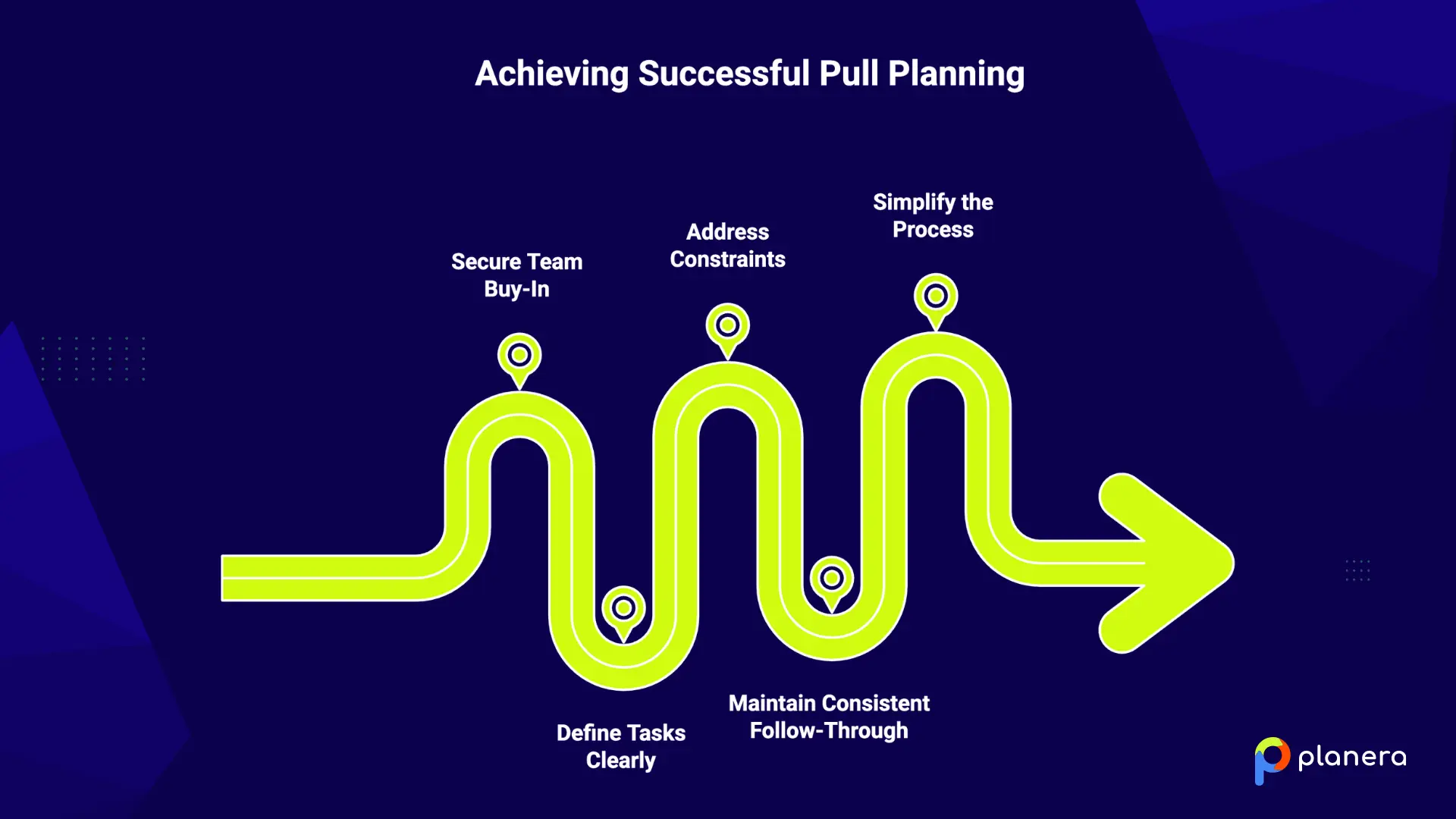
- Lack of Team Buy-In. Some crews used to traditional top-down scheduling may resist a more collaborative process. The solution is to train teams early, share real project results, and make sure every trade has a voice in planning sessions. Also, showing proven success from past projects helps reduce resistance.
- Poorly Defined Tasks. When tasks are too vague, teams can misunderstand expectations, and handoffs fail. The fix is simple. Each task should clearly define who is responsible, what “done” means, and the exact deadline.
- Ignoring Constraints. If constraints are not tracked, problems often appear during execution instead of planning. To avoid this, teams should log all constraints during the session and assign an owner to resolve each one before work starts.
- Inconsistent Follow-Through. A pull plan only works if teams update and review it regularly. The best practice is to track Percent Plan Complete (PPC) every week and use it to improve future planning. This is one of the most common reasons pull planning fails when not done consistently.
- Overcomplicating the Process. Too many participants or planning too far ahead can make sessions slow and unclear. The fix is to keep the group small, usually just trade leads, and focus on detailed planning for the next 3 to 6 weeks while keeping longer-term work at a higher level. We recommend keeping pull planning simple and focused for the best results.
How Planera Simplifies Pull Planning in Construction
Pull planning works well with sticky notes on a wall, but that method has limits. It is not easy to update, it does not connect to the construction master schedule, and it is not accessible to teams in the field. Planera solves these problems by bringing pull planning into a digital platform built for construction teams.
Planera is a visual, collaborative scheduling platform that connects office planning with real jobsite execution. It helps teams run pull planning sessions while keeping everything linked to a live CPM schedule, supporting lean construction scheduling from planning to execution.
- Collaborative digital planning: Teams can build and update schedules together in real time. Multiple users can work on the same plan at once, making pull planning sessions faster and more structured. As Planera explains, visual scheduling is easy to learn because it mirrors the traditional pull planning process used in construction.
- Pull planning connected to CPM: Unlike sticky notes on a wall, Planera turns pull planning sessions into a structured CPM master schedule that reflects a reliable construction sequence. This means teams get the benefits of collaboration while still maintaining a reliable critical path schedule.
- Field-ready schedules: The master schedule can be shared with field teams as construction lookahead schedules and daily plans. This keeps both office and site teams aligned and working from the same updated information.
- Mobile access on site: Trade partners can join planning sessions and update progress directly from the jobsite using tablets like iPads. This makes coordination easier between field and office teams.
- Integrations with construction tools: Planera connects with tools like Procore, Autodesk Construction Cloud, Primavera P6, and Microsoft Project. This helps teams avoid duplicate work and keep schedules consistent across platforms.
- AI scheduling support: Planera includes an AI assistant called Manny that helps teams answer scheduling questions, test scenarios, and identify risks in simple language.
Planera has managed more than 25 million schedule days and is used by construction companies such as LINC, Big-D Construction, CEC, and AMLI.
If you want to modernize how your team runs pull planning and connect it directly to your CPM schedule, you can book a demo with Planera to see it in action.
FAQ
What is pull planning in construction in simple terms?
Pull planning is a construction scheduling method where all key trades plan work together, starting from a milestone and working backward. Each trade commits to what they will deliver and when, creating a clear and shared plan.
How is pull planning different from CPM scheduling?
CPM scheduling is usually created by one planner and follows a forward timeline that is shared with the team. Pull planning is collaborative, starts from the end goal, and works backward with input from the people doing the work. Many construction teams use both methods together.
What is a pull planning example in construction?
For example, a team working on an office fit-out may set a target date for MEP rough-in completion. They then plan backward over several weeks, including framing, insulation, and electrical work. Each trade agrees on its timeline and flags issues early to avoid delays.
Is pull planning part of lean construction?
Yes. Pull planning is a key part of the Last Planner System, a widely used lean construction method.
Who should be involved in a pull planning session?
The main participants are trade foremen and crew leads, also called “last planners.” A superintendent or general contractor usually leads the session. Project managers and other stakeholders may join for alignment.
What tools are used for pull planning?
Many teams use sticky notes and a planning wall. Others use digital tools like Planera to run sessions, connect plans to CPM schedules, and track progress in real time.
Can pull planning be done digitally?
Yes. Digital pull planning tools recreate the visual planning process and add real-time updates, schedule integration, and mobile access. This is especially useful for large projects and distributed teams.
When should you use pull planning in a project?
Pull planning is most effective at the start of each major project phase when multiple trades need to coordinate closely. It can be introduced at any stage, but earlier use usually leads to better results.

You deserve better scheduling software.
Drive revenue, reduce costs, and manage scheduling with Planera.
Request a Demo