

According to McKinsey & Company, 98% of megaprojects overrun their budgets by more than 30%. This shows how common delays and cost overruns are in construction.
When projects fall behind, profits shrink. Teams may face penalties, and trust with clients can suffer. This is where the Critical Path Method, or CPM, becomes important.
In this guide, you will learn what CPM is, how it works, how to build a CPM schedule step-by -step, and why many modern teams now use visual and collaborative tools to manage it more effectively.
What Is the Critical Path Method (CPM) in Construction?
The Critical Path Method, or CPM, is a project management technique used to plan and control construction projects. It maps all project activities, defines how they depend on one another, and identifies the longest sequence of dependent tasks from start to finish. This sequence is called the critical path, and it determines the shortest possible time needed to complete the project.
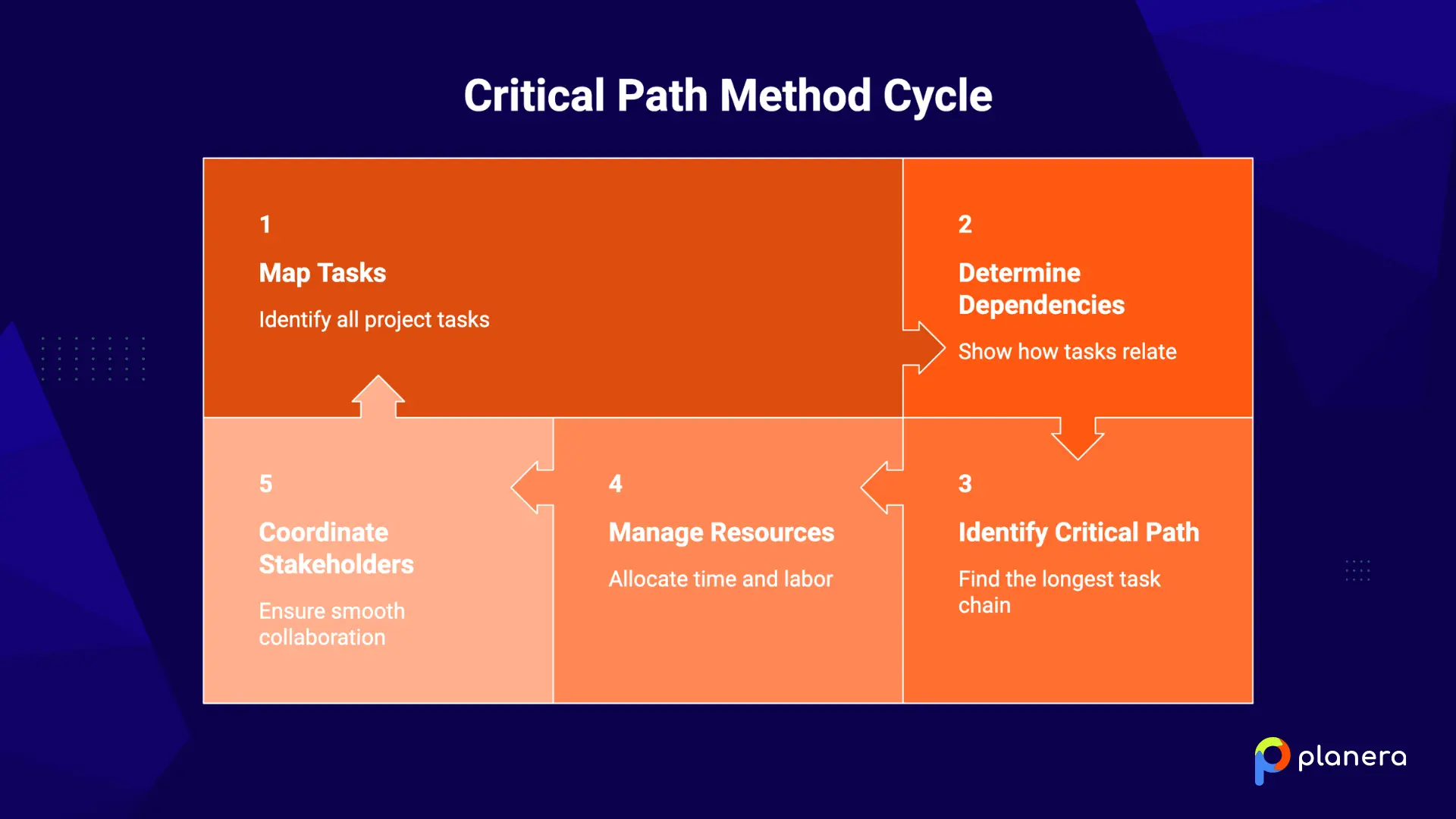
The key idea behind CPM is simple. Tasks on the critical path have no extra time, also known as float. If one of these tasks is delayed, the entire project is delayed. This helps project managers see which activities matter most and where to focus their time, labor, and resources.
CPM is more than just a list of tasks with deadlines. It shows how all activities connect and depend on each other. This makes it easier to coordinate work between contractors, subcontractors, suppliers, and inspectors, all working on the same project timeline.
What Are the Key Elements of a CPM Construction Schedule?
A CPM schedule is built on a few key elements that work together to map the full project timeline.

It starts with tasks. These are clear and measurable units of work, such as “pour foundation slab” or “install electrical.” Each task should have a defined scope, a start point, and an end point. Once tasks are listed, the next step is to define dependencies. These show the order of work. For example, framing can only begin after the foundation is complete. Drywall can only start after framing passes inspection. These relationships shape the flow of the project.
Each task also needs a duration. This is usually based on past projects, input from field teams, or standard estimates. Accurate durations are important because they directly affect the overall schedule.
When tasks and dependencies are combined, they form a network diagram. This is a visual map of the project, often built using Activity on Node logic. In this format, boxes represent tasks and arrows show how they are connected. It helps teams understand the sequence of work at a glance.
Another important concept is float, also called slack. Float shows how much a task can be delayed without affecting the project timeline. Tasks on the critical path have zero float, so any delay will push the entire project. Total float is the amount of time a task can be delayed without delaying the project end date. Free float is the time a task can be delayed without affecting the next task.
CPM also uses simple calculations to organize the schedule. The forward pass calculates the earliest start and finish for each task. The backward pass calculates the latest start and finish without delaying the project. The difference between these values is the float. If a task has zero float, it is part of the critical path.
Why Would a Contractor Use Critical Path Activities in Construction?
CPM helps contractors see which tasks directly control the project finish date. This changes how they approach construction scheduling, assign crews, and spend money.
When a task is on the critical path, it needs extra attention. For example, if a crane is required for a concrete pour with no float, it must be scheduled early. If custom materials like curtain wall glass are on the critical path, they need to be ordered during preconstruction, not later when delays are harder to fix. CPM makes these priorities clear from the start.
It also helps contractors speed up a schedule when needed. One option is construction fast tracking, which means overlapping tasks that are usually done one after another. Another option is crashing, which means adding more workers or overtime to finish a task faster. Both options carry higher costs and some risk, but CPM provides the data needed to make better decisions.
When delays happen, CPM shows the impact right away. If a critical task is delayed by two days, the whole project is delayed by two days.
If a task has extra time built in, a small delay may not affect the final deadline. This helps teams respond calmly and make better choices instead of reacting under pressure.
CPM works best for large and complex projects. This includes projects with many connected tasks, tight deadlines, multiple teams, and heavy use of resources, such as commercial buildings, healthcare facilities, data centers, and infrastructure work.
How to Make a CPM Schedule for Construction Projects
You can build a CPM schedule by hand, but modern teams use dedicated CPM scheduling software to create and maintain a construction master schedule with fewer errors. Here's the step-by-step process.
1. Create a List of Tasks
Start with a Work Breakdown Structure, or WBS. This is a clear list of all project deliverables and the tasks needed to complete them. Once the tasks are listed, teams can use a construction sequence plan to decide the correct order of work. Each task should be specific and easy to track.
For example, “install MEP” is too broad. “Rough in electrical on floor 3” is much clearer and easier to schedule.
Planera's visual whiteboard interface makes it easy to input and organize tasks collaboratively with your entire team, not just a single scheduler locked in a room with P6.
2. Estimate the Duration of Tasks
Next, estimate how long each task will take. Use data from past projects, input from field teams and subcontractors, and industry benchmarks.
If a task has a lot of uncertainty, you can use the Program Evaluation and Review Technique to model different scenarios, such as best-case, worst-case, and most likely durations.
Be realistic with your estimates. If similar work usually takes 10 days, do not plan for 7. Inaccurate durations can break the entire schedule.
At Planera, our resource graphs and Monte Carlo risk simulation tools help teams build more realistic estimates and stress-test their assumptions before breaking ground.
3. Identify Task Dependencies
For each task, define what needs to happen before it starts and what comes after it ends. These relationships are called dependencies.
There are 4 main types:
- Finish to Start
- Start to Start
- Finish to Finish
- Start to Finish
This step is critical. Missing a dependency can create unrealistic schedules. Adding too many can slow the project down with unnecessary limits.
Visual CPM scheduling platforms can also make dependencies easier to define, adjust, and review because teams can see logic changes in real time.
4. Draw a Critical Path Diagram
Now, build a network diagram using Activity on Node logic. Each task appears as a box that includes key details like duration and timing. Arrows connect tasks based on their dependencies.
This creates a clear visual map of the project. Many teams also use a Gantt chart to see how tasks line up over time and to highlight the critical path.
Modern tools like Planera can generate this diagram automatically as you build your schedule.
5. Calculate the Critical Path of the Project
Finally, calculate the critical path using two steps.
First, run a forward pass to find the earliest start and finish for each task. Then, run a backward pass to find the latest start and finish without delaying the project. The difference between these values is the float. Tasks with zero float are on the critical path.
The critical path shows the longest chain of tasks and defines the shortest possible project duration.
This is also where our quality-check feature can help teams check logic, identify float issues, and keep the critical path updated as changes happen.
What Are the Benefits of Implementing CPM in Construction Projects?
CPM helps construction teams plan work more clearly and make better decisions throughout the project. By showing which tasks matter most and how activities connect, it improves both scheduling and daily operations.
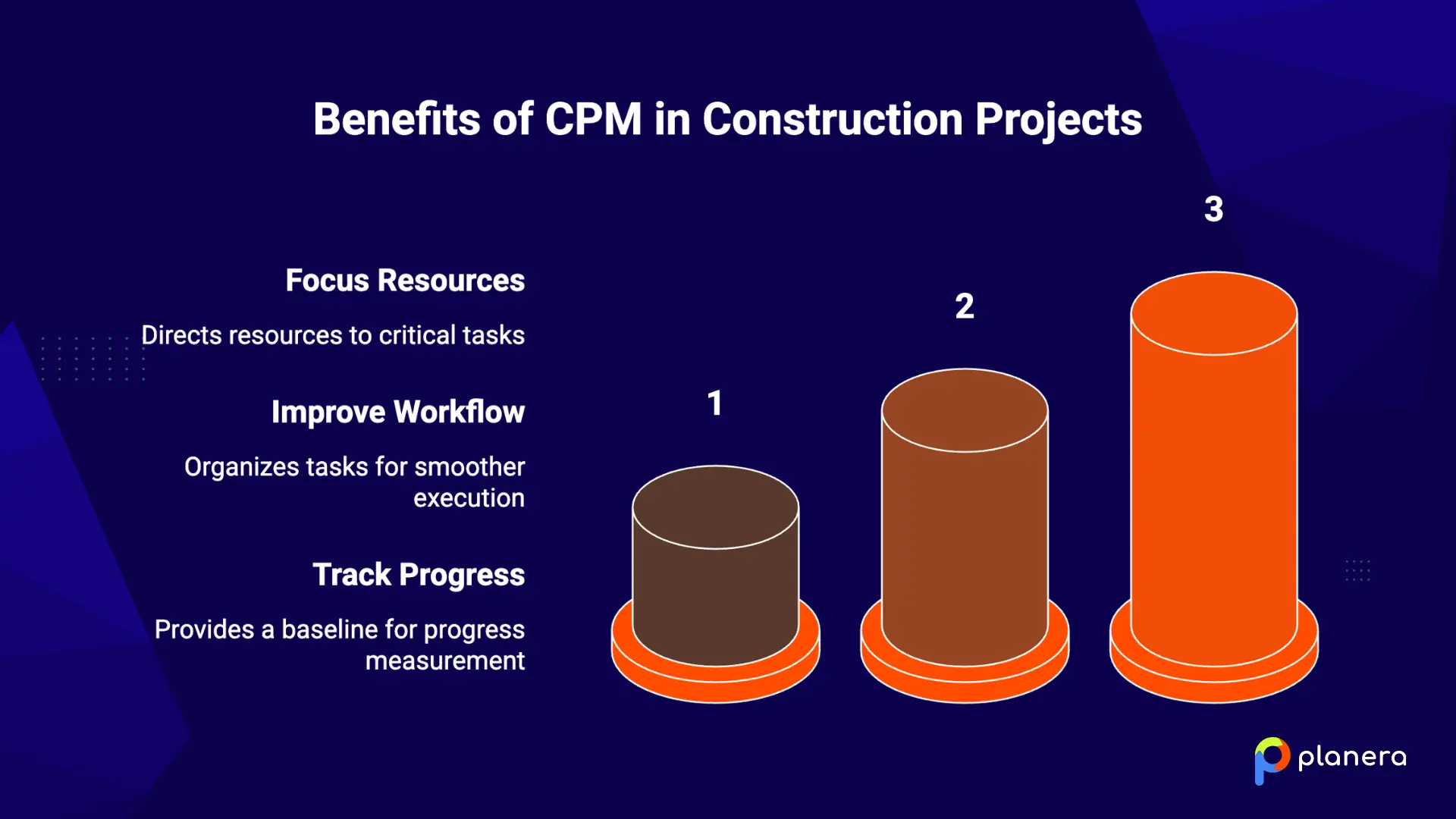
Focus Resources on Critical Tasks
CPM shows exactly which tasks have the biggest impact on the project finish date. This helps teams focus labor, equipment, and materials where they matter most.
Tasks that are not on the critical path have some flexibility. They can be moved or delayed without affecting the final deadline. This prevents teams from spreading resources too thin across all tasks and helps avoid wasted effort.
Improve Task Sequencing and Workflow
CPM organizes tasks in the right order based on their dependencies. This makes the workflow smoother and reduces downtime between trades.
When one task is complete, the next one can start right away. At the same time, tasks with available float can run in parallel, which can shorten the overall project timeline.
Better sequencing also reduces common issues like crew conflicts, delays in material deliveries, and inspection bottlenecks.
Track Project Progress More Accurately
CPM gives teams a clear baseline to measure progress. Project managers can compare planned work with actual progress at any point.
Float also works as an early warning sign. If a task starts using up its float, it signals a potential problem before it affects the entire schedule.
With regular updates, teams can spot delays early and take action before they spread across the project.
What Are the Challenges of Using CPM in Construction Projects?
No scheduling method is perfect, and CPM has some important limitations to understand.
Data Accuracy Issues
A CPM schedule is only as good as the data behind it. If task durations, dependencies, or assumptions are wrong, the entire schedule becomes unreliable. It may look precise, but it can lead the team in the wrong direction.
Limited Resource Visibility
CPM shows the order of tasks, but it does not account for resource limits. It will not warn you if multiple crews are scheduled to use the same equipment at the same time or if key materials are delayed. Teams need separate resource planning and procurement tracking to cover this gap.
Schedules Can Go Out of Date
Construction projects change often due to weather, inspections, and scope updates. If the schedule is not updated regularly, the critical path can shift without anyone noticing. A schedule that was accurate at the start can quickly become misleading.
Complexity on Large Projects
On large projects, CPM can become difficult to manage. Handling hundreds or thousands of tasks and their dependencies requires time, experience, and often specialized software.
Low Team Adoption
If field teams and subcontractors do not use the schedule, it loses its value. Instead of guiding daily decisions, it becomes just another document. For CPM to work, it must be actively used by the entire team.
What Are the Best Practices for CPM Scheduling?
A CPM schedule is only useful if it stays accurate and reflects what is really happening on site. Good practices help keep the schedule reliable, practical, and easy for the whole team to follow.
Keep the Schedule Updated
A CPM schedule only works if it reflects real progress. On active projects, it should be updated weekly, and the critical path should be recalculated each time.
Things like weather, design changes, inspections, and material delays can shift which tasks are critical. A schedule that is not updated quickly becomes misleading and can give a false sense of control.
Pay Attention to Near-Critical Tasks
Tasks with small amounts of float are also important because they can easily become critical.
These near-critical tasks are often overlooked, but they can quickly turn into major delays if anything goes wrong.
Involve the Whole Project Team
A CPM schedule should not be created in isolation. Field supervisors, subcontractors, and estimators should all be involved in the planning process.
They often spot missing steps or unrealistic assumptions that a single scheduler might miss. When people help build the schedule, they are also more likely to follow it in the field.
Use Real Project Data
Duration estimates should come from real project history, not guesswork. Past performance gives a much better foundation than optimistic assumptions.
Using standard templates with proven task sequences and durations also helps reduce errors and missing steps.
Validate the Schedule Before Use
Before a schedule is approved or used on site, it should be checked for logic errors, missing links, and unrealistic constraints.
Many teams use structured review methods like the DCMA 14-Point Assessment to catch issues early. This helps ensure the schedule is realistic and ready for execution.
Why Do Modern Teams Choose Planera for CPM Scheduling?
Traditional CPM tools like Primavera P6 and Microsoft Project are powerful, but they often require advanced expertise and slow, single-user workflows. In many cases, one scheduler builds the plan, and the rest of the team waits. By the time the schedule is ready, real project conditions may have already changed.
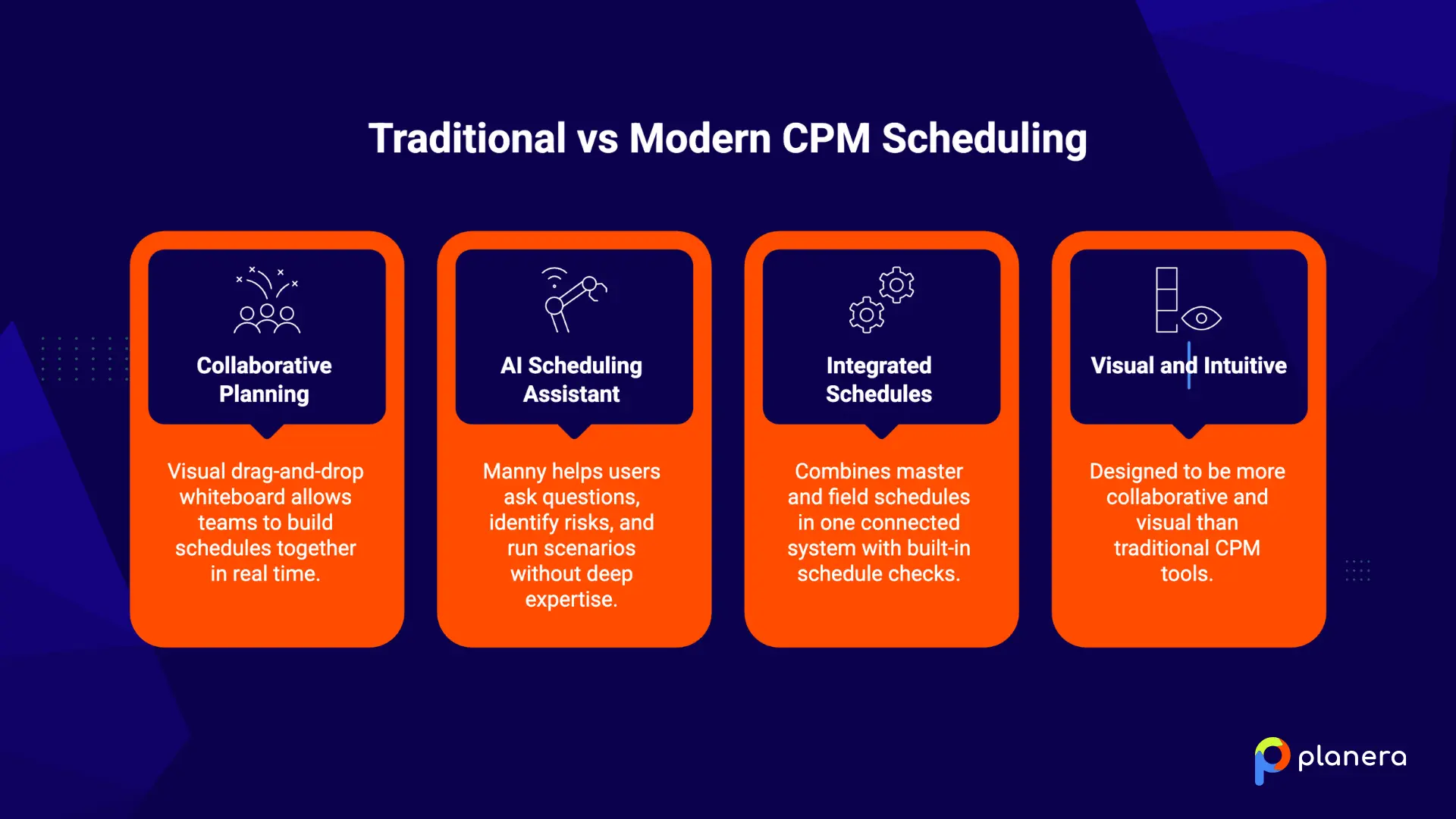
Planera is designed to close this gap. It uses a visual drag-and-drop whiteboard that allows entire project teams to build and update CPM schedules together in real time. This means experienced construction professionals can contribute directly without relying on a dedicated scheduling expert.
The platform also includes an AI scheduling assistant called Manny. It allows users to ask questions in simple language, identify schedule risks early, and run what-if scenarios without needing deep CPM expertise.
Planera combines master schedules and field schedules in one connected system. It also includes built-in schedule checks based on standards like the DCMA 14-Point Assessment, which helps catch logic issues and float problems before they impact the job site.
If you want a more collaborative and visual way to manage CPM scheduling, book a demo to see how it works in practice.
Real-World Case Study: Applying the Critical Path Method in Construction
CPM works best when teams can build clear schedules, track dependencies, and update plans quickly. These two examples show how companies used Planera to improve scheduling and keep projects on track.
Case Study 1: Paulsen Construction
Paulsen Construction had trouble with scheduling tools that looked correct but did not match real project conditions. Teams relied on spreadsheets, field schedules were disconnected from the master schedule, and delays were harder to spot early.
After switching to Planera, they created clearer CPM schedules with better task logic and faster updates. The visual whiteboard made schedules easier for both teams and clients to understand, improving communication throughout the project.
They could also spot schedule risks earlier and make decisions before small delays became bigger problems. This improved collaboration, weekly schedule updates, and overall project planning.
Case Study 2: Silverado Contractors
Silverado Contractors needed CPM schedules for every estimate and proposal. Their old tools, like Primavera P6, were difficult to use, and different teams worked in different systems.
By using Planera, they made scheduling faster and more consistent. The whiteboard feature helped team members easily map tasks, set dependencies, and build reliable schedules without needing advanced scheduling experience.
This made proposal planning more accurate and helped teams confirm project timelines earlier. It also improved communication between office staff and field teams, creating better alignment from the start.
FAQ
What is the difference between CPM and a Gantt chart?
CPM focuses on task relationships and shows which tasks control the project finish date. A Gantt chart shows tasks on a timeline but does not calculate the critical path or float. CPM is more detailed, while Gantt charts are easier to read quickly.
How do you identify the critical path in a construction project?
To identify the critical path, list all project tasks, estimate their durations, and define the dependencies between them. Then calculate each task’s earliest and latest start and finish dates. The tasks with zero float form the critical path.
What happens if a task on the critical path is delayed?
If a critical task is delayed, the whole project is delayed by the same amount of time. Teams can try to recover time by adding resources or overlapping work. CPM helps you see this impact immediately.
Can the critical path change during a project?
Yes, it can change as work progresses or delays happen. Tasks that were not critical can become critical if they start running late. That is why schedules need regular updates.
What is float or slack in CPM scheduling?
Float is the amount of time a task can be delayed without affecting the project's finish date. Critical path tasks have zero float. Total float relates to the project end, while free float relates to the next task.
Is CPM suitable for small construction projects?
CPM works best for large and complex projects with many connected tasks. Small projects can often use a simple Gantt chart instead. Still, CPM can help even small teams identify key tasks.
How often should a CPM schedule be updated?
It should usually be updated every week on active projects. It should also be updated after major changes like delays or scope updates. Keeping it current is important for accuracy.
What tools are used to create CPM schedules?
Common tools include Primavera P6, Microsoft Project, and Planera. Older tools are powerful but harder to use, while modern tools are more visual and easier for teams.
What are the limitations of the critical path method?
CPM depends on accurate task durations, dependencies, and regular schedule updates. A basic CPM schedule does not automatically account for labor, equipment, or material constraints unless it is resource-loaded. For complex projects, teams often combine CPM with resource planning, risk analysis, and field scheduling.
You deserve better scheduling software.
Drive revenue, reduce costs, and manage scheduling with Planera.
Request a Demo