

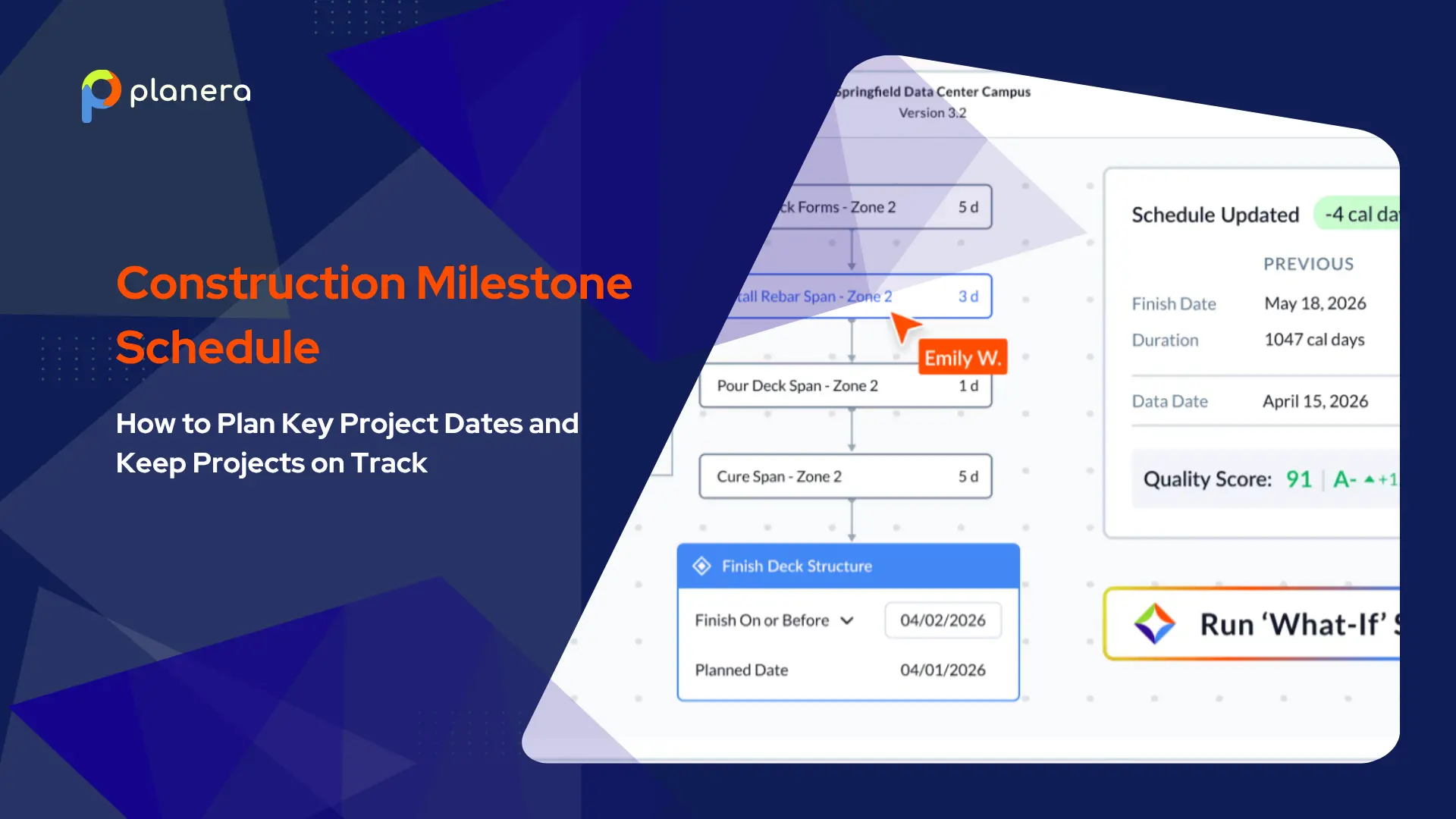


Schedule delays are one of the biggest concerns in construction project management. Research shows that 77% of megaprojects are at least 40% late, highlighting how quickly poor planning can affect project timelines.
A construction milestone schedule helps address this by focusing on the most important project dates instead of every individual task. When supported by construction scheduling software, it becomes easier to visualize key points in the project, such as permitting, foundation completion, and substantial completion, giving teams a clear high-level view of progress.
In this guide, we’ll explain what a construction milestone schedule is, the key milestones used in most projects, how to create one step by step, how it differs from a CPM schedule, and the best practices and common mistakes to avoid.
What Is a Construction Milestone Schedule?
A construction milestone schedule is a high-level project schedule that tracks key dates instead of detailed tasks. It helps teams focus on major project phases, approvals, and completion points.
Milestones are fixed dates that mark important progress points, such as project start, phase completion, or final handover. They do not show duration, only when something is achieved.
Common milestones include start dates, completion dates, sectional handovers, and final delivery. Unlike activities, milestones have no duration. They simply show progress points like “foundation complete” or “project handover.”
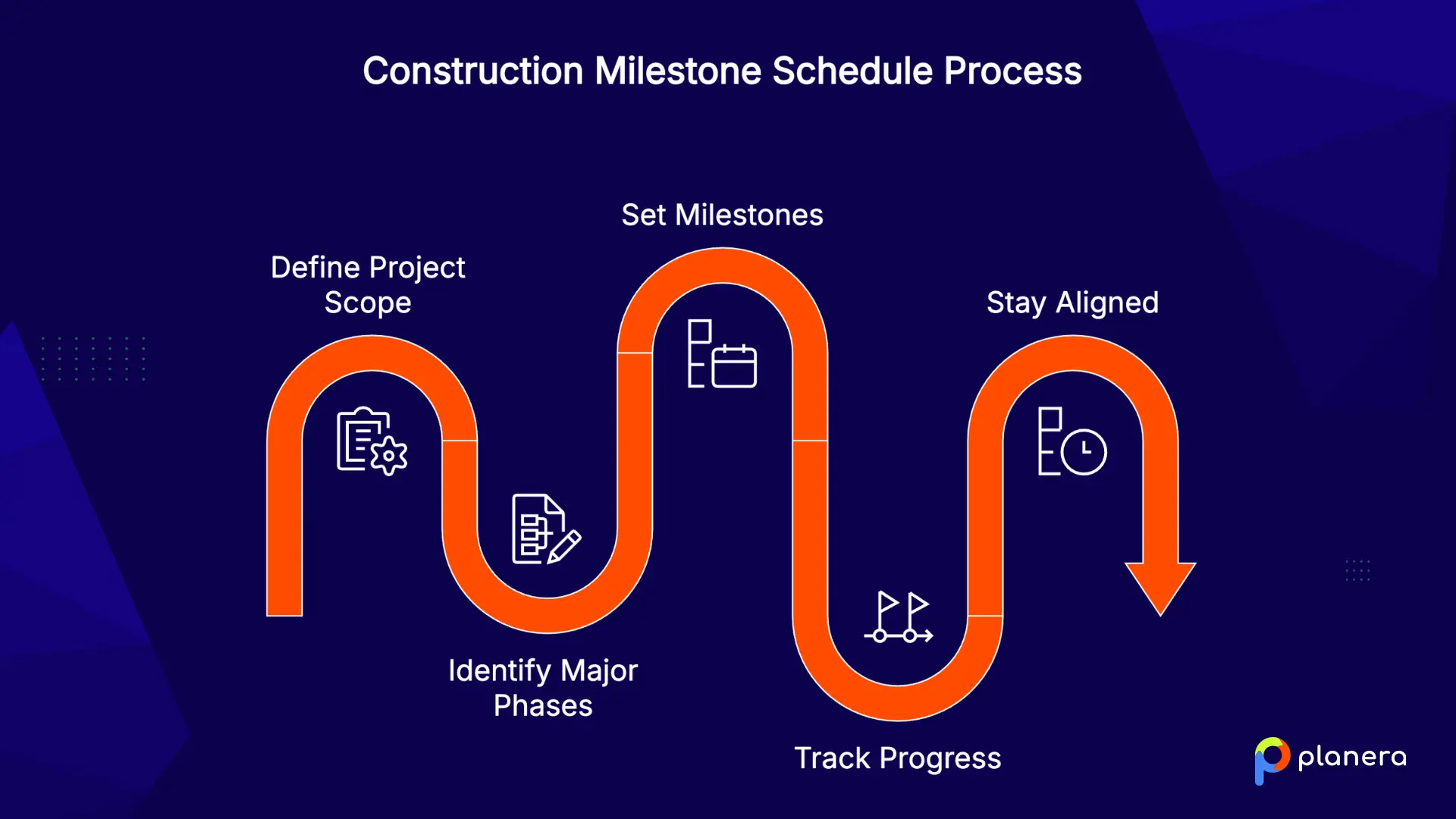
A milestone schedule is usually created once the project scope is defined and major phases are clear, making it easier to track progress and stay aligned on key deadlines.
What Are the Most Common Construction Milestones?
Construction milestones depend on the project type and contract, but most projects follow a similar set of key checkpoints that mark progress from start to finish.
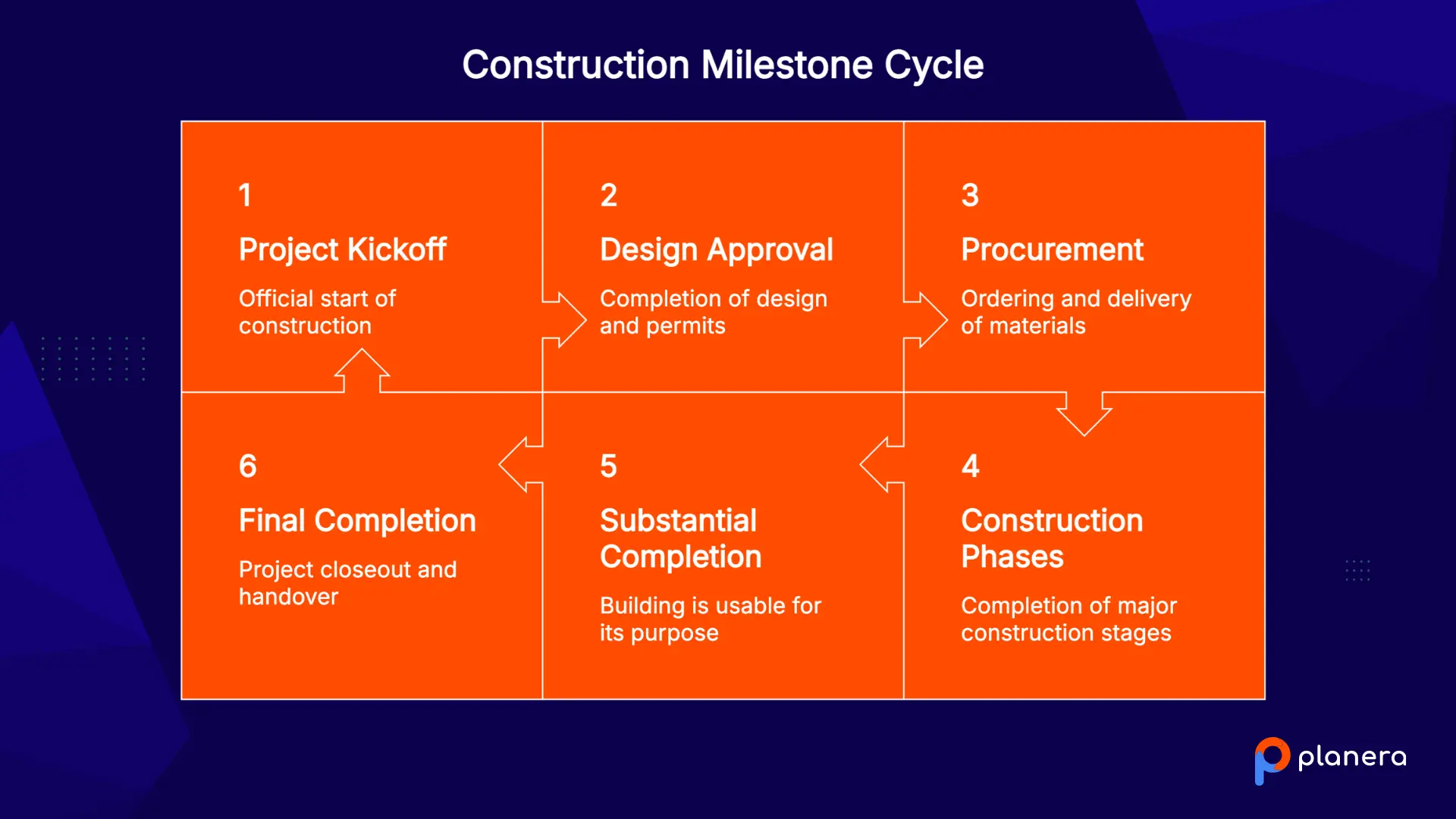
Project Kickoff and Notice to Proceed
The Notice to Proceed (NTP) is the official start of construction. It signals the team to mobilize, begin procurement planning, and coordinate subcontractors. Since many downstream activities depend on this date, it sets the baseline for the entire project.
Design and Permit Approval Milestones
Design completion and permit approvals are critical early milestones that often set the pace of the entire project. Delays at this stage can push back procurement and construction start dates. Tracking these approvals clearly helps teams avoid starting work based on assumptions instead of confirmed permissions.
Procurement and Material Delivery Milestones
Procurement milestones track the ordering and delivery of long-lead items such as structural steel, windows, and major MEP equipment. These dates are essential because material delays can halt entire work sequences. Clear procurement milestones also reduce the risk of expensive last-minute expediting.
Major Construction Phase Completions
Key phase milestones mark major transitions in the build. These often include foundation completion, structural framing, building watertight, MEP rough-in, drywall, and exterior finishes. Each milestone acts as a control point that confirms one phase is complete before the next trade sequence begins.
Substantial Completion
Substantial completion is one of the most important contractual milestones in a project. It means the building is usable for its intended purpose, even if minor punch list items remain. This milestone is often tied to contract terms, inspections, and potential liquidated damages if delayed.
Final Completion and Project Handover
Completion marks the official closeout of the project. It includes final inspections, Certificate of Occupancy, and owner handover. At this stage, final payments are released, and responsibility for the building transfers fully to the owner.
Why Are Construction Milestone Schedules Important?
A milestone schedule does more than track dates. It changes how teams communicate, manage risk, and coordinate across the full project lifecycle.
- Improving project visibility: Milestone schedules give owners, PMs, and field teams a clear high-level view of project progress. Instead of reviewing detailed CPM schedules, they can quickly understand where the project stands at a glance using a project dashboard.
- Tracking progress against key dates: Milestones turn progress into clear, measurable updates like “foundation complete” or “structural framing started.” This makes reporting more accurate and easier to communicate.
- Aligning owners, contractors, and stakeholders: Milestones create shared reference points for all project participants. Everyone works from the same key dates, which improves coordination and reduces miscommunication.
- Supporting payment and contract requirements: Many contracts tie payments and retainage to milestone completion. This helps link cash flow directly to verified project progress.
- Identifying delays earlier: Missing a milestone is an early warning sign that something is off. A construction lookahead schedule can help teams identify short-term constraints earlier, so they can resolve issues before they affect major milestone dates.
How to Create a Construction Milestone Schedule: Step-by-Step
Building a milestone schedule is a structured process that works best when it is created collaboratively. It helps teams move from a general plan to a clear set of key dates that guide the entire project.
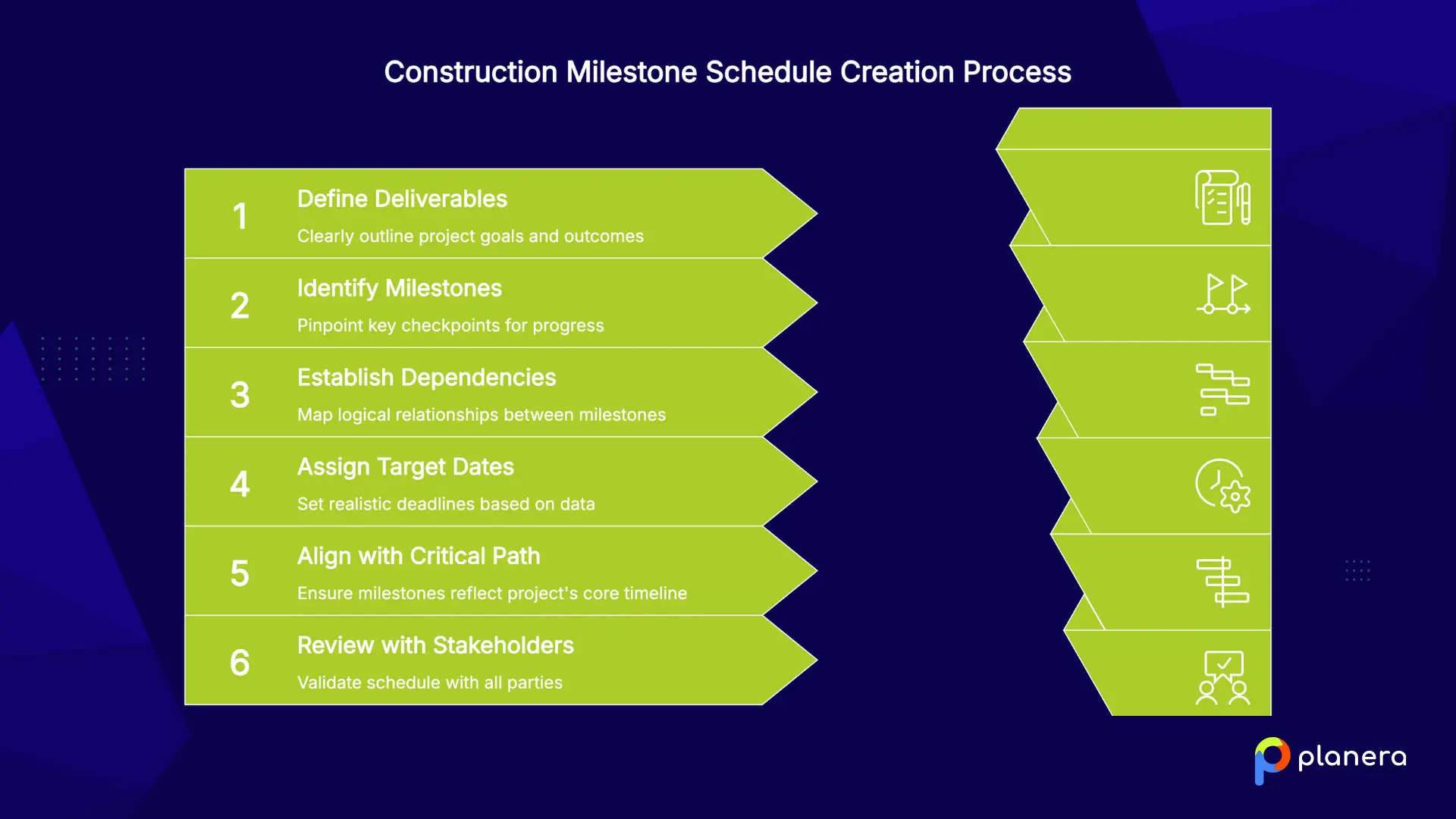
- Define project deliverables and objectives
Start by defining what the project needs to achieve. Break it into major phases such as pre-construction, construction, and closeout, or use more detailed breakdowns if needed. Clear deliverables give your milestones a solid foundation and ensure they reflect real project goals.
- Identify critical project milestones
Next, define the key checkpoints that represent meaningful progress. These usually include major phase completions, approvals, inspections, and payment triggers as milestones help provide a structured way to measure progress. The goal is to focus only on points that truly matter for tracking project success.
- Establish milestone dependencies
Milestones are connected through logical relationships. For example, framing cannot start before the foundation is complete. Mapping these dependencies ensures the schedule reflects how work actually happens on site and prevents gaps in sequencing. Many teams use pull planning sessions with trade partners to map out these dependencies collaboratively before locking in milestone dates.
- Assign target dates
Set realistic dates using historical data, subcontractor input, and known constraints like permit approvals and material lead times. Avoid assumptions that are not grounded in project conditions, since unrealistic dates often lead to missed milestones later.
- Align milestones with the critical path
Milestone dates should reflect the critical path method, which defines the sequence of activities that drives the overall project duration. If milestones ignore these dependencies, the schedule may look accurate on paper but fail during execution. On projects using construction fast tracking to compress the timeline, milestones need to be reassessed carefully because overlapping phases can change which activities drive completion.
- Review and validate with stakeholders
Finally, review the milestone schedule with all key stakeholders, including owners, contractors, and trade partners. Running a DCMA quality check on the underlying CPM logic also helps confirm the milestone dates are technically sound before they're shared widely. Regular planning cycles help keep the schedule updated as conditions change.
Tools like Planera can help teams build and visualize milestone schedules collaboratively, making it easier for everyone to stay aligned on key dates and dependencies in real time.
Construction Milestone Schedule Examples
Here are two illustrative examples to show how milestones sequence across different project types.
Example 1 — Commercial Build-Out:
NTP → Permit Approval → Foundation Complete → Structural Frame Erected → Building Watertight → MEP Rough-In → Drywall Complete → Substantial Completion → CO Issued → Final Handover
Example 2 — Residential Project (6 to 12 months):
Contract Execution → Design Sign-Off → Permit Issued → Site Prep / Groundbreaking → Foundation → Framing → Roofing / Weathertight → Rough MEP → Insulation & Drywall → Exterior Complete → Final Inspections → Substantial Completion → Owner Move-In
Residential projects typically span six months to a year, plus several months of planning before the first shovel hits the ground.
Construction Milestone Schedule vs CPM Schedule: Key Differences
Both tools serve critical roles in construction planning, but they operate at different levels of detail and serve different audiences.
| Factor | Milestone Schedule | CPM Schedule |
|---|---|---|
| Level of Detail | High-level, focused on key events | Granular, covering all activities |
| Activity Duration | Zero-duration events | Defined durations for every task |
| Primary Use | Communication and tracking | Planning, float analysis, and delay claims |
| Audience | Owners, executives, and stakeholders | Schedulers and project managers |
| Dependencies | Major sequencing only | Full logic network of all activities |
| Update Frequency | Monthly or at phase changes | Weekly or as changes occur |

A milestone schedule is the headline view. The CPM schedule is the detailed engine underneath it. For most large projects, you need both: the milestone schedule to communicate and the CPM to plan.
What Are the Best Practices for Managing Construction Milestones?
Building a milestone schedule is only the first step. Keeping it accurate and useful throughout the project is what actually drives results.
- Keep milestones specific and verifiable: Each milestone should clearly define what is being completed, who confirms it, and when it is due. Vague labels like “Phase 1 complete” create confusion and lead to disputes.
- Anchor the master schedule to milestones: Use milestones as phase gates in the project. Do not move into detailed planning for the next phase until the current milestone is officially completed and closed.
- Update the schedule regularly: Review and adjust the milestone schedule during every project meeting. Construction conditions change often, so the schedule needs to reflect real progress, not outdated assumptions.
- Use milestone-driven communication: All updates, reports, and coordination between teams should reference the milestone schedule. This keeps everyone aligned on the same key dates.
- Tie milestones to payment terms: Linking payments to verified milestone completion helps reduce disputes and ensures cash flow is aligned with actual progress.
- Involve all key parties early: Milestones should be defined collaboratively with owners, contractors, and subcontractors. When all stakeholders help shape the schedule, it becomes more realistic and easier to execute.
Common Mistakes in Construction Milestone Scheduling
Even experienced project teams make mistakes when setting up milestone schedules. These issues often lead to delays, disputes, and poor coordination if not addressed early.
- Writing vague milestones: Unclear milestones like “50% complete” create confusion and can lead to payment disputes. Each milestone should clearly define what is completed and how it is verified.
- Setting too many or too few milestones: Too few milestones make it hard to track progress. Too many create unnecessary complexity. Most projects work best with a balanced set tied to major deliverables and key payment points.
- Ignoring milestone dependencies: Milestones must follow a logical sequence. For example, MEP work cannot be scheduled before structural work is complete. Ignoring these relationships can break the entire schedule.
- Not validating against the critical path: Milestone dates must align with the project’s critical path. If they do not, the schedule may look correct on paper but fail in execution.
- Skipping stakeholder sign-off: Milestones only work when all key parties agree on them upfront. Without alignment, teams may follow different interpretations of the schedule.
- Treating the schedule as static: Construction projects change over time. If the milestone schedule is not updated regularly, it quickly becomes outdated and loses value.
How Planera Helps Teams Build and Manage Construction Milestone Schedules
For teams that want the clarity of a milestone schedule combined with the structure of CPM scheduling, we offer a modern, visual way to manage project timelines.
Planera is a cloud-based construction scheduling platform built for complex projects. We combine critical path scheduling with a visual, drag-and-drop interface that makes it easier for project teams to build and manage milestone schedules together in real time.
Our platform supports task dependencies, lookahead planning, and constraint tracking across the full project lifecycle. Instead of relying on a single scheduler working in isolation, multiple stakeholders can collaborate on the same schedule at once, improving alignment between office teams and field teams.
Our AI scheduling assistant, Manny, can help flag logic issues and suggest fixes as the schedule develops, while teams running a lean construction scheduling approach can use Planera to tie milestones directly to pull-planned commitments.
We also integrate with tools like Procore and Autodesk Construction Cloud, helping keep schedule updates connected to field execution so teams are always working from the same source of truth.
For construction teams managing large or fast-moving projects, Planera gives teams a more collaborative way to build, track, and communicate milestone schedules at scale. Book a demo to see how it works in action.
FAQ
What is a construction milestone schedule?
A construction milestone schedule is a high-level project timeline that focuses on key dates such as major approvals, phase completions, and final delivery points. Instead of tracking every task, it highlights the most important checkpoints so teams can quickly understand project progress.
What are examples of construction milestones?
Common milestones include Notice to Proceed (NTP), permit approval, groundbreaking, foundation completion, structural framing, building weathertight status, MEP rough-in, substantial completion, and final handover. The exact milestones depend on the project type and contract.
How do you create a construction milestone schedule?
Start by defining the project’s main deliverables and phases. Then identify key events that mark progress through each phase. Next, set dependencies between milestones, assign realistic target dates, align them with the critical path, and review everything with project stakeholders before execution begins.
What is the difference between a milestone and an activity?
A milestone is a zero-duration point that marks completion of a major stage, such as “foundation complete.” An activity is a task with a start date, end date, and duration, such as pouring concrete or installing rebar.
How many milestones should a construction project have?
There is no fixed number. Simple projects may have 3 to 5 milestones, while large, complex projects may have 10 to 15 or more. The right number depends on major deliverables, phase transitions, and key contract points.
How do milestone schedules support project tracking?
Milestone schedules make progress easy to track because each milestone is either complete or not. This helps teams quickly spot delays, communicate status clearly, and trigger actions like inspections, payments, or phase transitions.
What is the difference between a milestone schedule and a CPM schedule?
A milestone schedule is a high-level view focused on key dates and phase completion. A CPM schedule is a detailed plan that includes individual activities, durations, dependencies, and the critical path. Most projects use both together.
What software is used to manage construction milestone schedules?
Teams commonly use tools like Planera, Procore, Primavera P6, Microsoft Project, Autodesk Construction Cloud, and Outbuild. The best option depends on project complexity and whether teams need collaboration and field integration.
Why are milestones important in construction contracts?
Milestones are often tied to payments, retainage, and contractual obligations. Missing key milestones, especially substantial completion, can lead to financial penalties and disputes between owners and contractors.
How often should construction milestone schedules be updated?
Milestone schedules should be reviewed regularly during project meetings and updated whenever progress changes or dates shift. Keeping the schedule current ensures it reflects real project conditions instead of outdated assumptions.

You deserve better scheduling software.
Drive revenue, reduce costs, and manage scheduling with Planera.
Request a Demo