

.webp)


Construction payments can quickly become complicated when teams do not have a clear way to measure completed work. Contractors need to show what they have earned, while owners need confidence that payments match actual progress.
A construction schedule of values solves this by breaking the contract amount into specific work items with assigned costs. It creates a shared reference point for tracking progress, reviewing pay applications, and keeping cash flow moving.
In this guide, we’ll cover what a schedule of values is, why it matters, how to create one, and how it supports payment management. You’ll also learn how it differs from other project documents, how it connects with construction scheduling software, and the common mistakes to avoid.
What Is a Schedule of Values in Construction?
A schedule of values (SOV) in construction is an itemized breakdown of the total contract amount into specific work items or project phases. It assigns a dollar value to each part of the project, making it easier to track completed work, review payment applications, and understand how much remains to be paid.
A typical SOV includes details such as work descriptions, scheduled values, previous and current payments, stored materials, percentage of completion, retainage, and remaining balance. These details give owners, contractors, and other stakeholders a shared view of project progress and costs.

On projects using AIA-style payment applications, the schedule of values is commonly submitted with the G702/G703 forms, which support the payment application process. Other projects may use different formats, including custom owner templates or industry-standard forms.
Why Construction Projects Use a Schedule of Values
A schedule of values gives everyone a clear way to track project costs and payments. Instead of billing based on estimates or general progress, contractors can connect each payment request to specific completed work.
The main reasons construction teams use a schedule of values include:
- Improves payment accuracy: The SOV ties each payment to specific work items, so owners can see exactly what they are paying for and contractors can support their billing requests with clear details.
- Creates a shared reference point: Owners, contractors, and architects use the same breakdown when reviewing progress and approving payments, which reduces confusion and speeds up the review process.
- Supports cost control: Breaking the contract into individual cost categories helps teams track spending, identify potential overruns, and understand where the budget stands throughout the project.
- Reduces payment disputes: Clear line items and assigned values make expectations easier to manage, helping prevent disagreements over completed work and payment amounts.
How to Make a Construction Schedule of Values
Creating a schedule of values in construction takes planning upfront, but a well-built SOV makes every payment cycle easier. Follow these steps to create one that accurately reflects the project scope and budget.
| Line Item | Work Description | Scheduled Value | % Complete | Previous Payment | Current Payment | Balance to Finish |
|---|---|---|---|---|---|---|
| 01 | Site preparation | $25,000 | 100% | $20,000 | $5,000 | $0 |
| 02 | Concrete foundation | $80,000 | 75% | $40,000 | $20,000 | $20,000 |
| 03 | Structural framing | $120,000 | 40% | $25,000 | $23,000 | $72,000 |
| 04 | Mechanical systems | $90,000 | 20% | $10,000 | $8,000 | $72,000 |
| 05 | Interior finishes | $60,000 | 0% | $0 | $0 | $60,000 |

Total scheduled value: $375,000
1. Break the Project Into Major Cost Categories
Start by dividing the project into logical cost categories. Contractors typically organize SOVs by trade, CSI division, project phase, or location.
There is no single correct format. The important thing is choosing a structure that matches the project and stays consistent throughout the billing process. A clear breakdown helps everyone track progress using the same reference point, and it often mirrors the construction sequence plan the team is following on site.
2. Assign Costs to Each Line Item
Assign a value to each line item based on the construction budget, subcontractor pricing, and project estimates. Each amount should account for the full cost of completing that work, including labor, materials, equipment, overhead, and profit.
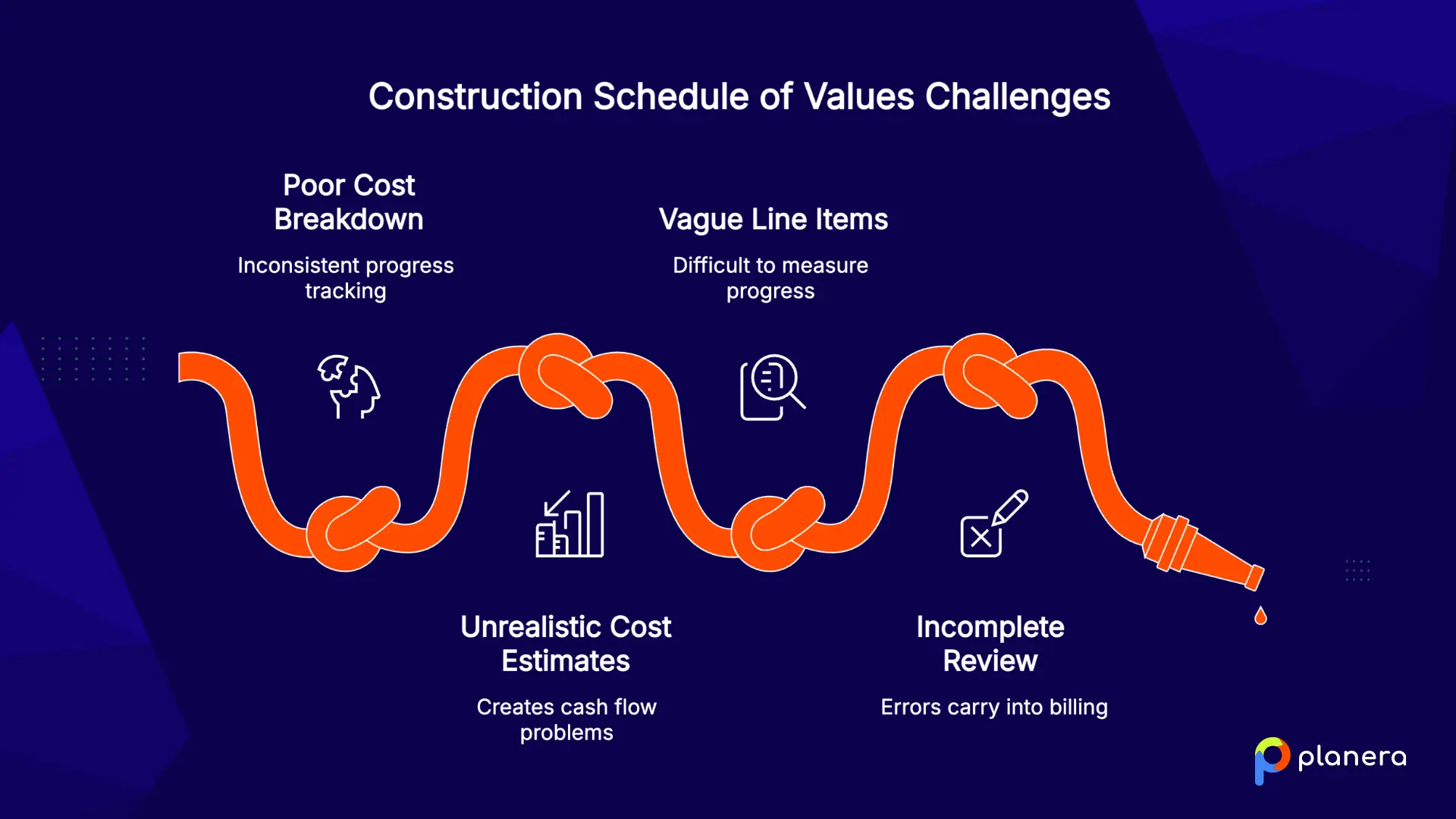
Avoid using estimates that only look good on paper. If values do not reflect actual costs, it can create cash flow problems later when delays, changes, or unexpected expenses occur.
3. Match Line Items With the Project Scope and Contract
Each SOV line item should clearly match the work described in the contract. Avoid broad descriptions that make progress difficult to measure.
For example, instead of listing one line for "Electrical Work," break it into clearer categories such as rough-in, equipment installation, and final connections. Detailed line items make payment reviews easier and reduce disputes.
4. Review and Approve the Schedule Before Work Begins
Before submitting the SOV, have the project manager, contractor, and accounting team review the details. Confirm that the total matches the contract value and that the schedule includes items such as retainage, allowances, and potential change orders.
A final review helps catch errors early and prevents problems from carrying over into future billing cycles.
How a Schedule of Values in Construction Works
After the SOV is approved, it becomes the framework for managing payments throughout the project. Each billing cycle uses the SOV to compare planned costs with completed work and determine how much the contractor can invoice.
- Submitting Payment Applications: Contractors use the SOV to prepare regular pay applications by reporting the percentage of work completed for each line item. The owner or architect reviews the application, verifies progress, and approves payment based on the completed work.
- Updating Progress and Costs: As work progresses, each line item is updated to reflect completed work, stored materials, remaining costs, and retainage. This gives all parties a current view of the project’s financial status.
- Handling Retainage and Change Orders: Retainage amounts and approved change orders should be tracked directly within the SOV. Keeping these updates separate and accurate helps prevent payment disputes and ensures the contract value stays current.
Construction Schedule of Values vs Other Project Documents
The SOV gets confused with a few other documents that live on the same project. Here's how they differ.
| Document | Used For | Main Difference From an SOV |
|---|---|---|
| Schedule of Values (SOV) | Tracking contract value, completed work, retainage, payment applications, and balance to finish | It is the billing structure used to show how much work has been completed and how much should be paid. |
| Construction Schedule | Planning when activities happen, how long they take, and how tasks depend on each other | It tracks time and sequencing, while the SOV tracks the cost value of completed work. |
| Work Breakdown Structure (WBS) | Breaking the project scope into deliverables, phases, trades, or work packages | It organizes the scope, while the SOV assigns dollar values to that scope for payment. |
| Cost Breakdown Structure (CBS) | Organizing internal costs such as labor, materials, equipment, overhead, and subcontractor expenses | It supports budgeting and cost control, while the SOV supports owner-facing billing and payment approval. |
Schedule of Values vs Construction Schedule
A schedule of values and a construction schedule work together, but they track different sides of the project. The SOV focuses on cost and payment, while the construction schedule focuses on time and sequencing.
The construction schedule shows when activities will happen, how long they will take, and how tasks depend on each other. A CPM schedule, for example, identifies the critical path and highlights activities that could delay the project completion date. On some projects, teams also lean on construction fast tracking to overlap phases, which means the SOV needs to be updated more often to keep billing lined up with the actual sequence of work.
The SOV answers a different question: How much of the contract value has been completed and how much should be paid?
For example, a construction schedule may show that structural steel installation takes place in month four, while the SOV assigns a dollar value to that work so the contractor can bill for progress once it is completed.
Together, these documents help teams connect project progress with financial tracking.
Schedule of Values vs Work Breakdown Structure (WBS)
A work breakdown structure (WBS) organizes the project scope by breaking it into smaller deliverables and work packages. It defines what work needs to be completed and creates the foundation for planning, scheduling, and cost tracking.
The SOV often follows the same structure because contractors need to assign costs to specific areas of work. However, the two documents serve different purposes.
A WBS might break a project into categories such as:
- Site work
- Foundation
- Structural frame
- Mechanical systems
- Interior finishes
The SOV takes those categories and assigns contract values to them so completed work can be billed.
In simple terms, the WBS organizes the scope, while the SOV turns that scope into a payment structure.
Schedule of Values vs Cost Breakdown Structure
A cost breakdown structure (CBS) organizes project costs by cost type, such as labor, materials, equipment, overhead, and subcontractor expenses. It is mainly used internally for budgeting, forecasting, and financial analysis.
A schedule of values looks at costs from the perspective of contract billing. It breaks the project into billable work items that the owner can review and approve.
For example, a CBS may track all labor costs across the entire project, while the SOV may show the value of "Concrete Foundation Work" as a single payment item.
The CBS helps project teams understand where money is being spent. The SOV helps owners and contractors manage how money is billed and paid.
Common Mistakes When Creating a Construction Schedule of Values
A schedule of values only works when it accurately reflects the project scope, costs, and progress. These are the mistakes that commonly create billing issues and disputes:
- Confusing the SOV with the project budget: The budget tracks internal costs, while the SOV organizes contract value by billable work items for the owner.
- Using vague line item descriptions: General descriptions make progress harder to verify and can lead to payment disputes.
- Using inaccurate pricing: Outdated labor, material, or subcontractor costs can reduce profit margins and create cash flow issues.
- Front-loading early line items: Assigning too much value to early work can create billing problems later when remaining work is undervalued.
- Not updating the SOV after change orders: Failing to add approved changes can make payment applications inaccurate and harder to reconcile.
- Using unsupported completion percentages: Progress claims should be backed by documentation to avoid disagreements over completed work.
Best Practices for Managing a Construction Schedule of Values
A well-managed schedule of values does more than support billing. It helps teams maintain accurate cost tracking, improve payment reviews, and keep the project financially aligned from start to finish. Follow these practices to get the most value from your SOV:

- Keep the SOV as the project’s financial reference point: Make sure field teams, accounting, and ownership all use the same version when tracking progress and payments.
- Connect the SOV with the project schedule: Linking costs to the construction master schedule helps teams compare planned progress with actual work completed and identify issues early. Tying billing to key dates on the construction milestone schedule can also make it easier to spot when progress is falling behind.
- Require documentation for changes: Support approved change orders with proper records before adding them to the SOV to keep billing accurate.
- Set clear variance thresholds: Define when cost or progress differences require review so teams can address problems before they grow.
- Have multiple teams review the SOV: A joint review between the project manager and accounting team helps catch errors before payment applications are submitted.
How Planera Helps Teams Manage Construction Progress and Project Controls
A schedule of values depends on accurate project progress data. If the field and office are working from different information, payment applications can quickly fall out of sync with the actual work completed.
Planera helps teams keep project progress visible and connected. With visual, collaborative scheduling, project teams can update schedules together on a shared construction whiteboard, track completion status on a live project dashboard, and keep everyone aligned around the same source of truth. Planera's AI scheduling assistant also helps teams update schedules faster and catch issues before they affect billing.
When schedule progress matches the work being billed, contractors can submit more accurate payment applications and owners can review progress with greater confidence. By connecting field updates with project controls, Planera helps teams reduce uncertainty, improve communication, and keep financial tracking aligned with real project conditions.
Want to see how better schedule visibility can improve project controls and billing accuracy? Book a demo with Planera and see how teams use visual, collaborative scheduling to keep progress, costs, and payments aligned.
FAQ
What does SOV mean in construction?
SOV stands for schedule of values. A construction schedule of values is an itemized breakdown of the total contract sum across the scopes of work being billed. Each line item carries its own dollar value, which becomes the basis for progress payments throughout the project.
Why is a schedule of values important in construction?
It ties payments to completed work and gives the contractor, owner, and architect a shared billing reference. This speeds up payment approval, supports cost control, and cuts down on disputes.
Who prepares a construction schedule of values?
The contractor typically prepares the SOV, with the project manager and accounting team reviewing it. On AIA contracts, the architect then reviews and certifies it as the basis for payment applications.
What should be included in a schedule of values?
A standard SOV includes line item descriptions, scheduled values, previous and current billing, stored materials, percentage of completion, retainage, and balance to finish. Every value should account for labor, materials, equipment, overhead, and profit.
How does a schedule of values help with progress payments?
Each pay application bills against SOV line items based on percentage complete. This lets the owner and architect verify progress before releasing funds, which keeps payments tied to real work.
What is the difference between a schedule of values and a construction schedule?
The SOV tracks the dollar value of work for billing. The construction schedule, often a CPM schedule, sequences the work in time. One manages money, the other manages timing.
Can a schedule of values be changed during construction?
Yes. Approved change orders should be added as new, distinct line items rather than folded into existing ones. Reflect them immediately to keep billing and reconciliation clean.
How detailed should a construction schedule of values be?
Detailed enough to avoid architect pushback but not so granular that accounting can't keep up. The right balance keeps line items specific while staying manageable across billing cycles.
What software can help manage a construction schedule of values?
Construction billing platforms handle the SOV itself, while scheduling tools like Planera keep the progress data behind it accurate. Aligning schedule progress with billing claims reduces disputes and speeds up payment.

You deserve better scheduling software.
Drive revenue, reduce costs, and manage scheduling with Planera.
Request a Demo