




AI adoption in construction is accelerating as contractors move from experimentation toward practical use. In 2026, 61% of construction firms were using AI or planning to increase their investment in it, up from 44% the previous year.
This guide explains how to use AI in construction, from AI-powered construction scheduling software to document management, progress tracking, safety and project management.
What Can AI Do in Construction and How to Use It?
AI in construction can handle five main types of work:
- Analyze project data. AI can review schedules, field reports, cost records, and inspection logs together to identify patterns and issues that are easy to miss when reviewing each source separately.
- Predict delays and risks. Machine-learning models can use data from past and current projects to identify patterns linked to schedule delays. In construction delay analysis, AI can also help teams identify schedule changes, assess their impact on the critical path and flag patterns that may indicate a growing delay risk.
- Automate repetitive tasks. AI can help draft reports, RFIs, submittals, and progress updates. Your team can then review the output instead of starting each task from scratch.
- Improve scheduling and resource planning. AI tools can analyze schedules, support resource loading by identifying potential crew or equipment conflicts, answer questions about the critical path and test different scenarios.
- Monitor job sites and equipment. Computer vision can analyze camera feeds to monitor PPE compliance, equipment activity, and physical progress.
The value comes from applying AI to specific problems where it can save time, identify risks, or help teams make better decisions.
6 AI Use Cases Across the Construction Project Lifecycle
AI can support construction teams from early estimating through project closeout. Here are the main applications at each stage.
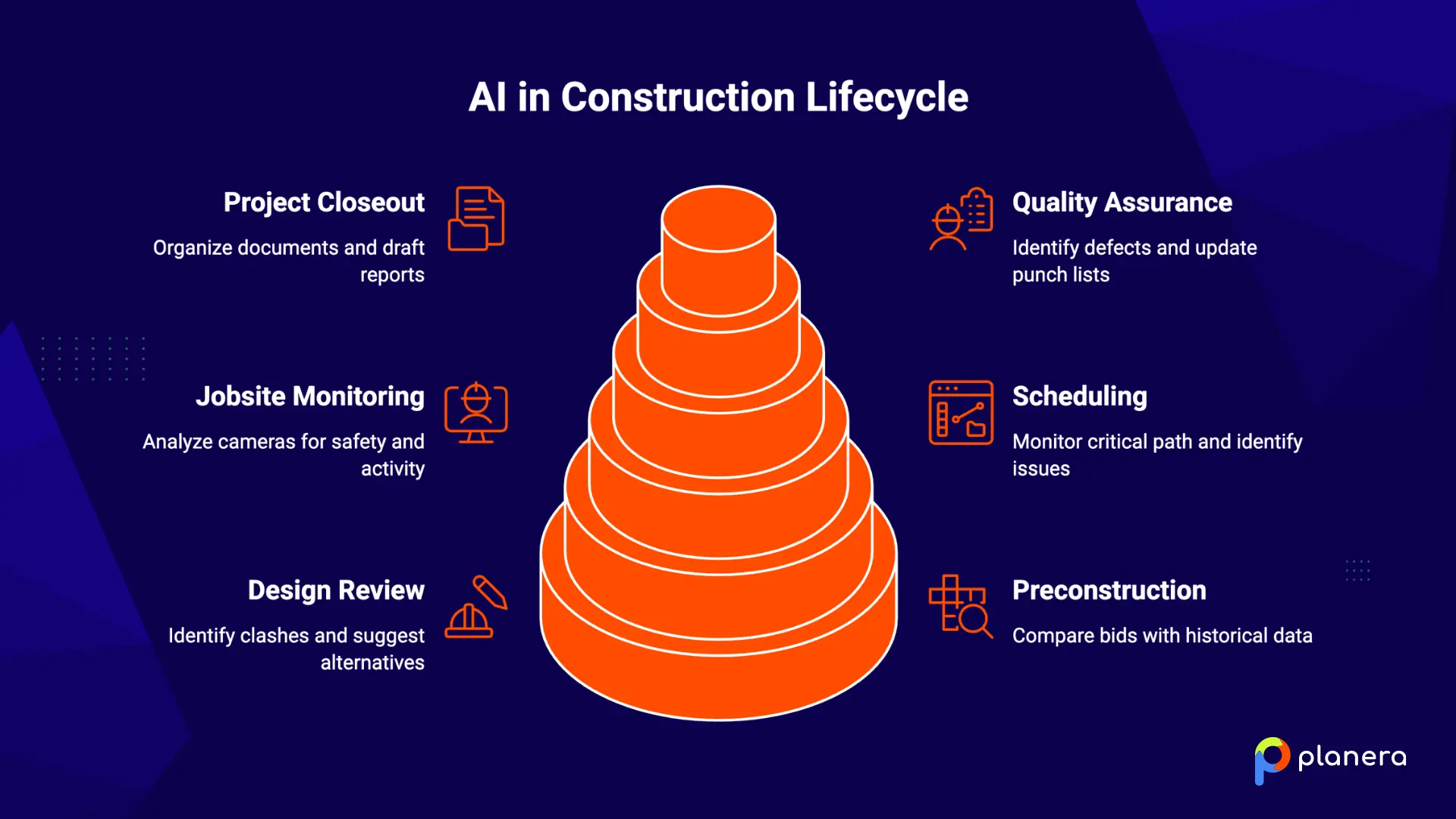
#1 Preconstruction Planning and Estimating
AI can compare new bids with historical cost and productivity data from similar projects, helping estimators identify unusual or potentially underestimated line items. It can also speed up feasibility analysis by testing different cost and project scenarios.
#2 Design Review and Building Information Modeling
AI can work with BIM models to identify potential clashes and suggest design alternatives based on constructability data. Finding a mechanical or structural conflict during design can help prevent costly changes during construction.
#3 Construction Scheduling and Project Controls
AI can review CPM schedules, monitor changes to the critical path, and identify scheduling issues such as missing logic, excessive lags, or negative float. It can also run schedule quality checks and help teams test different scenarios before making changes.
AI can also support lookahead scheduling by helping teams identify upcoming constraints, compare near-term work with the master schedule and flag activities that may need attention before they affect field execution.
#4 Job Site Monitoring and Safety
Computer vision can analyze site cameras to monitor PPE use, unsafe conditions, equipment activity, and worker movement. AI can help teams identify potential hazards earlier, although it should support rather than replace established safety procedures and inspections.
#5 Quality Assurance and Inspections
AI can analyze drone images and field photos to identify potential defects, missing installations, and other issues that may lead to rework. Teams can use these findings to create and update punch lists more efficiently.
#6 Project Closeout and Handover
AI can help organize as-built documents, extract warranty information from submittals, and draft closeout reports. This reduces the manual work involved in collecting and reviewing project records before handover.
What Are the Benefits of Using AI in Construction?
AI can help construction teams reduce delays, control costs, cut manual work, and make faster decisions.
- Fewer delays. UK analysis found that 95% of projects run late, with median overruns exceeding 200 days. AI can flag schedule risks earlier, giving teams more time to resequence work and respond.
- Better cost and schedule forecasting. Industry research estimates that AI can reduce construction costs by 10% to 15% and schedule overruns by 10% to 20% when teams apply it to forecasting and project controls.
- Less manual admin. McKinsey estimates that AI could eventually automate close to 39% of non-physical work in construction. It can help with document review, reporting, progress tracking, and other repetitive tasks.
- Safer job sites. AI-powered cameras can identify potential hazards and PPE issues in real time, helping teams address risks before they result in incidents.
- Faster decisions. AI can combine information from schedules, field reports, cost records, and other project data, giving teams a more current view of project conditions.
- Higher team productivity. Generative AI can increase output in knowledge-heavy roles by 20% to 40%, particularly for tasks such as document review, analysis, and report preparation.
What Construction Tasks Can AI Automate?
AI works best on repetitive tasks that take up significant time but do not require constant human judgment.
- Project reports and documentation. AI can draft daily logs, weekly reports, and owner updates from field data. Project managers can review and edit the output instead of starting each report from scratch.
- Document review. AI can summarize specifications, contracts, and submittals while highlighting key requirements, deadlines, and potential issues.
- Schedule analysis. AI can review logic ties, float, dependencies and driving activities, while DCMA schedule quality checks can help teams identify issues such as missing logic, excessive lags and problematic float.
- Progress tracking against the baseline. Automated comparisons in construction scheduling can show where actual progress is falling behind the approved schedule, giving teams more time to respond before delays grow.
- Schedule conflict detection. AI can identify overlapping crews, equipment conflicts, and sequencing problems during planning, before they affect field operations.
How to Start Using AI in a Construction Company
The best way to introduce AI is to start with a specific problem, test a practical use case, and measure the results before expanding.
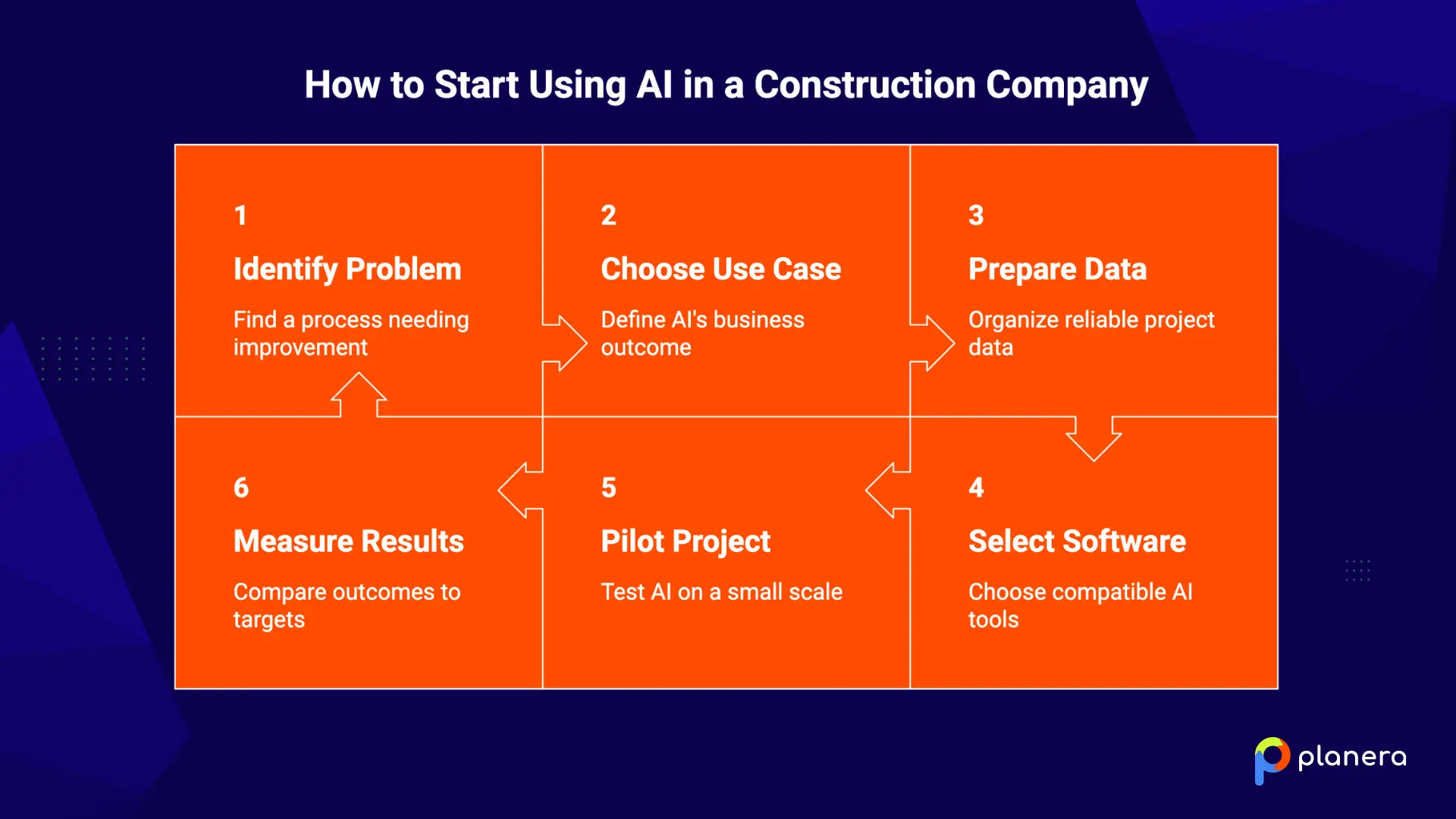
Identify a Construction Process That Needs Improvement
Start with a process that takes too much time or creates recurring problems, such as schedule delays, safety reporting, or manual document work. Ask project managers, superintendents, estimators, and other team members where they spend the most time.
Choose an AI Use Case With a Clear Business Outcome
Define what you want AI to improve and set a measurable target. For example, you might aim to save project managers 10 hours per week, reduce bid preparation time by 20%, or improve schedule forecasting.
Prepare and Organize Your Project Data
AI needs reliable data to produce useful results. RICS found that poor data quality was a barrier to AI adoption for 30% of construction organisations. Review your schedule files, cost codes, field reports, and other project data before implementing a new AI tool.
Choose the Right AI Construction Software
For scheduling-specific use cases, construction scheduling software should support the project’s existing scheduling workflows and integrations. RICS also found that integration challenges affected 37% of firms, making compatibility an important factor when evaluating tools.
Start With a Small Pilot Project
Test one use case on one project or with one team before rolling it out across the company. A small pilot lets you identify problems, collect feedback, and show your team what the technology can actually do.
Measure the Results Before You Expand
Compare the results with the target you set at the start. Track measures such as time saved, forecast accuracy, schedule performance, or fewer manual tasks. If the pilot delivers measurable value, use what you learned to guide a wider rollout.
What Challenges Should Construction Companies Consider Before Using AI?
AI adoption comes with practical challenges, but it can also help companies address some of them.
| Challenge | How Can AI Adoption Help? |
|---|---|
| Skills shortage | AI can handle repetitive analysis, reporting, and documentation, allowing existing teams to do more without adding as much manual work. |
| System integration | AI tools that connect with existing construction software can bring schedule, cost, field, and project data into one workflow. |
| Poor data quality | AI can identify missing, inconsistent, or unusual data and help teams improve the quality of project information. |
| Data and IP security | AI can support automated monitoring, access controls, and security processes, while construction companies still need to choose providers with appropriate data protections. |
| User adoption | AI can reduce repetitive work and provide practical support within existing workflows, making it easier for teams to see its value. |

The goal is not to solve every challenge before using AI. Start with a focused use case, measure the results, and expand as your team gains confidence.
How to Integrate AI in Construction Scheduling and Project Management
Scheduling is one of the most practical areas for construction teams to apply AI. Project management and planning accounted for 28.1% of the AI in construction market in 2025, making it the largest application segment.
In practice, AI can let teams ask questions about a live schedule in plain language. For example:
- Which activities are driving the project finish date?
- What happens to the critical path if steel delivery slips by 10 days?
- Where has float changed since the previous schedule update?
The quality of these answers depends on the data behind the AI. A tool working from a static PDF can only analyse the information in that document. An AI assistant connected to the live schedule can work with actual logic ties, float, activity dates, and resource information.
This connection allows AI to support schedule analysis and scenario planning without replacing the scheduler's judgment.
How Planera Helps Construction Teams Use AI for Better Scheduling
Planera is a visual, collaborative CPM scheduling platform that lets project teams create, review, and work with schedules without years of P6 training.
Planera's AI scheduling assistant Manny works directly within the live schedule. Teams can ask questions about logic ties, float, and the critical path, then test what-if scenarios without manually rebuilding the schedule for each possibility.
This makes schedule analysis more accessible while keeping the scheduler involved in reviewing and approving changes. As Engineering News-Record reported, AI schedule assistants can help reduce the manual work involved in schedule analysis without replacing the scheduler's judgment.
Planera also includes DCMA 14-point schedule checks, Monte Carlo risk analysis, resource and cost loading, and integrations with Procore and Autodesk. This gives teams a shared schedule for both planning and project control.
Ready to see AI-assisted scheduling in action? Book a Planera demo to see how Manny works with your project schedules.
FAQs
How is AI used in construction?
AI is used for scheduling and project controls, document review, progress tracking, safety monitoring, predictive analysis, and routine reporting.
How can construction companies use AI?
Start with one construction process that needs improvement, such as schedule analysis, document review, or progress reporting. Set a measurable goal, run a small pilot, and expand after you see results.
What are the most common AI use cases in construction?
Common use cases include AI scheduling, delay prediction, document and specification review, job site safety monitoring, progress tracking, estimating, and automated reporting.
Can AI predict construction project delays?
Yes. Machine-learning models can analyze historical and current project data to identify patterns associated with schedule delays and flag potential risks earlier.
How can AI improve construction scheduling?
AI can analyze CPM schedules, answer questions about the critical path and float, identify schedule issues, and test what-if scenarios based on changes to activities or resources.
Can AI reduce construction costs?
AI can help reduce costs by improving forecasting, identifying risks earlier, reducing manual work, and helping teams catch errors or potential rework before they become expensive.
How does AI improve construction safety?
Computer vision systems can monitor job sites for issues such as missing PPE, unsafe conditions, and proximity to equipment. These alerts can help safety teams respond to risks earlier.
What are the risks of using AI in construction?
Common concerns include poor data quality, system integration, data security, skills gaps, and inaccurate AI outputs. Teams should review AI-generated results rather than relying on them without human oversight.
What is the best way to start using AI in construction?
Choose one process, define a measurable outcome, and test AI on a small project or with one team. Measure the results before expanding its use.
Will AI replace construction workers?
AI is more likely to change how construction teams work than replace them. It can automate repetitive administrative and analytical tasks while skilled workers continue to handle decisions, field work, and tasks that require experience.

You deserve better scheduling software.
Drive revenue, reduce costs, and manage scheduling with Planera.
Request a Demo