




Construction delays are common, but knowing that a project is late is only the starting point. Teams need to understand what caused the delay, how much time it added, and whether it affected the project's completion date.
Construction delay analysis provides that evidence. It helps teams assess delays while work is still underway, protect the schedule, and support extension of time (EOT) claims when delays occur.
This guide explains what delay analysis is, the main causes of construction delays, the five methods used to analyze them, how to carry out an analysis, and how the results support EOT claims.
What Is Construction Delay Analysis?
Construction delay analysis identifies the causes of schedule delays and measures their impact on the project. It typically uses the Critical Path Method (CPM) schedule to determine whether a delay actually affected the completion date.
It has two main jobs:
- Identify the cause: Find out what triggered the delay, such as a late design release, missing permit, material shortage, or subcontractor issue.
- Measure the impact: Determine how many days the event added to the schedule and whether it affected the critical path or completion date.
It is also important to distinguish delay from disruption. A delay extends the project timeline, while disruption reduces productivity or changes how work is performed without necessarily moving the completion date.
Delay analysis is often used for claims, but it can also help teams manage the project while work is underway. Regular analysis can reveal lost float, support schedule adjustments, and give owners early notice of potential completion-date impacts.
Prospective vs. Retrospective Delay Analysis
The main difference is when the analysis takes place.
- Prospective analysis looks forward. Teams use it during construction to assess the potential impact of a delay event on the current schedule. Time Impact Analysis (TIA) is commonly used for this purpose and can support EOT discussions while the project is still active.
- Retrospective analysis looks back. It uses actual project records to determine how delays affected the project. Methods such as Windows Analysis, As-Planned vs. As-Built, and Collapsed As-Built are commonly used for claims and disputes.
The right method depends on the project's stage and the question being answered.
What Causes Delays in Construction Projects?
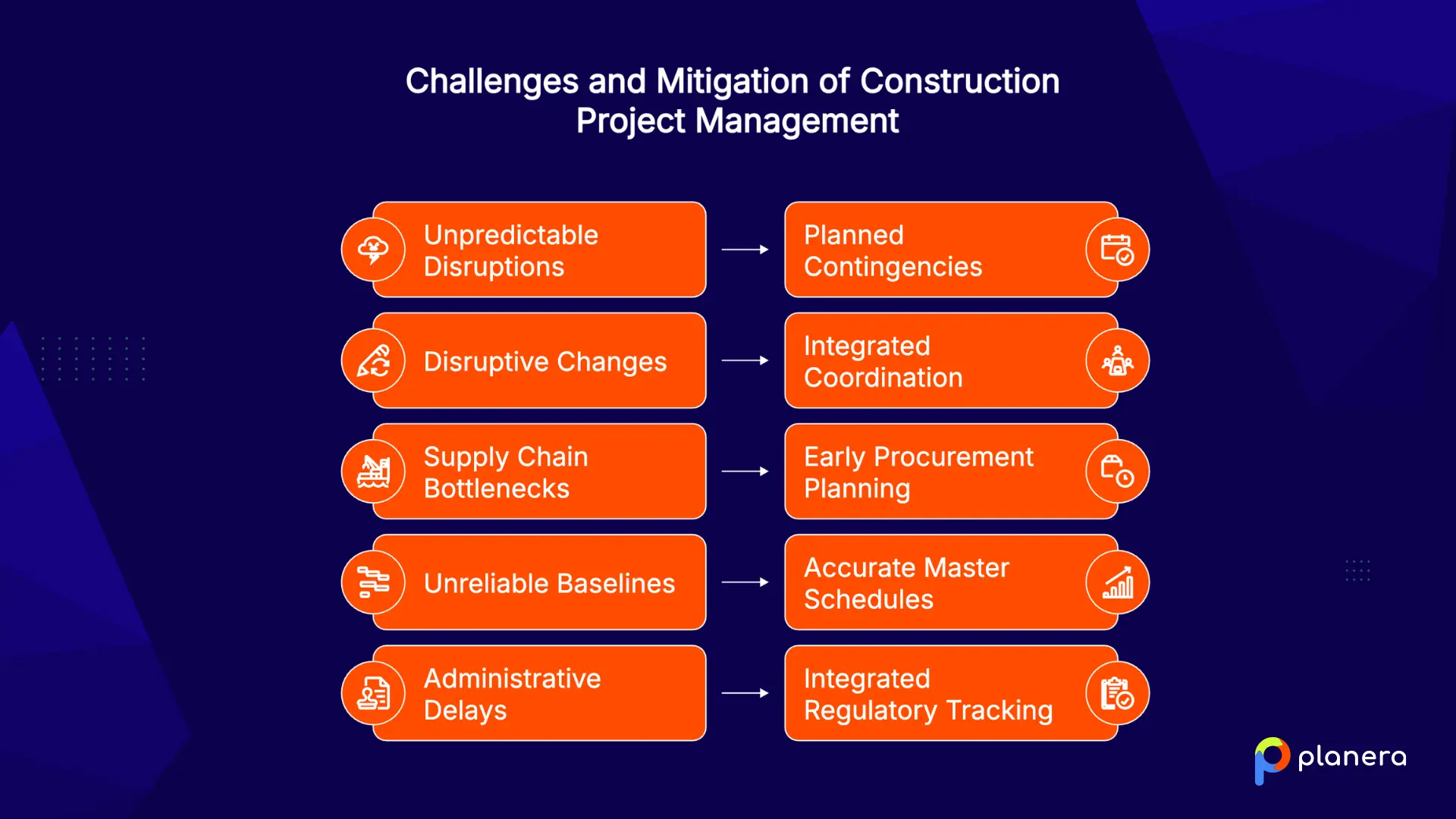
Construction delays can come from the site, design team, suppliers, workforce, or project management. The most common causes include:
Weather and Unforeseen Site Conditions
Weather accounts for around 3% to 5% of construction delays, but it can have a much larger impact on individual projects, especially in areas with extreme or unpredictable conditions.
Rain, extreme temperatures, and unexpected site conditions can stop work or reduce productivity. Weather calendars and realistic schedule allowances can help teams plan around predictable conditions, while contingency time can provide some protection against the unexpected.
Design and Scope Changes
Design issues affect nearly 45% of projects globally and can create significant schedule and cost impacts.
Incomplete drawings, late RFI responses, and owner-driven scope changes can force crews to stop, redo completed work, or change their sequence. Because these changes often affect several trades at once, they can quickly push activities onto the critical path. Projects that rely on construction fast tracking to overlap design and construction phases face this risk even more, since a late design change can affect work that has already started.
Material Procurement and Supply Chain Delays
Supply chain problems continue to affect construction schedules, with 65% of firms reporting delays linked to supply issues.
Long-lead materials and equipment deserve particular attention. Items such as switchgear, generators, and other specialized equipment may need to be ordered months before installation, so a missed procurement date can delay work long before the issue becomes visible on site.
Labor Shortages and Equipment Availability Issues
Labor shortages can directly reduce production rates and delay planned activities. The 2025 AGC/NCCER Workforce Survey found that 92% of hiring companies struggled to find qualified workers, while 45% reported project delays caused by craft labor shortages.
Equipment shortages or breakdowns create a similar problem. When the required crew or equipment is unavailable, activities take longer than planned and downstream work can lose its planned start date.
Poor Project Planning and Scheduling
A weak construction master schedule makes it difficult to manage delays because the schedule itself may not reflect how the work will actually happen. A 2025 review of more than 70,000 CPM schedules found that 76% finished later than their original baseline dates.
Missing dependencies, unrealistic durations, and excessive constraints can all create an unreliable schedule. If the baseline is wrong from the start, it also becomes much harder to determine the true impact of a later delay.
Permitting and Regulatory Delays
Permits, inspections, approvals, and other regulatory requirements can hold up work even when the construction team is ready to proceed. Around 29% of professionals cite permitting issues as a major source of construction delays.
These activities should appear directly in the project schedule rather than being treated as administrative tasks outside it. Tracking approval dates and responsible parties makes it easier to identify a potential delay before it affects field work.
Which Construction Delay Analysis Methods Are Used Most Often?
The right method depends on the project's complexity, the quality of schedule records, contract requirements, and the type of claim being assessed. Five methods cover most construction delay analysis situations.
| Method | Best For | Main Strength | Main Limitation |
|---|---|---|---|
| As-Planned vs. As-Built | Simple projects | Fast and easy to understand | Limited for complex claims |
| Impacted As-Planned | Early delay assessments | Simple baseline modeling | Ignores actual progress |
| Time Impact Analysis (TIA) | Ongoing projects and EOT claims | Measures specific delay impacts | Needs detailed schedule updates |
| Windows Analysis | Complex, long projects | Tracks critical path changes | Data-heavy and time-consuming |
| Collapsed As-Built | Post-completion disputes | Isolates specific delay effects | Depends heavily on record quality |

As-Planned vs. As-Built Analysis
This method compares the original baseline with what actually happened, measuring the difference between planned and actual dates.
- Best for: Smaller, simpler projects and lower-value disputes.
- Advantages: Relatively fast, inexpensive, and easy to understand.
- Limitations: It shows that a delay occurred but does not reliably establish what caused it, making it less suitable for complex claims.
Impacted As-Planned Analysis
This method adds identified delay events to the original baseline schedule and recalculates the project to estimate their effect on completion.
- Best for: Early delay assessments and relatively simple projects with reliable baseline logic.
- Advantages: Straightforward to model and requires limited schedule data.
- Limitations: It does not account for actual progress or changes to the schedule after the baseline, which can make the results less reliable on longer projects.
Time Impact Analysis (TIA)
TIA adds a fragnet, or small network of delay activities, to the approved CPM schedule at the point when the delay occurred. The schedule is then recalculated to determine whether and how much the event affected the completion date.
- Best for: Ongoing projects, EOT assessments, and situations where contemporaneous schedule analysis is important.
- Advantages: Shows the relationship between a specific delay event and its effect on the current schedule. AACE International recognizes TIA as a well-established delay analysis technique.
- Limitations: It requires regularly updated schedules, detailed project records, and specialist analysis.
Windows Analysis
Windows Analysis divides the project into periods, or "windows," and examines what happened to the critical path and schedule during each period. Instead of relying only on the original baseline and final as-built schedule, it shows how delays developed and changed over the course of the project.
- Best for: Complex, long-duration projects and major claims or disputes.
- Advantages: Captures changes in the critical path over time and can help assess concurrent delays.
- Limitations: It requires detailed, reliable schedule updates and significant analysis work.
Collapsed As-Built (But-For) Analysis
This method starts with the as-built schedule and removes selected delay events to model how the project might have finished without those delays.
- Best for: Post-completion claims and disputes where detailed project records are available.
- Advantages: Helps isolate the potential effect of specific delay events on the final completion date.
- Limitations: The results depend heavily on the quality of the as-built schedule and supporting records.
Which Delay Analysis Method Should You Choose?
| Method | Best For | Type | Key Advantage | Key Limitation |
|---|---|---|---|---|
| As-Planned vs. As-Built | Small, simple projects and lower-value disputes | Retrospective | Fast and easy to understand | Limited for complex claims |
| Impacted As-Planned | Early impact estimates and simple schedules | Prospective | Simple to model against the baseline | Does not account for actual progress or later logic changes |
| Time Impact Analysis (TIA) | Mid-project EOT assessments and contract-required analysis | Prospective | Shows the impact of a delay event on the current schedule | Requires regular updates and detailed records |
| Windows Analysis | Complex, long-duration projects and major disputes | Retrospective | Shows how delays and the critical path change over time | Resource-intensive and data-heavy |
| Collapsed As-Built (But-For) | Post-completion disputes with strong records | Retrospective | Helps isolate the effect of specific delay events | Highly dependent on as-built data and record quality |
How to Perform Construction Delay Analysis Step by Step
The method changes. The process stays the same.
Collect Project Schedules and Documentation
Start with the approved baseline and every schedule update that followed it. Gather daily reports, RFI and submittal logs, change orders, meeting minutes, correspondence, and progress photos.
These records help establish what was planned, what actually happened, and when the delay occurred. Comparing this against the construction milestone schedule also makes it easier to see which key dates were missed.
Identify Delay Events and Their Causes
Review the project records against the schedule to identify specific delay events. Record when each event occurred, which activity it affected, what caused it, and what evidence supports it.
Then classify each delay based on the contract, such as owner-caused or contractor-caused, excusable or non-excusable, and compensable or non-compensable.
Measure the Impact on the Critical Path
Use the selected analysis method to determine how each event affected the schedule. This may involve inserting a fragnet into the CPM schedule, comparing changes across schedule windows, or checking the construction sequence plan to see how the delay moved through dependent activities.
Not every delay affects the completion date. A three-week delay to an activity with 40 days of float, for example, may have no effect on project completion.
Determine Responsibility for Each Delay
Determine which party caused each delay and whether multiple delays occurred at the same time. Concurrent delay can make this assessment more complicated, particularly when owner and contractor delays both affect the critical path.
The contract and applicable law determine how concurrency affects entitlement to additional time or compensation.
Document Findings and Recommendations
The final report should connect each delay event to its evidence and schedule impact. Include the analysis method, time impact, responsibility, and any recommended EOT or compensation.
The goal is to show why the project was late, how much time each event caused, and what entitlement may result.
How Does Construction Delay Analysis Support Delay Claims and Dispute Resolution?
A credible delay analysis gives an EOT claim the evidence needed to stand up to review. It connects the delay event to the schedule in place at the time and shows how many days it actually affected completion.
The SCL Delay and Disruption Protocol, Second Edition provides guidance on records, float, concurrency, mitigation, and compensation. It also supports assessing EOT claims as delays occur rather than waiting until project closeout.
Contemporaneous records matter most. Schedule updates, daily reports, RFIs, correspondence, and change orders provide evidence that is much easier to defend than a delay narrative reconstructed months later.
Common Mistakes That Reduce the Accuracy of Construction Delay Analysis
A good analysis can still fail if the underlying process is weak. These are the mistakes to watch for:
- Using the wrong method. A simple As-Planned vs. As-Built analysis may not hold up on a complex, high-value dispute.
- Missing schedule updates. TIA and Windows Analysis depend on reliable schedule updates. Without them, it becomes much harder to establish what happened and when.
- Giving late notice. Contract notice requirements can affect EOT entitlement, even when the delay itself is well supported.
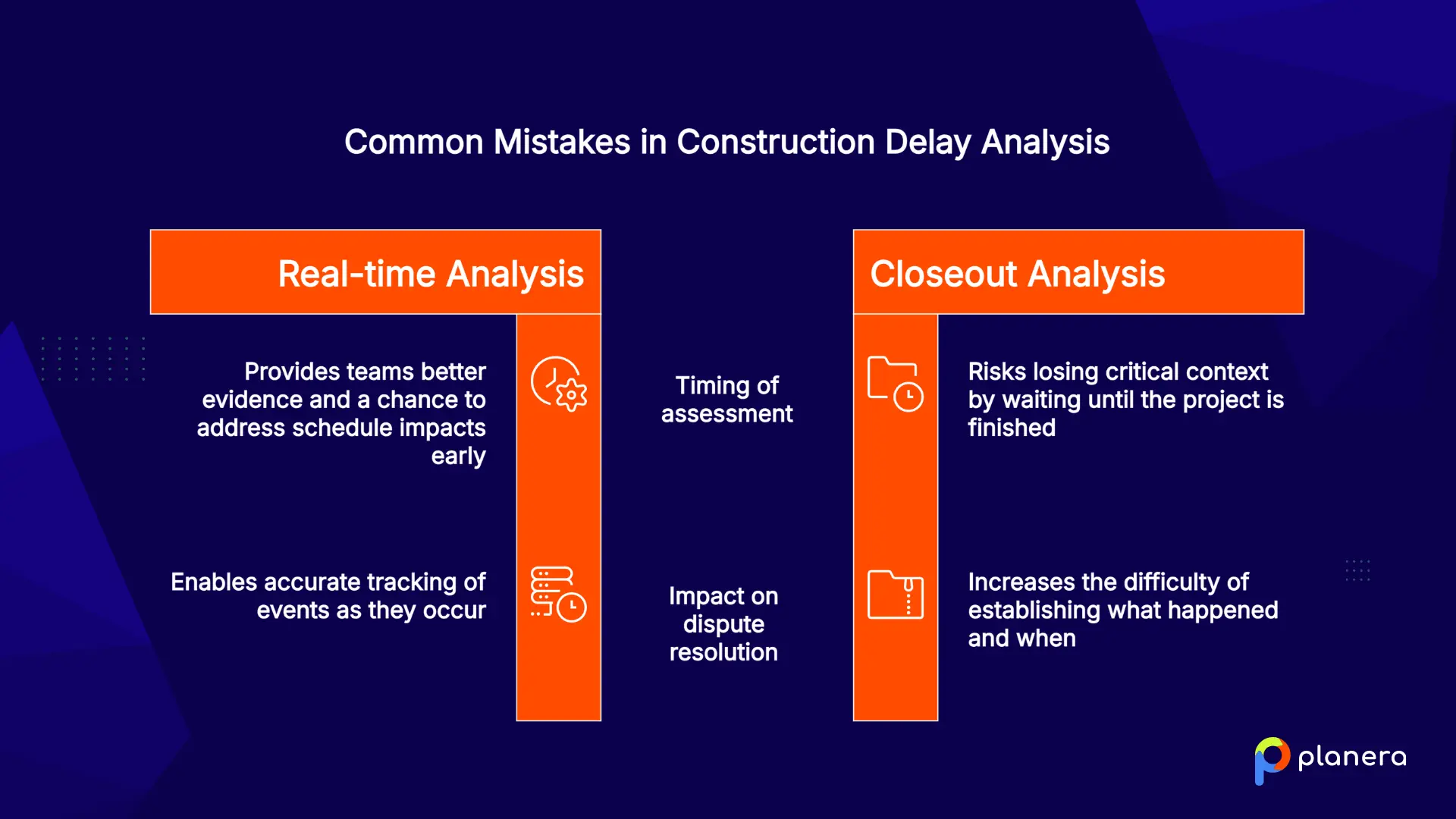
- Waiting until project closeout. Analyzing delays as they occur gives teams better evidence and a chance to address schedule impacts early.
- Handling concurrency poorly. Owner and contractor delays need to be assessed separately when they occur during the same period.
- Starting with a weak baseline. Missing logic, unrealistic durations, or incomplete activities can undermine every calculation that follows.
How Planera Simplifies Construction Delay Analysis
Delay analysis depends on accurate, up-to-date schedules. Planera gives project teams one shared CPM schedule where they can track progress, identify critical path changes, and keep schedule updates current on a live project dashboard.
Its DCMA 14-point quality checks flag issues such as broken logic, hard constraints, and dangling activities before they undermine the schedule. Teams can also compare schedule versions on a shared construction whiteboard to see how dates, activities, and resources changed over time, creating a clearer record for delay analysis.
For impact analysis, Planera's AI scheduling assistant Manny helps teams test delay and recovery scenarios and understand their potential effect on the schedule. Monte Carlo analysis can also quantify schedule risk before delays become claims.
Planera also imports and exports P6 and MS Project files and integrates with Procore and Autodesk, so teams can keep working with the systems already used on their projects.
Want to see how Planera can help your team manage schedule risk and delay analysis? Book a demo to see it in action.
FAQ
What is construction delay analysis?
Construction delay analysis identifies the causes of schedule delays and measures their impact on project completion. It uses the CPM schedule and project records to determine how much time each event added and who was responsible.
Why is construction delay analysis important?
It helps teams identify delays early, support EOT claims, and resolve disputes with evidence rather than assumptions. When performed during the project, it can also show where schedule recovery may be needed.
What are the most common construction delay analysis methods?
The five main methods are As-Planned vs. As-Built, Impacted As-Planned, Time Impact Analysis (TIA), Windows Analysis, and Collapsed As-Built (But-For). The right choice depends on the project, available records, and purpose of the analysis.
What is the difference between Time Impact Analysis and Windows Analysis?
TIA analyzes a delay as it occurs by inserting a fragnet into the current schedule and measuring its impact. Windows Analysis looks back at completed periods to examine how delays and the critical path changed over time.
Who performs construction delay analysis?
Project schedulers and planners can handle routine analysis, while complex claims often involve forensic delay consultants, claims specialists, or expert witnesses.
What documents are needed for construction delay analysis?
Key records include the approved baseline, schedule updates, daily reports, RFIs, submittals, change orders, meeting minutes, correspondence, weather records, and progress photos.
How does construction delay analysis support delay claims?
It connects a specific delay event to a measurable impact on the completion date, giving owners, contract administrators, and adjudicators the evidence needed to assess an EOT claim.
What is a critical path in construction delay analysis?
The critical path is the sequence of dependent activities that determines the project's earliest possible completion date. A delay only extends the project when it affects the critical path or consumes available float.
What causes delays in construction projects?
Common causes include labor shortages, material and supply chain problems, design and scope changes, weather, permitting issues, poor planning, and weak schedule management.
How can construction scheduling software improve delay analysis?
Scheduling software keeps updates, schedule logic, and progress data in one place. Features such as schedule quality checks, version comparison, and scenario modeling can make it easier to identify and measure delay impacts.

You deserve better scheduling software.
Drive revenue, reduce costs, and manage scheduling with Planera.
Request a Demo.webp)