


Construction project performance remains a major concern, with KPMG’s Global Construction Survey 2025/2026 showing that 75% of construction executives are more risk-averse than they were 12 months earlier. As projects become larger and more complex, AI scheduling tools can help teams analyse project data, identify potential delays earlier, and test different scheduling scenarios.
This guide covers the main types of AI construction scheduling tools in 2026, what each is built to do, and how they compare with traditional scheduling software.
What Is AI Construction Scheduling Software?
AI construction scheduling software uses technologies such as machine learning, simulation, computer vision, and natural language processing to build, analyse, monitor, or improve project schedules.
Traditional CPM in scheduling calculates dates, dependencies, and floats based on the logic entered by the scheduler. AI adds capabilities that can analyse project data, identify patterns, make predictions, and help teams test different scheduling options.
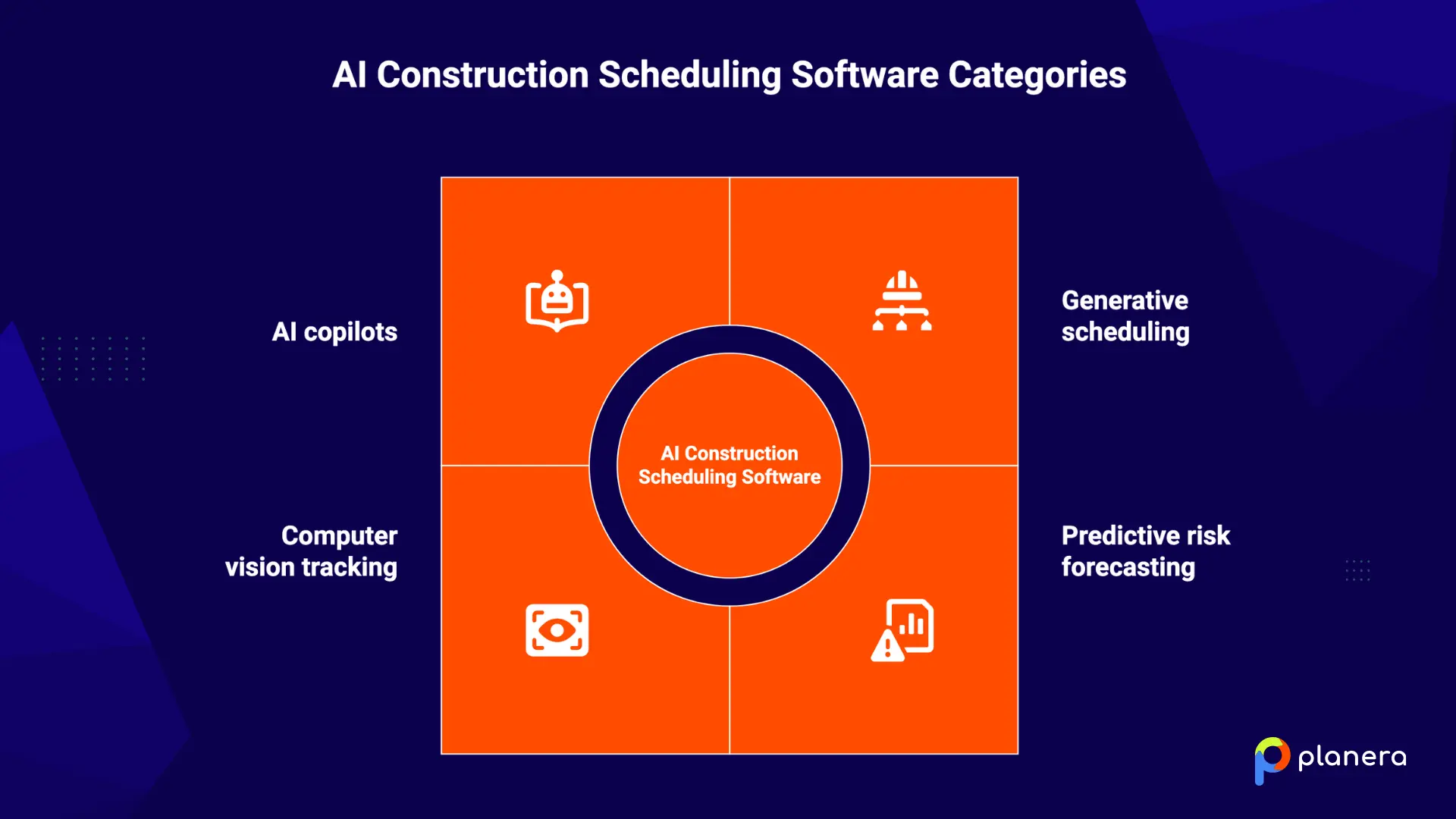
These tools generally fall into four categories:
- Generative scheduling and optimisation: Tests different construction sequence plans based on project constraints.
- Predictive risk forecasting: Uses historical and current project data to identify potential schedule risks and delays.
- Computer vision progress tracking: Compares site images or video with planned work to monitor progress.
- AI copilots: Let users ask questions about schedules and get assistance with analysis and scenario planning.
The AI in the construction market is projected to grow from $6.02 billion in 2026 to $35.53 billion by 2034. Project management, scheduling, and budgeting account for roughly 34% of that market.
What Are the Main Types of AI Construction Scheduling Tools?
Each type of tool solves a different part of the scheduling problem. Match the type to your bottleneck, not the other way around.
| Type | Best for | Core AI capability | Ideal project type |
|---|---|---|---|
| AI-native CPM platforms (Planera) | Visual, collaborative CPM scheduling | AI assistant for float, logic and what-if questions inside the live schedule | Commercial, healthcare, data centers, heavy civil |
| AI-assisted capital project schedulers | Owners and contractors on large capital programs | Draft schedules and duration suggestions from historical schedules | Energy, industrial, infrastructure |
| Generative scheduling and optimization | Comparing many sequencing options before committing | Simulates thousands of schedule scenarios against time, cost and resource goals | Data centers, energy, transit |
| Predictive risk forecasting | Project controls and risk teams | Predicts delay likelihood from large historical schedule datasets | Large portfolios |
| Computer-vision progress tracking | Measuring actual progress against plan | Compares jobsite imagery with the BIM model and schedule | Large projects with BIM workflows |
| AI features in general schedulers (Microsoft Project) | Teams already on Microsoft 365 | Copilot for draft plans, risk prompts and status reports | Simpler projects in the Microsoft ecosystem |

1. AI-native CPM platforms: best for visual, collaborative construction scheduling
These platforms build AI directly into a construction CPM schedule, so teams can ask questions and test scenarios without leaving the live plan. Planera is in this category.
Planera is a visual, collaborative CPM scheduling platform built around a drag-and-drop CPM Canvas. Multiple team members can build, review, and update schedules together while keeping standard CPM logic, including relationships, lag and lead times, and constraints.
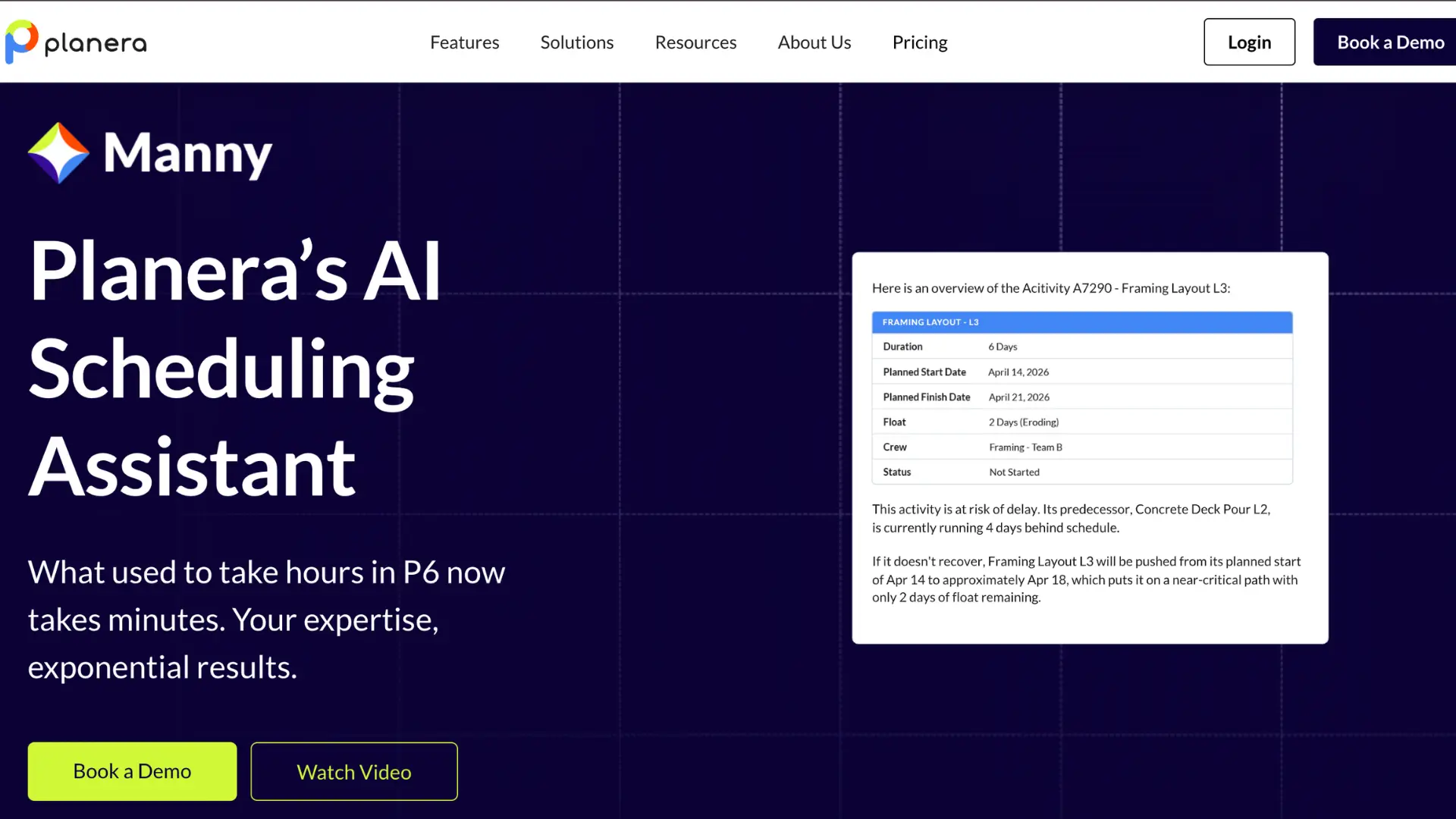
Planera's AI scheduling assistant Manny, works inside the live schedule. Teams can ask questions about float, logic ties, critical-path activities, and schedule risks in plain language. Manny can also help test what-if scenarios, making it easier to explore different sequencing and recovery options.
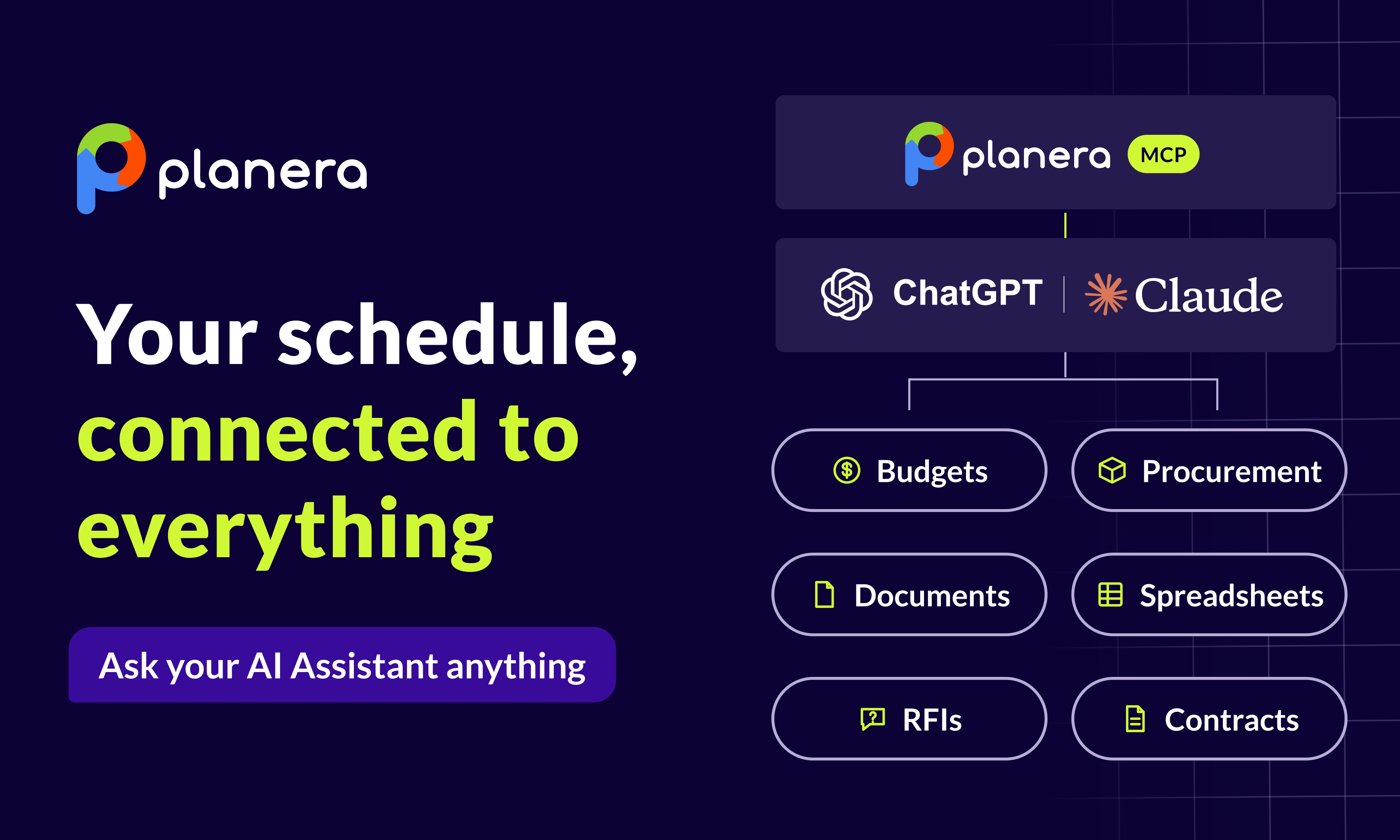
Manny also runs agents, on demand or on a set schedule, that check schedule quality and progress updates and build reports. When it drafts changes like recovery options or bulk coding, a person approves them before anything in the schedule moves. Teams that already work in Claude or ChatGPT can use the Planera MCP connector to query the same live schedule from those tools, read-only and within each user's existing permissions. The connector runs Planera's own scheduling engine, so a critical path or what-if answer matches what the team sees in Planera.
Other Planera features include:
- Collaborate on Whiteboard: Work on the same schedule with other team members and make updates together.
- Field Schedules: Pull a section of the master schedule into a working schedule and plan short-interval work with trades, with progress rolling up to the master.
- Planera MCP Connector: Query live Planera schedules from Claude, ChatGPT and other MCP-compatible tools, read-only and within existing permissions.
- Project Dashboard: View important project information and schedule metrics from a single dashboard.
- Risk Simulations: Test how different risks could affect the schedule and expected project completion date.
- DCMA Quality Check: Review a schedule for common quality and logic issues based on DCMA guidelines.
- Progress Updates: Record completed work and update the schedule as the project moves forward.
- Resource Loading: Add resources to activities to see where workloads may be unbalanced or create scheduling conflicts.
- Planera for iPad: Access and update project schedules from an iPad while working away from the office.
Best fit: GCs and project teams that want AI-assisted CPM scheduling, collaborative planning, and project controls in one platform.
2. AI-assisted capital project schedulers: best for large capital programs
These tools sit inside broader project controls suites built for owners and contractors on large capital programs. They use a company's library of past schedules to draft new plans from a high-level work breakdown structure and suggest durations, sequencing, risks and costs based on similar projects. Most also connect look-ahead planning to the master schedule and model schedule uncertainty.
Best fit: Owners and contractors running complex capital projects in infrastructure, energy and industrial construction who want AI-assisted scheduling inside a full project controls platform. Pricing is usually quote-based.
3. Generative scheduling and optimization: best for what-if scenarios
Generative scheduling tools take project constraints, dependencies and resources, then simulate thousands of possible schedules to find options that meet your goals. Teams can set objectives such as shortening the schedule through construction fast tracking, reducing resource downtime or protecting key milestone schedules, then compare the time and cost impact of each option.
Best fit: Large, complex projects such as data centers, energy facilities and transit infrastructure, where teams want to test many sequencing options before choosing a plan.
4. Predictive risk forecasting: best for schedule risk prediction
Risk forecasting tools are trained on large sets of historical project schedules. They estimate realistic activity durations, flag driving paths that threaten milestones, and catch risks that may not sit on the current critical path. Many add automated reporting and schedule integrity checks, and they usually work alongside an existing scheduling tool rather than replacing it.
Best fit: Risk managers and project controls teams overseeing large portfolios. Prediction quality depends on accurate, consistent schedule data.
5. Computer-vision progress tracking: best for measuring actual progress
These tools use 360-degree jobsite capture, often from hardhat-mounted cameras, and compare the footage with the BIM model and schedule. They track completed work element by element, compare planned and actual work rates, and flag activities likely to slip before the delay shows up in the master schedule.
Best fit: Large projects with established BIM workflows and regular site capture. They are less practical for smaller or less digitized projects.
6. AI features in general schedulers like Microsoft Project
Microsoft Project now includes AI features through Microsoft Copilot. It can draft a preliminary work breakdown structure from a project description, answer plain-language questions, suggest risks and generate status reports, and it connects with Teams and Planner.
Best fit: Construction teams already on Microsoft 365 that want to add AI to an existing workflow. It has fewer construction-specific capabilities than tools built for CPM collaboration, BIM progress tracking or schedule optimization.
How Do AI Construction Scheduling Tools Work?
AI construction scheduling tools use project data to analyze schedules, identify risks, and help teams evaluate possible changes. The exact process varies by software, but it generally includes these steps:
- Collect and prepare project data. The software uses information such as activities, dependencies, durations, resources, constraints, and progress updates. Some tools can also use historical project data to improve their predictions.
- Analyze the schedule. AI looks for patterns and relationships in the schedule that could affect the planned sequence or completion date. This can include changes in activity durations, dependencies, resource availability, and progress.
- Identify schedule risks. The software estimates which activities or parts of the schedule could lead to delays. More advanced tools can also estimate the probability and potential impact of different outcomes.
- Test different scenarios. AI can evaluate alternative sequences, resources, or activity durations to show how changes could affect the project schedule. This lets teams compare options before making changes to the live schedule.
- Compare planned and actual progress. When connected to project updates or site data, AI can compare planned work with actual progress and highlight areas where the project is falling behind.
- Support schedule decisions. The final output can include risk alerts, schedule recommendations, forecasts, or scenario comparisons. The scheduler still reviews these results and decides which changes, if any, to make.
What Features Should You Look for in AI Construction Scheduling Software?
When comparing AI construction scheduling software, focus on the features that match your project size, scheduling process, and team needs. Important features include:
- AI schedule analysis: Look for tools that can analyze schedule logic, identify potential issues, and explain factors that may affect the project timeline.
- Delay prediction and risk analysis: The software should help identify activities that could cause delays and show how different risks may affect the completion date.
- Resource and cost planning: Resource and cost loading can help teams see how labour, equipment, and other resources affect the schedule.
- Automated schedule updates: Tools that connect progress data to the schedule can reduce manual updates and keep planned and actual progress aligned.
- Progress tracking: Look for baseline comparisons, schedule variance information, and clear visibility into where work is ahead or behind plan.
- Visual scheduling: A visual schedule can make complex plans easier for project managers, superintendents, and field teams to review and understand.
- Collaboration: Multiple users should be able to review, update, and share schedule information without relying on separate files and manual exchanges.
- Software integrations: Check whether the tool works with the systems your team already uses, such as Primavera P6, Microsoft Project, Procore, or Autodesk Construction Cloud.
What Are the Benefits of AI Construction Scheduling Tools?
AI construction scheduling tools can help teams analyze schedules faster, identify risks earlier, and compare different planning options. The main benefits include:
- Earlier risk detection: AI can analyze schedule data to identify activities and dependencies that may contribute to delays, giving teams more time to respond.
- Better schedule planning: Teams can test different sequences, resources, and durations before making changes to the project schedule.
- Less manual work: Automated schedule analysis, reporting, and progress updates can reduce repetitive work for schedulers and project teams.
- Improved resource planning: AI can help teams identify resource conflicts and understand how changes in labour or equipment availability could affect the schedule.
- More accurate forecasting: Predictive models can use historical and current project data to estimate potential completion dates and schedule risks.
- Faster decision-making: Instead of reviewing large amounts of schedule data manually, teams can use AI-generated insights to focus on activities and risks that need attention.
A Bridgit survey found that 46% of construction companies using AI saved between 500 and 1,000 hours, showing the potential for AI to reduce time spent on repetitive work. Actual results will vary depending on the software, project data, and how the tool is used.
What Are the Limitations of AI Construction Scheduling Tools?
AI can improve schedule analysis and forecasting, but it also has limitations. Before choosing a tool, consider the following:
- Data quality matters: AI predictions depend on the project data behind them. Inconsistent or incomplete schedules can lead to less reliable results.
- Some tools require additional technology: Computer-vision scheduling tools may require BIM models, regular site capture, and suitable camera coverage. This can make them harder to use on smaller or less digitized projects.
- Costs can be high: Some enterprise AI scheduling platforms have significant licensing and implementation costs. Pricing varies widely, so teams should compare the expected benefits with the total cost of adoption.
- Results vary by project: AI performance depends on the type and quality of data available, the project environment, and how the software is implemented. Vendor case studies may not reflect results on every project.
- Human review is still important: AI can identify patterns, forecast risks, and compare scenarios, but schedulers still need to consider factors that may not appear in the data, such as subcontractor performance, site conditions, and supply issues.
For this reason, it is useful to test an AI scheduling tool on a real project before rolling it out across the company. This gives teams a chance to compare the software's results with their existing scheduling process.
AI Construction Scheduling Software vs Traditional Scheduling Methods
Traditional CPM software remains useful for creating and managing construction schedules. AI tools add capabilities such as predictive analysis, scenario testing, and automated insights. The main differences are in how teams analyse information and respond to schedule changes.
| Area | Traditional Scheduling | AI Construction Scheduling |
|---|---|---|
| Schedule analysis | Relies mainly on manual review by schedulers. | Analyses schedule data and highlights potential issues. |
| Risk detection | Risks are identified through schedule updates and manual analysis. | Uses data to identify patterns that may indicate future delays. |
| What-if scenarios | Scenarios are created and compared manually. | Tests multiple scenarios and compares their potential impact. |
| Progress tracking | Progress is often entered and compared with the baseline manually. | Some tools connect schedule data with field or site information. |
| Decision-making | Schedulers perform the analysis and make the final decisions. | AI provides forecasts and recommendations, while schedulers review and act on them. |
The two approaches can also work together. Many construction teams still use traditional CPM platforms for contract requirements and detailed schedule management while adding AI tools for risk analysis, forecasting, or scenario planning. Some teams also combine these with collaborative approaches like pull planning in construction to keep field teams aligned with the overall project plan.
Final Thoughts
The right AI scheduling tool depends on what your team needs from it. Some platforms focus on schedule optimisation and what-if analysis, while others are built around risk forecasting, progress tracking, or adding AI capabilities to existing scheduling software.
Before choosing a platform, consider the size and complexity of your projects, the quality of your schedule data, the systems you already use, and how much automation your team actually needs. It is also worth testing a tool with a real project before rolling it out more widely.
For teams looking for a visual and collaborative approach to CPM scheduling, Planera combines AI-assisted analysis with scheduling, risk management, field planning, and schedule quality tools in one platform. Book a Planera demo to see how it can fit your team's scheduling workflow.
FAQ
What is the best AI construction scheduling software?
There is no single option for every team. AI-native CPM platforms like Planera focus on collaborative scheduling with AI built in, generative tools on optimization, risk forecasting tools on delay prediction, and computer-vision tools on progress tracking. Start with the bottleneck you most need to fix.
How does AI help with construction scheduling?
AI can analyze project data, identify potential schedule risks, compare different scenarios, and support progress tracking. This can reduce manual analysis and help teams respond to potential problems earlier.
Can AI predict construction project delays?
Yes. Some AI tools use historical and current project data to estimate which activities or milestones may be at risk. The accuracy of these predictions depends on the quality and amount of data available.
Can AI create a construction schedule?
Some tools can generate draft schedules or suggest activities, durations, and sequences. A scheduler should still review the results and adjust them based on project requirements and site conditions.
How accurate are AI construction scheduling tools?
Accuracy depends on the software, the data it uses, and the project. Incomplete or inconsistent schedule data can lead to less reliable predictions. Testing a tool on a real project can help teams understand how well it performs for their needs.
What data does AI construction scheduling software need?
Most tools need schedule information such as activities, durations, dependencies, resources, and progress data. Some systems can also use historical project schedules, while computer-vision tools may require BIM models and site imagery.
Can AI construction scheduling tools replace project schedulers?
No. AI can support schedule analysis, forecasting, and scenario planning, but schedulers still need to review the results and apply project-specific knowledge and judgment.
How much does AI construction scheduling software cost?
Pricing varies significantly between platforms. It can depend on factors such as the number of users, projects, features, implementation requirements, and the type of AI technology involved. Check with each provider for current pricing.

You deserve better scheduling software.
Drive revenue, reduce costs, and manage scheduling with Planera.
Request a Demo